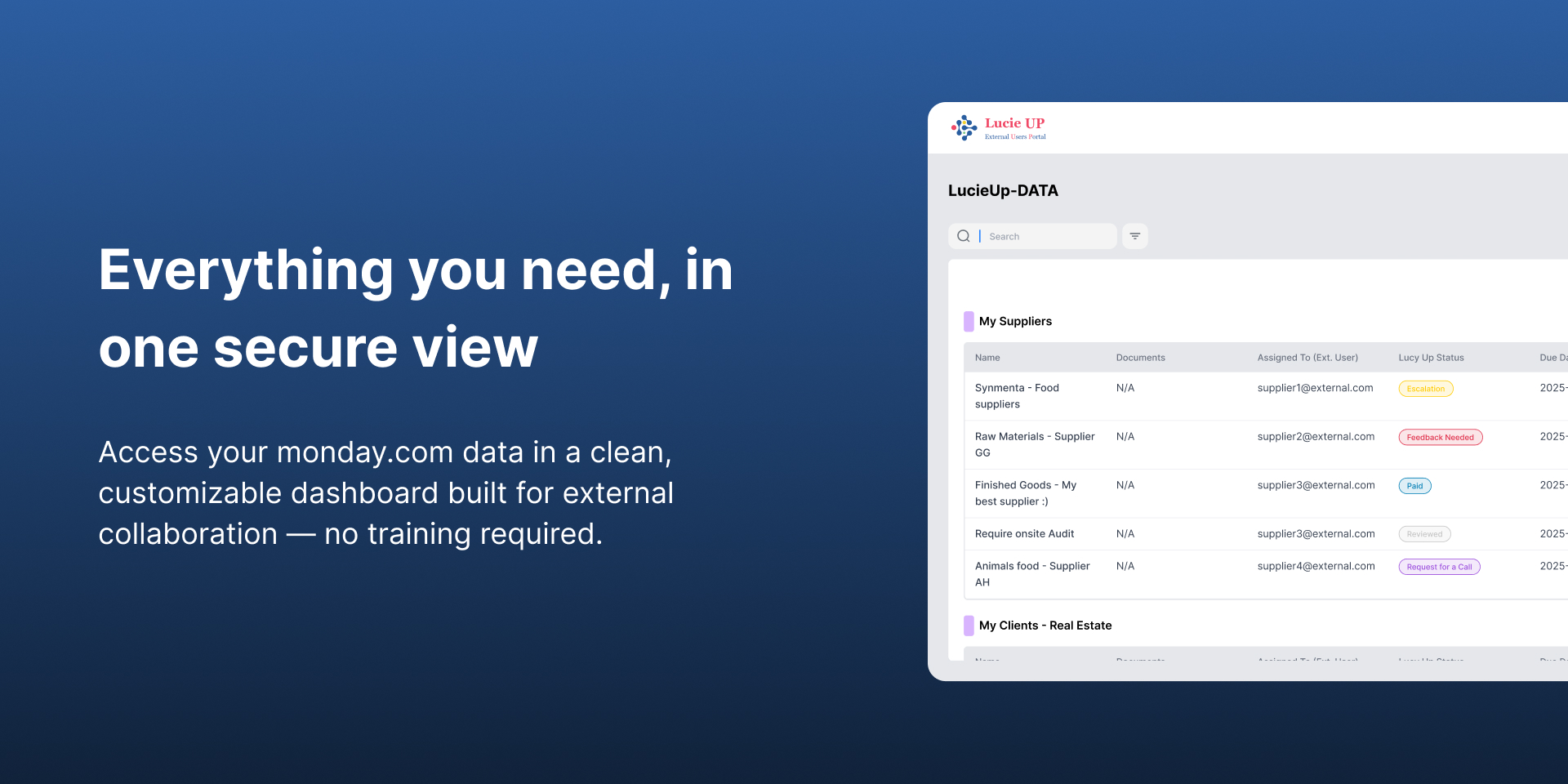
Secured portal to connect and share your monday with anyone!
Bridge the gap between your monday.com and the outside world with Lucie UP, a secured innovative bi-directionalsharing Portal!
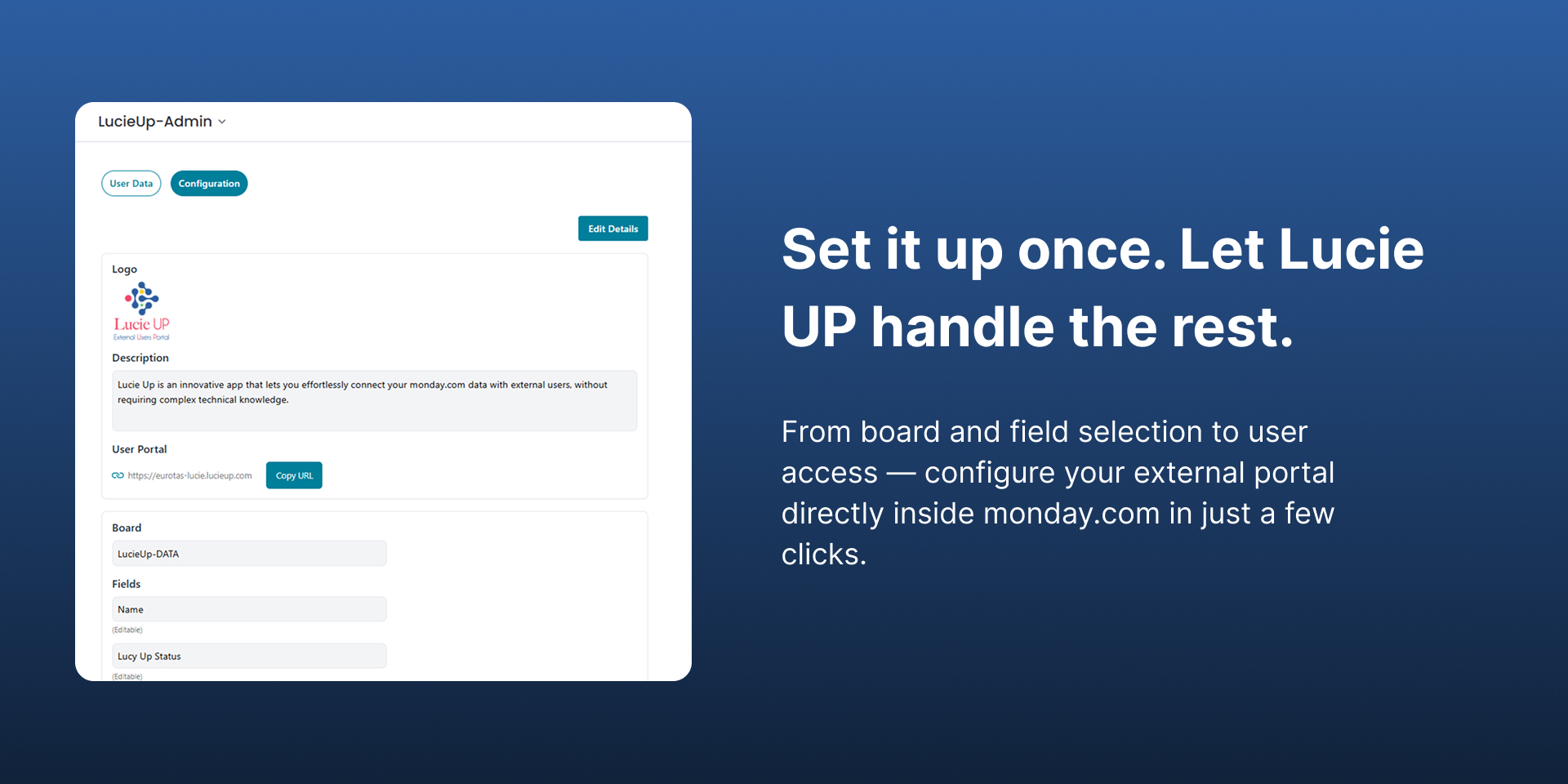
Lucie UP is a innovative Portal, personalized white-label website, with down to the column level permissions and various login options (including self registration) that sets up in seconds.
Perfect for: Client project updates, suppliers management, customer service teams, vendor collaboration, HR, interactions with external contractors, or any situation requiring monday.com data sharing with external parties.
Choose Who can see what with 3 Business Permission Levels
Private: Item-level permission (via Email).
Limited: Entity-level permission: Company, Project, or Community (via Dropdown).
Public: Board-level permission (All).
Multiple Languages
Full translation for login and desktop pages, including Right-to-Left (RTL) support.
Multiple Views
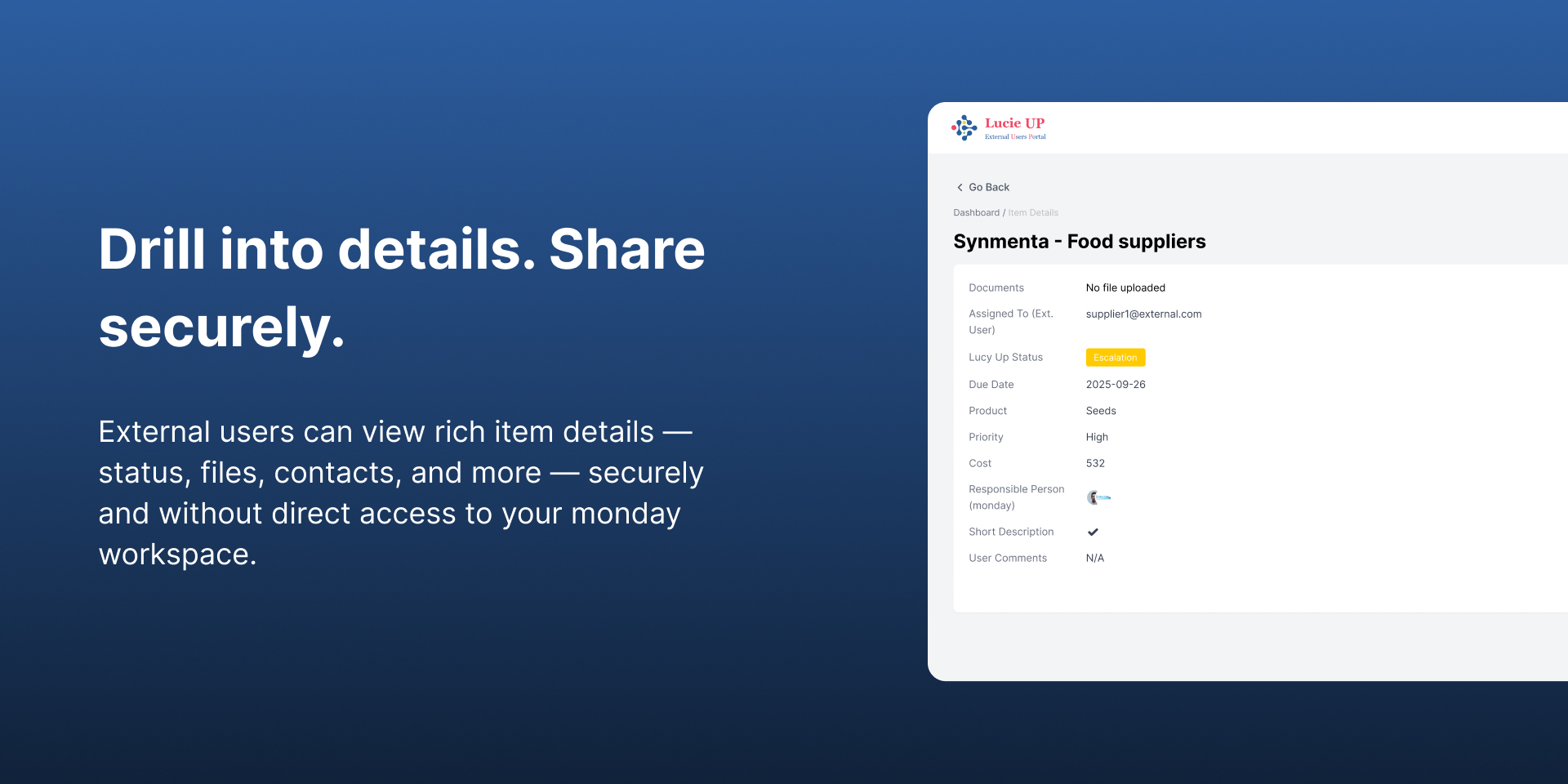
Table, Cards, Dashboard, Map with Gallery, and Docs.
Full modularity and flexibility
Choose What to share: Specific boards, individual fields and columns
Choose How to share: View/Edit access and Optional/Required settings for each field.
Choose When to share: Automatically hide items based on specific states.
Choose Where to route: Direct new items from the portal to the right location.
Choose Whether to allow: Control if users can create new forms and values.
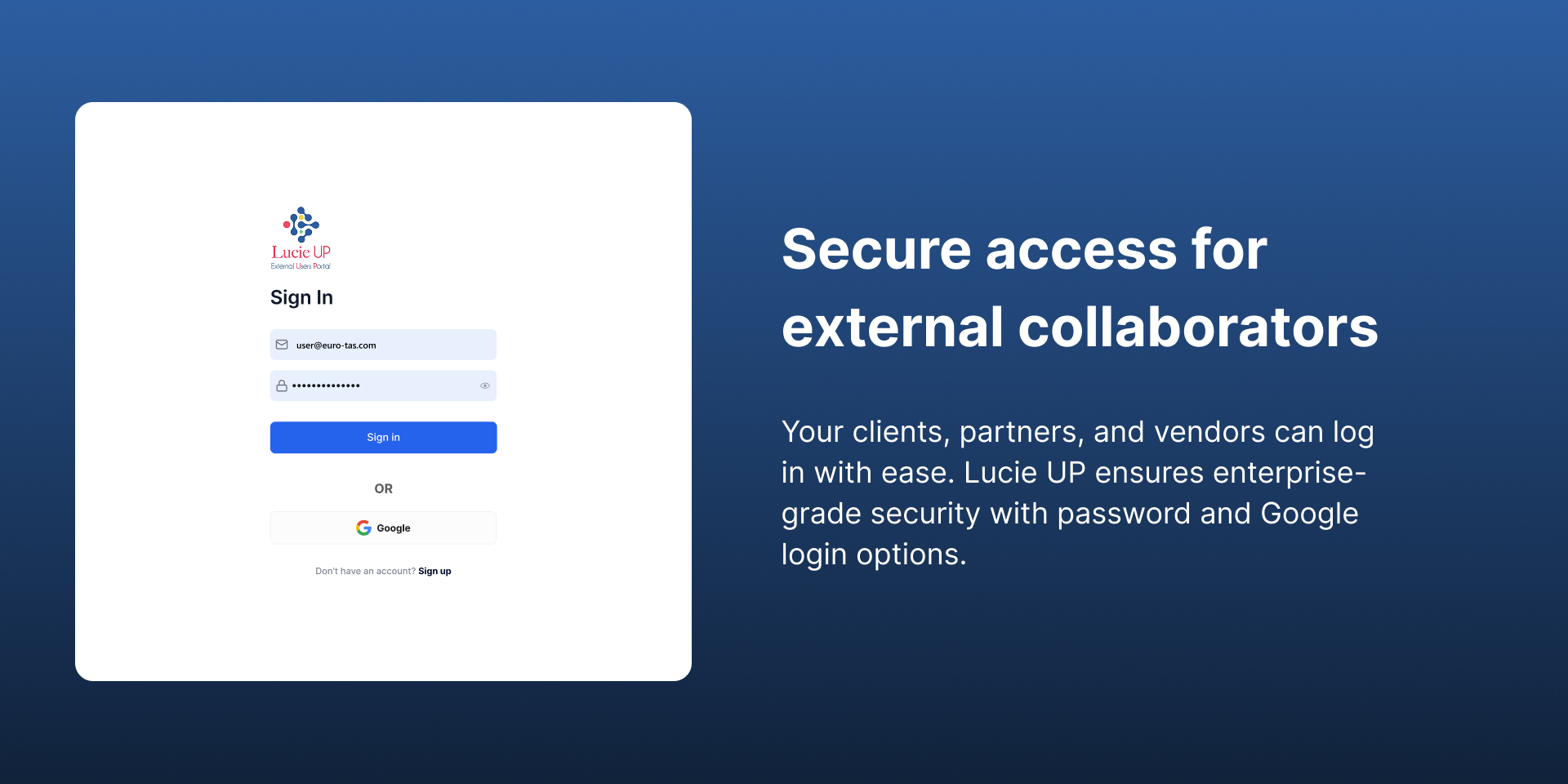
3 Login Levels
Closed: Managed by the Admin only.
Open: Self-signup enabled.
Controlled: Self-signup with final approval by the Admin.
#MFA: Multi-Factor Authentication included.
#Self-maintenance: No manual user management required.
Extra Support
Dashboard: BI reports and pre-defined widgets managed by the Admin.
Master Board: Displays all items from all connected boards in one view.
Sub-items: Fully supported.
Admin Notifications: New signup alerts (FYI/Approval) and "Contact Admin" requests.
See how it works here: Demo - User & Password: lucieup@euro-tas.com, LucieUP#1
Does the developer periodically perform penetration testing?
Yes
According to SOP.
Does the developer have a dedicated security and privacy point of contact for such issues or questions?
Yes
The company architect : lucieup@euro-tas.com
Does the app restrict redirects and forwards only to approved destinations, or show a warning when redirecting to potentially untrusted content?
Yes
Does the app protect against mass parameter assignment attacks?
Yes
We use Zod to validate all User Input.
Does the app perform encoding and sanitization on all user supplied parameters to protect against Cross-Site Scripting?
Yes
We use React in the front end, which provides a protection layer against XSS attacks. And at the backend, we use Zod to validate user input.
Does the developer protect all state-changing actions against Cross-Site Request Forgery (CSRF)?
Yes
Manually, via the support mail.
Does the developer have mechanisms to notify monday.com in case of a security breach?
Yes
We will notify them through a support request if we get any kind of evidence that a thrid party accessed any critical application data.
Does this developer have a process for installing application-level updates and security patches for the service (such as software packages and databases)?
Yes
we are using ci/cd pipeline for container images that later deployed over AWS ECS, we are using github/actions , Developers work in feature branches Pull Request (PR) creation triggers initial pipeline checks Code Quality & Testing (Triggered on PR) Static code analysis using SonarCloud Unit tests execution Linting checks Security Scanning Container image scanning using Trivy Dependency vulnerability scanning Scan images in ECR
Compliance
Is the app certified with the information security standard ISO/IEC 27001:2022?
Not answered
Is the app compliant with the Health Insurance Portability and Accountability Act (HIPAA)?
Not answered
Is the app certified with System and Organization Controls (SOC 2 or SOC 3)?
Not answered
Is the app compliant with the General Data Protection Regulation (GDPR)?
Yes
Data
Does the app send any data outside of monday.com? If yes, indicate whether the data is customer-submitted (e.g., board names, item names, doc content) or non-customer-submitted (e.g., account ID, board ID, user ID).
Yes
The app sends data outside of Monday.com only to display board data in the external portal for authorized users. Admin configuration details (e.g., external user credentials, selected boards/columns) and metadata (account ID, board/column IDs) are stored securely in Monday.com’s built-in storage. Board data itself is fetched in real time for display only and is never persisted in the database.
Where does the app store logs data?
monday
Where does the app store the app data?
monday
Does the developer ensure application logs do not contain secrets or personally-identifiable information (PII)?
Yes
Is customer data segregated from the data of other customers (for example logically or physically)?
Yes
Yes. Customer data is logically segregated per Monday.com account. Each account has its own storage accessed via a unique token, and only authorized users within that account can access it. On the portal, only admin-configured boards/columns are fetched in real time, with segregation enforced by account ID/slug.
Privacy
Does the developer enforce multi-factor authentication on employees access to systems which may process customer data?
Yes
Does the developer protect access to customer data based on the principle of least privilege?
Yes
Yes. Access is protected based on the principle of least privilege. Only admins of the Monday.com account where the app is installed can configure which boards, users, and permissions are available. External users are restricted to the specific actions permitted by the admin (e.g., create items, view only assigned items, edit required fields). Tokens and secrets are never logged and are always encrypted, ensuring no broader access than necessary.
Reviews
No reviews yet.
Historical data
Installation history
We have data for December 28, 2024 onwards only. Collected sometime after 00:00 UTC daily.
Total number of installs
Change in total number of installs in last 1 day(s)
Compares the number of installs on each date with 1 days previously:
Max
Min
Current
Change in total number of installs in last 7 day(s)
Compares the number of installs on each date with 7 days previously:
Max
Min
Current
Change in total number of installs in last 30 day(s)
Compares the number of installs on each date with 30 days previously:
Max
Min
Current
Change in total number of installs in last 90 day(s)
Compares the number of installs on each date with 90 days previously:
Max
Min
Current
Change in total number of installs in last 180 day(s)
Compares the number of installs on each date with 180 days previously:
Max
Min
Current
Ratings history
Categories history
Each of the following is a yes/no answer, so the graphs show 1 for yes, and 0 for no.