Google Quick Access to monday.com
1,059 installs, since July 15, 2024. 50 installs/month. Updated June 11, 2025.
Instant monday access anywhere: Chrome, Gmail, & more!
Fed up with constant context switching, clunky task creation, and endless board load times?
meet monday.com Quick Access—the ultimate workflow hack.
Quick Access to monday is the tool for anyone who can’t stand wasting time on loading boards. Designed for efficiency and performance, it minimizes disruptions, keeps your workflow smooth, and ensures data consistency.
What's in it for me?!
Add Items instantly from Anywhere:
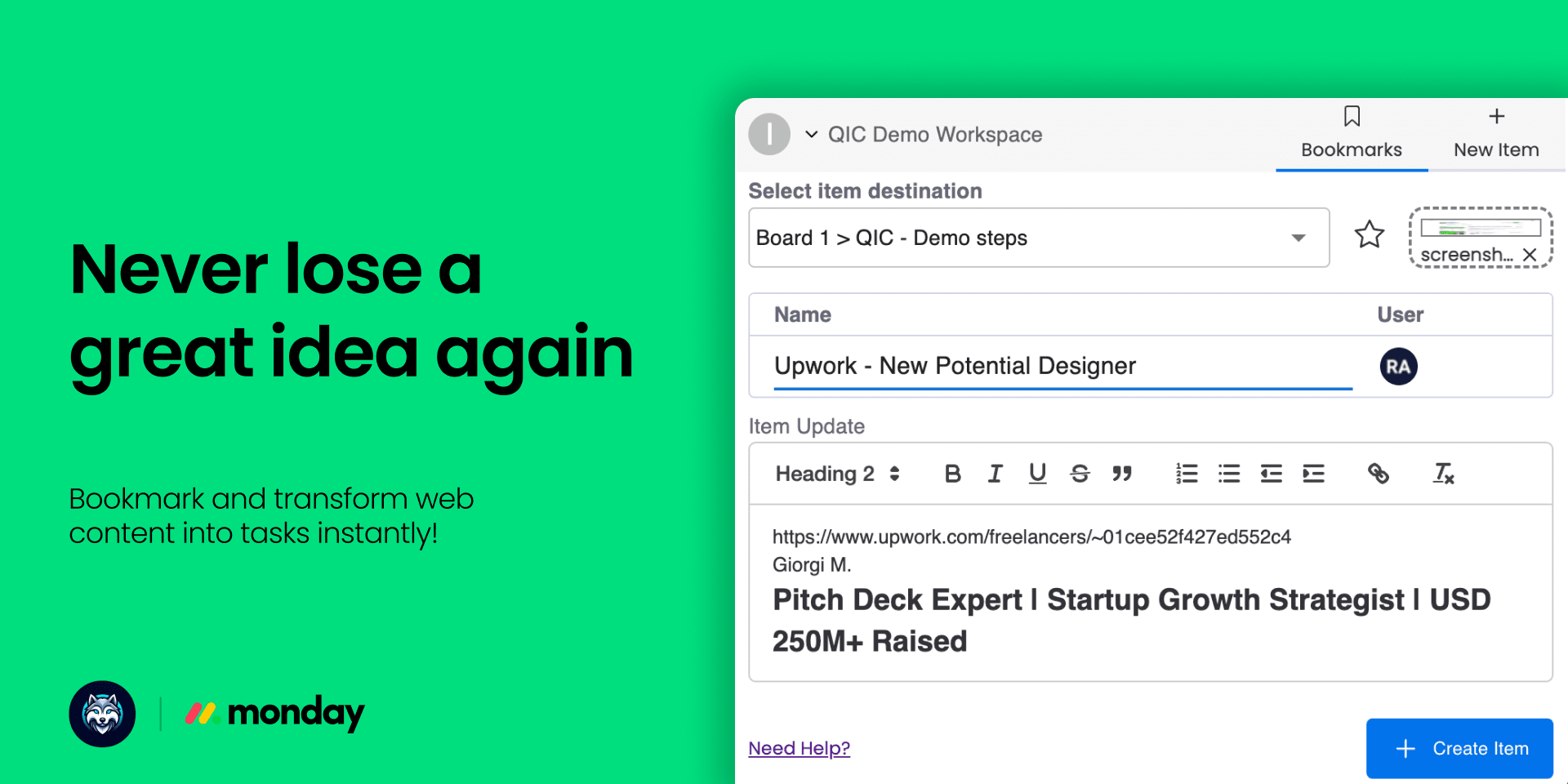
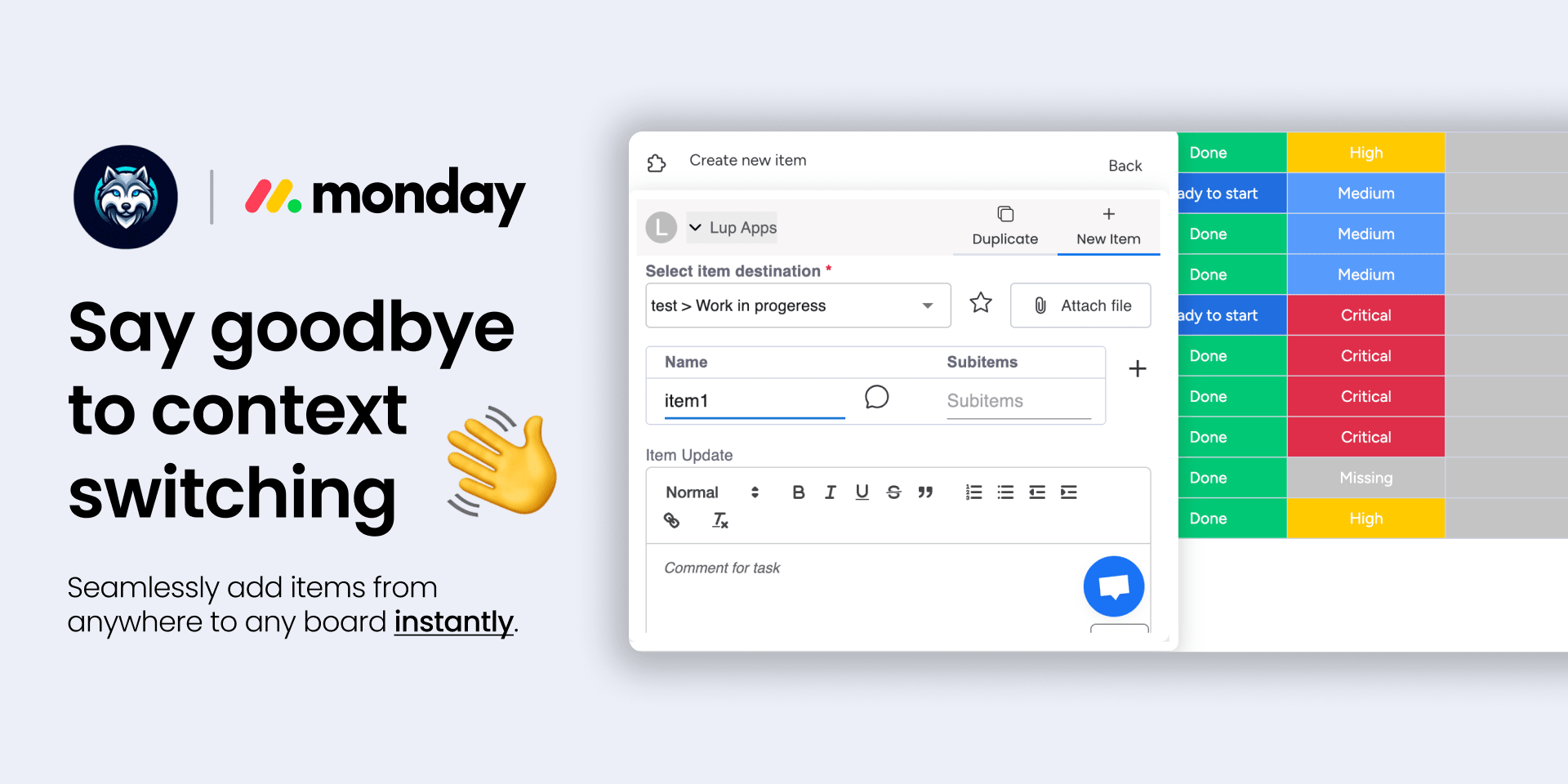
- Instant Task Creation: Create tasks and add items to your boards from any Chrome webpage without missing a beat. Capture ideas and action items instantly.
- Multi-Board Magic: Create tasks for any board without leaving your current one or waiting for other boards to load. Keep your workflow smooth and efficient.
- Web Content to Actionable Tasks: Highlight text on any webpage and add it directly to your task details in monday.com. No need to switch tabs or disrupt your flow.
Streamline Task Duplication:
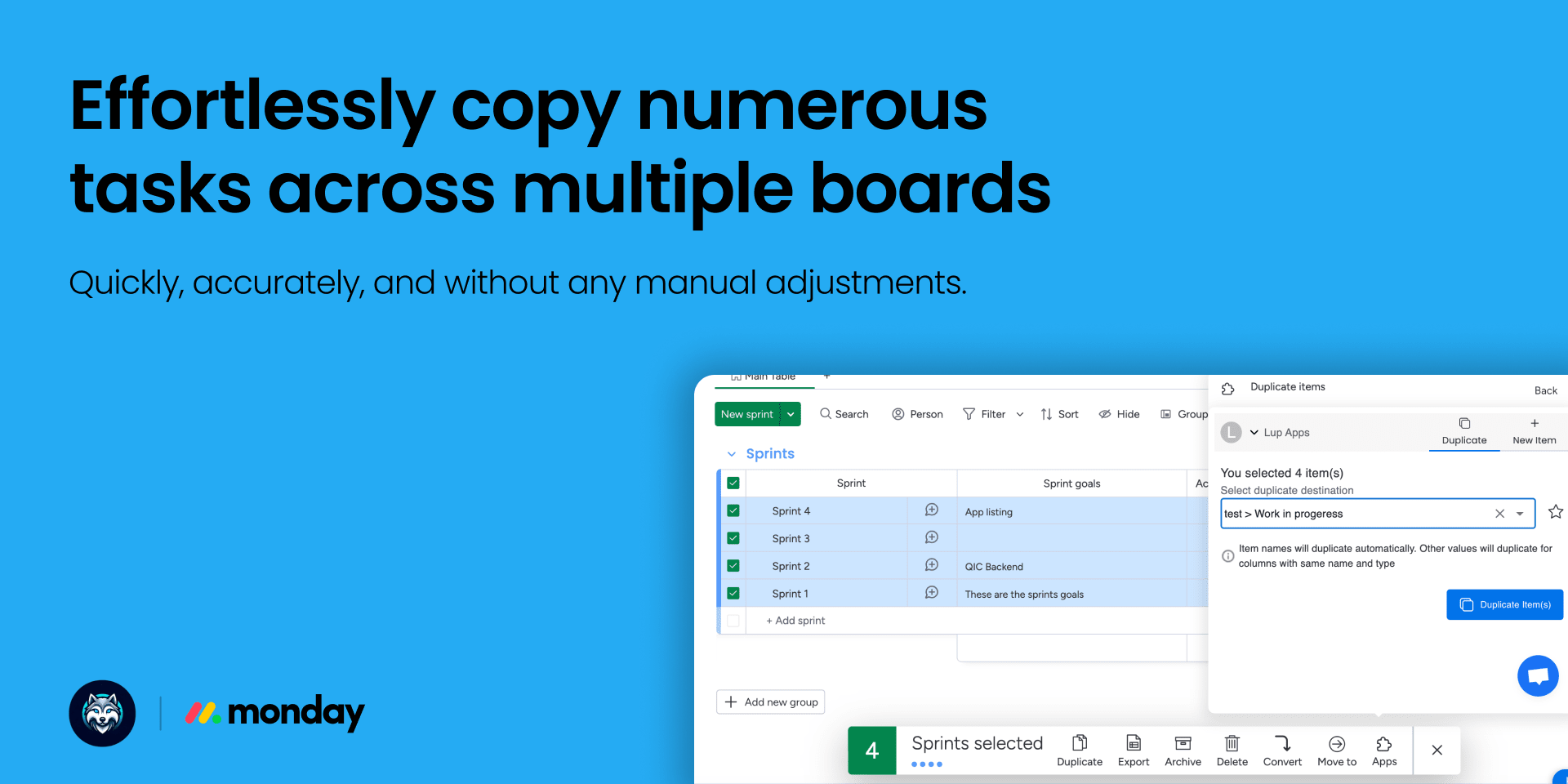
- One-Click Duplication: Save time with our one-click feature to duplicate single or multiple tasks across different boards.
- Automatic Data Integrity: Maintain data accuracy with automatic column matching based on names and types, ensuring item values are correctly aligned.
Boost Productivity:
- Multi-Account Access: Access multiple monday.com accounts from the same chrome extension.
- Quick Access to Favorites: Instantly access your favorite board and group locations with a click on the star icon.
Get Started Now! 🚀
- Enjoy these benefits NOW - Install monday.com Quick Access from the Chrome Web Store and monday.com Apps Marketplace.
Need help? not sure how to get started?
Book a demo today or contact us at support@lupapps.io for more information,
we are here to help :)
Security & Compliance
Security
Does the developer periodically perform penetration testing?
Does the developer have a dedicated security and privacy point of contact for such issues or questions?
Does the app restrict redirects and forwards only to approved destinations, or show a warning when redirecting to potentially untrusted content?
Does the app protect against mass parameter assignment attacks?
Does the app perform encoding and sanitization on all user supplied parameters to protect against Cross-Site Scripting?
Does the developer protect all state-changing actions against Cross-Site Request Forgery (CSRF)?
Does the developer have mechanisms to notify monday.com in case of a security breach?
Does this developer have a process for installing application-level updates and security patches for the service (such as software packages and databases)?
Compliance
Is the app certified with the information security standard ISO/IEC 27001:2022?
Is the app compliant with the Health Insurance Portability and Accountability Act (HIPAA)?
Is the app certified with System and Organization Controls (SOC 2 or SOC 3)?
Is the app compliant with the General Data Protection Regulation (GDPR)?
Data
Does the app send any data outside of monday.com? If yes, indicate whether the data is customer-submitted (e.g., board names, item names, doc content) or non-customer-submitted (e.g., account ID, board ID, user ID).
Where does the app store logs data?
Where does the app store the app data?
Does the developer ensure application logs do not contain secrets or personally-identifiable information (PII)?
Is customer data segregated from the data of other customers (for example logically or physically)?
Privacy
Does the developer enforce multi-factor authentication on employees access to systems which may process customer data?
Does the developer protect access to customer data based on the principle of least privilege?
Reviews
DM: Super Quick and Convenient! This app makes accessing monday.com so much easier. I love how I can instantly update or create items from anywhere, whether I’m in Gmail or using Google tools. The ability to duplicate items between boards is a huge time-save
R: I like the fact that I has access to resources at certain points
DG: This app made my work easier, Thanks!
L: Tired of constantly switching tabs and waiting for boards to load? Quick Access to monday.com is a game-changer! It lets you add tasks from anywhere, duplicate with one click, and keeps everything in sync. If you want to streamline your workflow and save
D: Easy to access and use, I like it!
IL: Quick, simple to use, does the job just right
JP: This app is a total time-saver! I can update tasks right from my browser without the hassle. Super smooth and quick – exactly what I needed!
LB: Really helpful in my day-to-day! The app saves me a lot of time by skipping the board loading and lets me create tasks quickly from any webpage. It’s really improved my workflow in Monday.
SA: Great app! saves me tons of time and really reliable
DM: Exceptional
Historical data
Installation history
We have data for December 28, 2024 onwards only. Collected sometime after 00:00 UTC daily.
Total number of installs
Change in total number of installs in last 1 day(s)
Compares the number of installs on each date with 1 days previously:
Change in total number of installs in last 7 day(s)
Compares the number of installs on each date with 7 days previously:
Change in total number of installs in last 30 day(s)
Compares the number of installs on each date with 30 days previously:
Change in total number of installs in last 90 day(s)
Compares the number of installs on each date with 90 days previously:
Change in total number of installs in last 180 day(s)
Compares the number of installs on each date with 180 days previously:
Ratings history
Categories history
Each of the following is a yes/no answer, so the graphs show 1 for yes, and 0 for no.