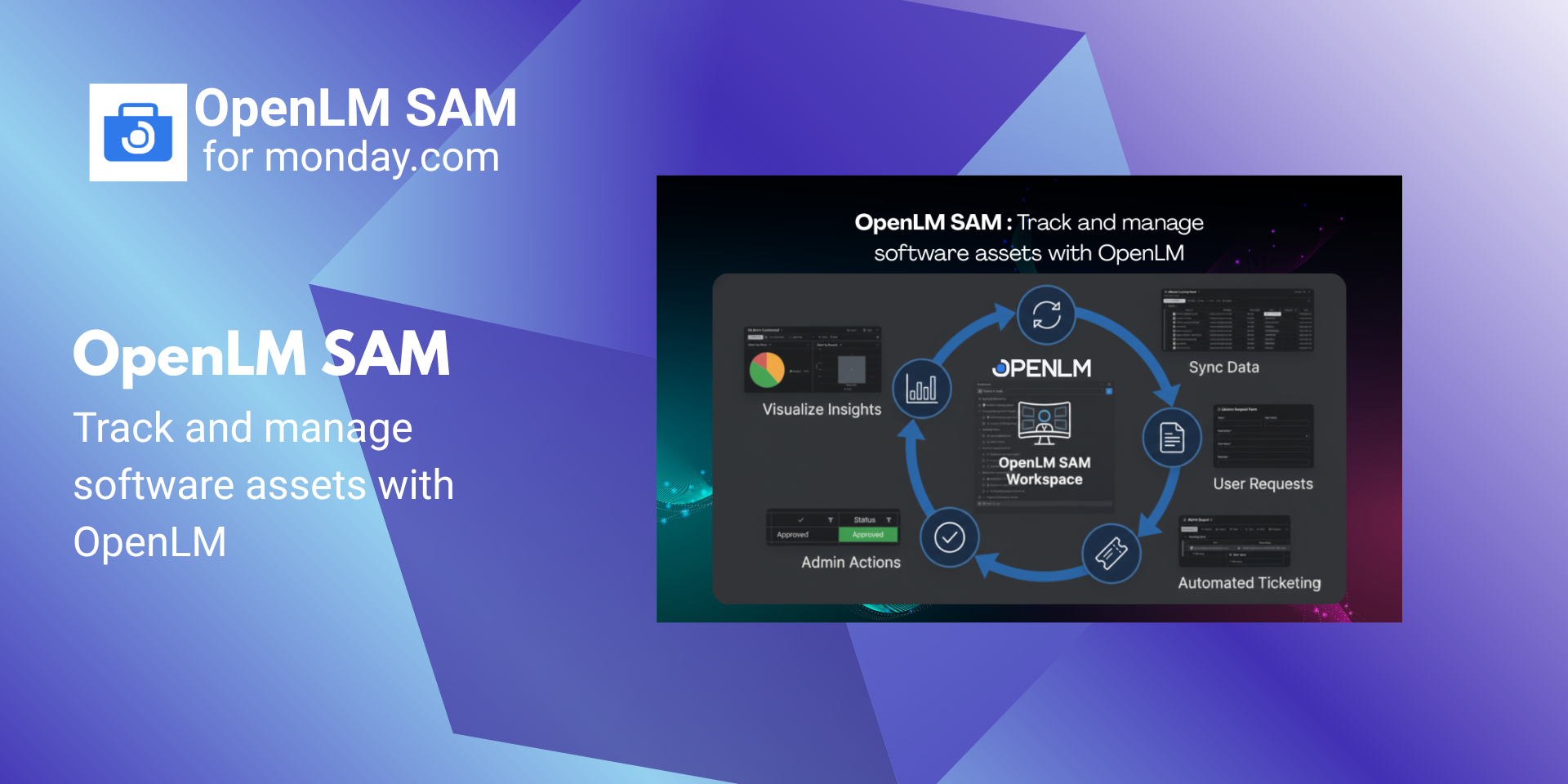
Track and manage software assets with OpenLM SAM. OpenLM SAM is a Software Asset Management solution that helps organizations centrally track, allocate, and manage software licenses directly inside monday.com. It provides visibility into license catalog & inventory, allocation and procurement workflows, and system alerts—helping IT teams manage software assets more efficiently from a single workspace.
What you get with OpenLM SAM:
📦Pre-built Workspace (Ready on Install)
Automatically creates forms, boards, dashboards, automations, and integrations for software asset management.
🧭Guided Onboarding & Secure Data Sync
OpenLM onboarding page in monday.com
Authorize via OpenLM SAM UI
Configure app using a folder/template ID
Synchronize Software Catalog and License Inventory from OpenLM to monday
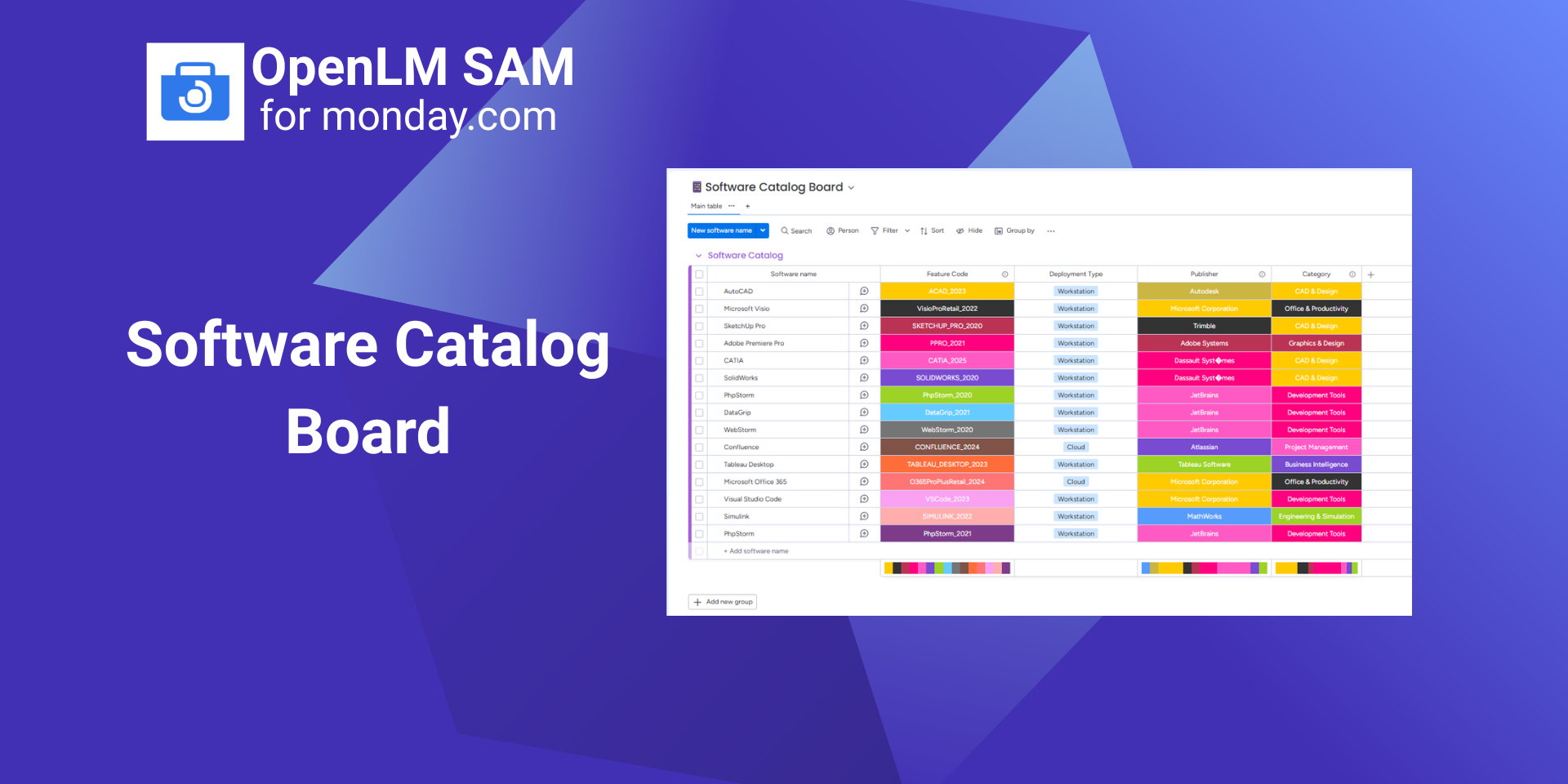
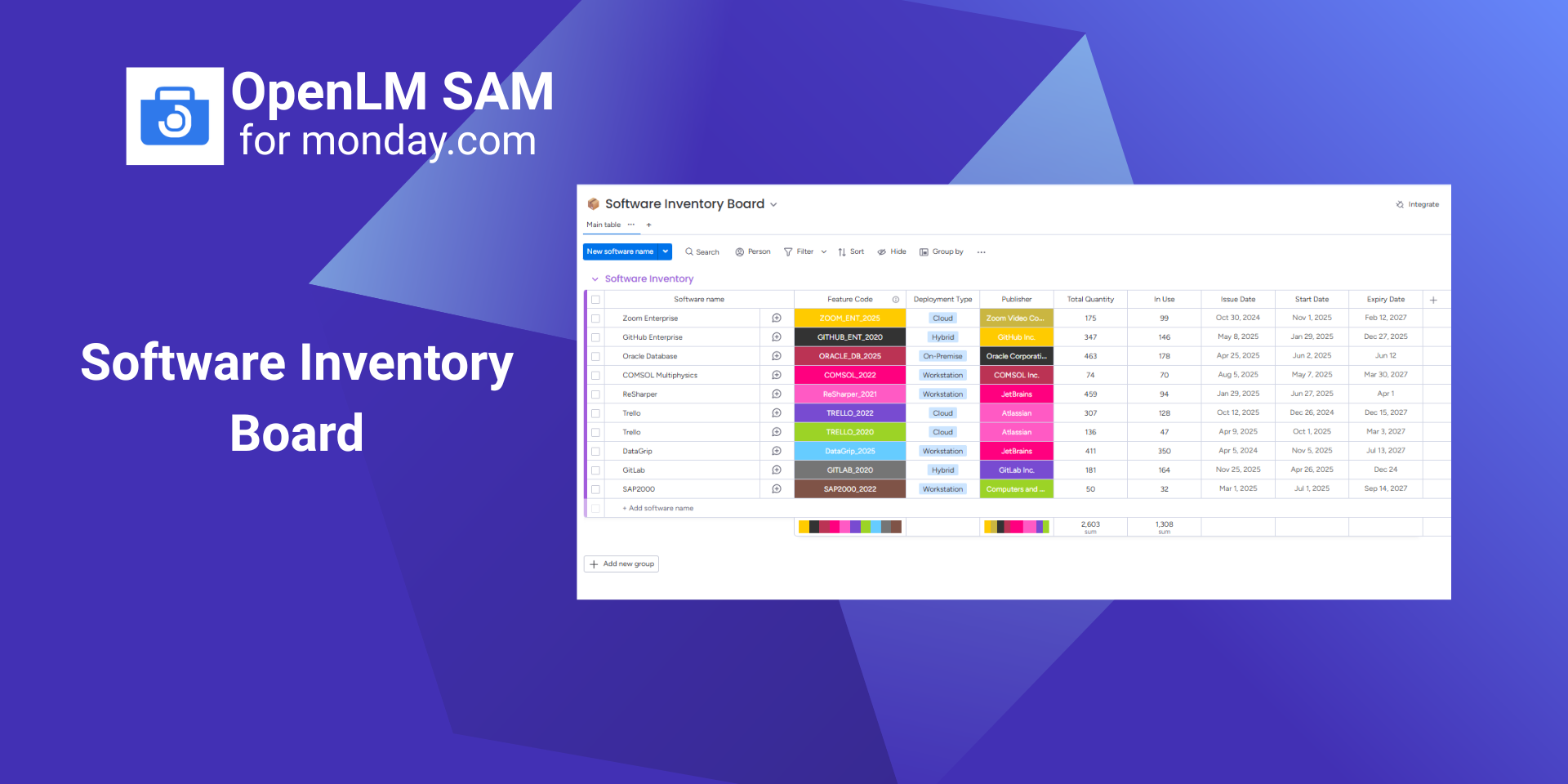
📚Software Catalog & Inventory Boards
Software Catalog Board lists applications
License Inventory Board tracks available licenses
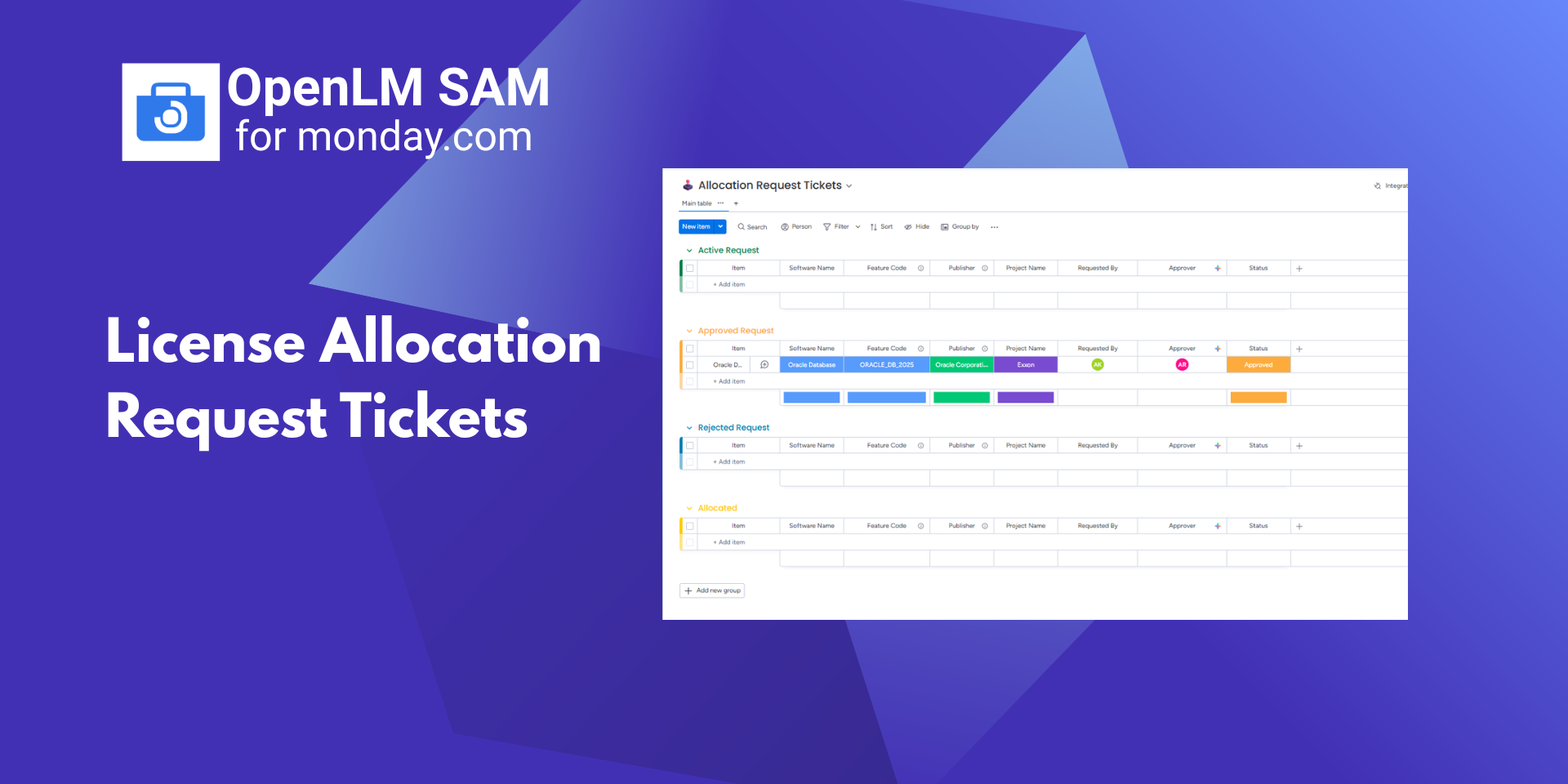
📝License Allocation
Employees submit requests via Allocation Form
Requests automatically appear in the Allocations Tickets
Once IT Admins review & Allocate current Inventory gets updated automatically and employees receive email notifications
🛒License Procurement
IT Admin submits Procurement Form
Tickets appear in the Procurement Tickets
After purchase by CAD/CAM Manager, inventory is updated with IT Admins email notifications
🚨Alerts Management
OpenLM alerts flow into Alerts Board & Default assignees are automatically notified
Managed using Working on it, Stuck, Resolved
Alerts Dashboard shows source and status overview
👥Projects & Employees
Track licenses by employee and project.
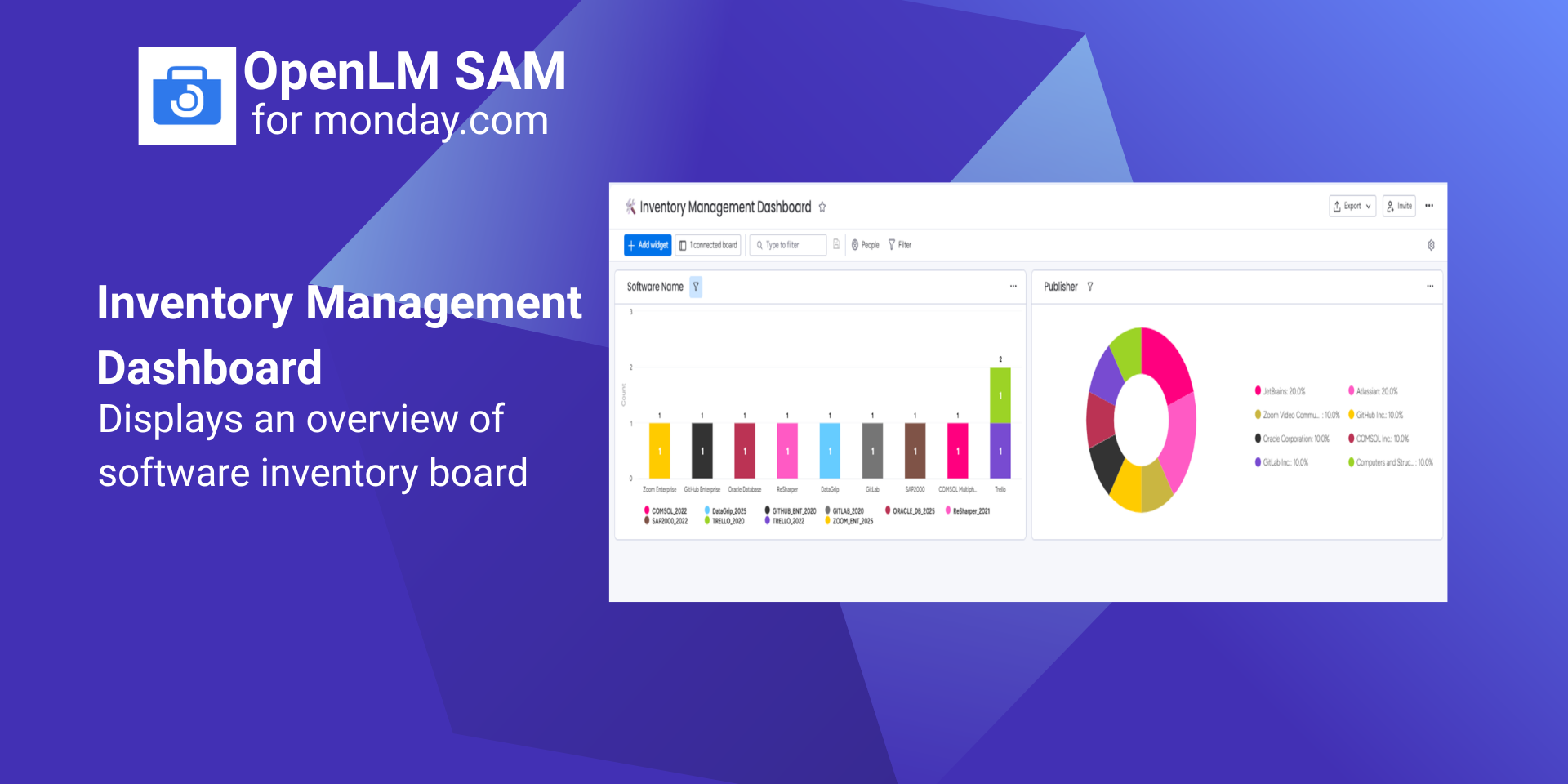
📊Dashboards
Inventory, Allocated Licenses, and Alerts dashboards provide centralized visibility.
Benefits for your team:
✅Centralized license inventory
✅Structured allocation and procurement workflows
✅Real-time alert visibility
✅Employee & project-level license tracking
✅Dashboard-driven insights
👉Book a demo:https://calendar.app.google/LHSi92zydnp9jxdU6
App metadata ID: 10001136 • App ID: 10555972 • Listing updated: April 8, 2026 View app data JSON {
"id": 10001136,
"marketplace_developer_id": 100000035,
"app_id": 10555972,
"app_type": "app",
"security_info": {},
"gallery_assets": [
{
"url": "https://cdn.monday.com/marketplace/10001136/10001136_2026_3_8_12_35_14_pggcvr5l.png",
"type": "image"
},
{
"url": "https://cdn.monday.com/marketplace/10001136/10001136_2026_3_8_12_35_21_et0clno.png",
"type": "image"
},
{
"url": "https://cdn.monday.com/marketplace/10001136/10001136_2026_3_8_12_35_26_jap8tmi.png",
"type": "image"
},
{
"url": "https://cdn.monday.com/marketplace/10001136/10001136_2026_3_8_12_35_31_z73hjzh.png",
"type": "image"
},
{
"url": "https://cdn.monday.com/marketplace/10001136/10001136_2026_3_8_12_35_36_7w1wybk.png",
"type": "image"
},
{
"url": "https://cdn.monday.com/marketplace/10001136/10001136_2026_3_8_12_36_1_nmgi4hb.mp4",
"type": "video"
}
],
"description": "<p>OpenLM SAM is a Software Asset Management solution that helps organizations centrally track, allocate, and manage software licenses directly inside monday.com. It provides visibility into license catalog & inventory, allocation and procurement workflows, and system alerts—helping IT teams manage software assets more efficiently from a single workspace.</p><p><br></p><p><br></p><p>What you get with OpenLM SAM:</p><p>📦Pre-built Workspace (Ready on Install)</p><p>Automatically creates forms, boards, dashboards, automations, and integrations for software asset management.</p><p><br></p><p>🧭Guided Onboarding & Secure Data Sync</p><p>OpenLM onboarding page in monday.com</p><p>Authorize via OpenLM SAM UI</p><p>Configure app using a folder/template ID</p><p>Synchronize Software Catalog and License Inventory from OpenLM to monday</p><p><br></p><p>📚Software Catalog & Inventory Boards</p><p>Software Catalog Board lists applications</p><p>License Inventory Board tracks available licenses</p><p><br></p><p>📝License Allocation</p><p>Employees submit requests via Allocation Form</p><p>Requests automatically appear in the Allocations Tickets</p><p>Once IT Admins review & Allocate current Inventory gets updated automatically and employees receive email notifications</p><p><br></p><p>🛒License Procurement</p><p>IT Admin submits Procurement Form</p><p>Tickets appear in the Procurement Tickets</p><p>After purchase by CAD/CAM Manager, inventory is updated with IT Admins email notifications</p><p><br></p><p>🚨Alerts Management</p><p>OpenLM alerts flow into Alerts Board & Default assignees are automatically notified </p><p>Managed using Working on it, Stuck, Resolved</p><p>Alerts Dashboard shows source and status overview</p><p><br></p><p>👥Projects & Employees</p><p>Track licenses by employee and project.</p><p><br></p><p>📊Dashboards</p><p>Inventory, Allocated Licenses, and Alerts dashboards provide centralized visibility.</p><p><br></p><p>Benefits for your team:</p><p>✅Centralized license inventory</p><p>✅Structured allocation and procurement workflows</p><p>✅Real-time alert visibility</p><p>✅Employee & project-level license tracking</p><p>✅Dashboard-driven insights</p><p><br></p><p>👉Book a demo:<a href=\"https://calendar.app.google/LHSi92zydnp9jxdU6\" rel=\"noopener noreferrer\" target=\"_blank\">https://calendar.app.google/LHSi92zydnp9jxdU6</a></p>",
"short_description": "Track and manage software assets with OpenLM SAM.",
"thumbnail_url": "https://cdn.monday.com/marketplace/10001136/10001136_2026_3_8_12_34_44_vhsutn7.jpeg",
"logo_url": "https://cdn.monday.com/marketplace/10001136/10001136_2026_3_8_12_34_29_w62iu7a.png",
"feedback_url": "support@openlm.com",
"privacy_policy_url": "https://www.openlm.com/openlm-sam-privacy-policy/",
"featured": false,
"name": "OpenLM SAM",
"how_to_use_url": "https://cloud-us.openlm.com/monday/mondaysam-how-to-use",
"external_pricing_url": null,
"keywords": "License Management,OpenLM,Software Asset Management (SAM),Software Catalog,Inventory Management,License Allocation & Procurement,Real-time Alerts,Automated License Workflow,Integration,Inventory Reconciliation",
"compliance_answers": [],
"created_at": "2026-04-08T12:34:11.074Z",
"updated_at": "2026-04-08T12:36:54.961Z",
"automation_app_id": null,
"marketplace_category_ids": [
10000000,
9,
7
],
"pinned_for_categories_ids": [],
"featured_for_categories_ids": [],
"pricing_data": "Free",
"label": null,
"app_values": [
"Centralize your work on monday.com"
],
"security": false,
"display_in_template_store": false,
"acquisition_source": "No touch",
"is_connector": false,
"terms_of_service_url": "https://www.openlm.com/openlm-sam-terms-of-service/",
"available_for_tiers": [],
"available_for_products": [],
"google_analytics_tag_id": null,
"is_solution": false,
"app_scope_str": "account:read,workspaces:read,boards:read,me:read,users:read,boards:write",
"app_client_id": "b67f6a8ed8292d3a00f7a847f27144d6",
"app_color": {
"hsl": {
"h": 215.27272727272725,
"s": 0.9649122807017545,
"l": 0.6647058823529413,
"a": 1
},
"hex": "#579bfc",
"rgb": {
"r": 87,
"g": 155,
"b": 252,
"a": 1
},
"hsv": {
"h": 215.27272727272725,
"s": 0.6547619047619048,
"v": 0.9882352941176471,
"a": 1
},
"oldHue": 215.27272727272725,
"source": "hex"
},
"plans": null,
"app_live_version": {
"updated_at": "2026-04-08T13:12:09.657Z",
"id": 12876044
},
"pricing_model": null,
"badges_data": {
"pricing_data": "Free",
"app_values": [
"Centralize your work on monday.com"
],
"security": false,
"acquisition_source": "No touch",
"display_in_template_store": false
},
"data": {
"is_connector": false,
"google_analytics_tag_id": null,
"is_solution": false,
"terms_of_service_url": "https://www.openlm.com/openlm-sam-terms-of-service/",
"available_for_tiers": [],
"available_for_products": []
},
"display": null,
"installsDelta": {
"totalInstalls": 4
}
}