
Financial Importer
NaN installs, since March 31, 2026. 0 installs/month. Updated March 19, 2026.


Import bank statements into your board with AI
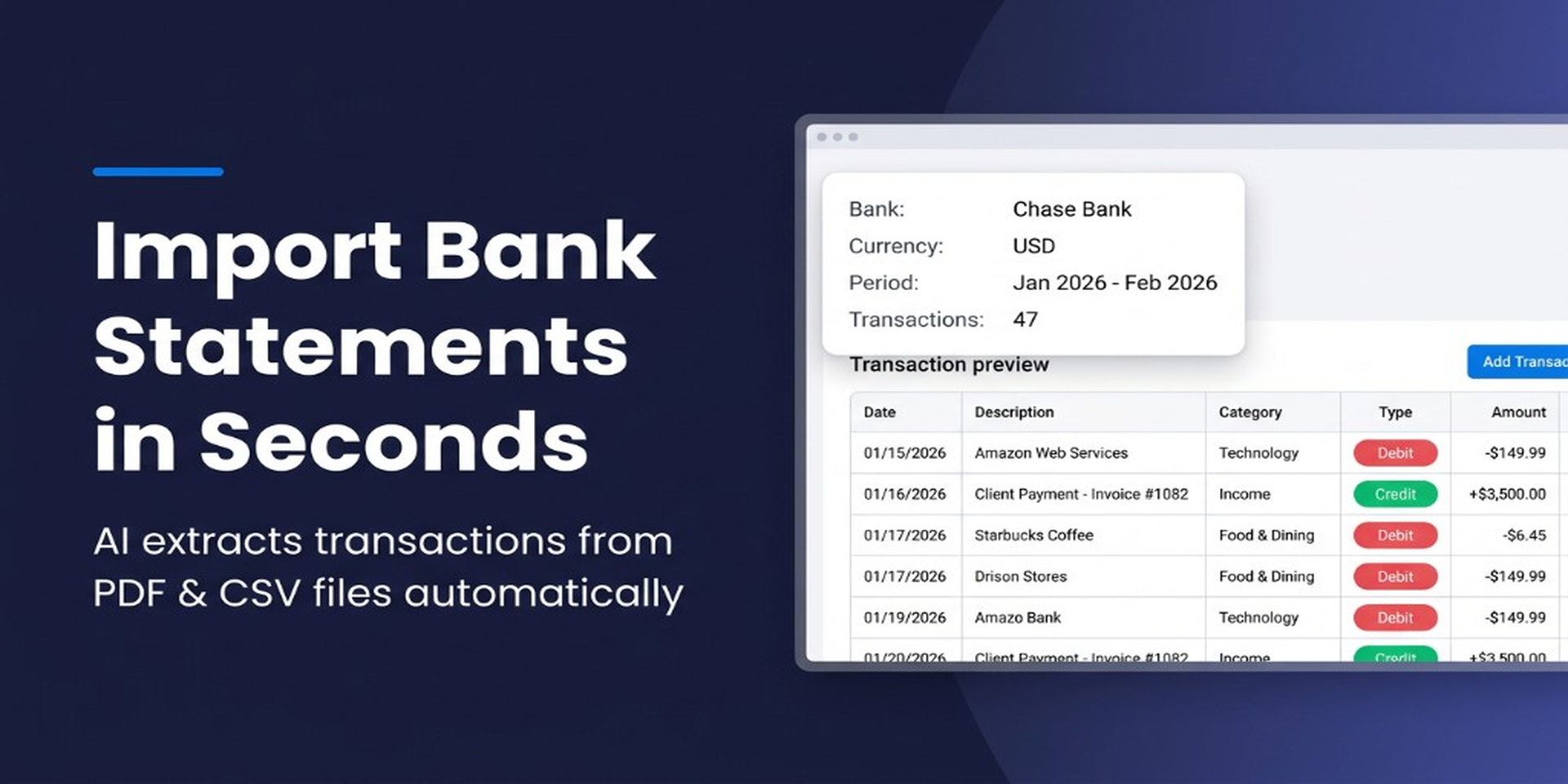
Financial Importer turns PDF and CSV bank statements into structured monday.com board items — in seconds, not hours. Powered by AI, it eliminates manual data entry so finance teams, accountants, and operations managers can focus on analysis instead of typing.
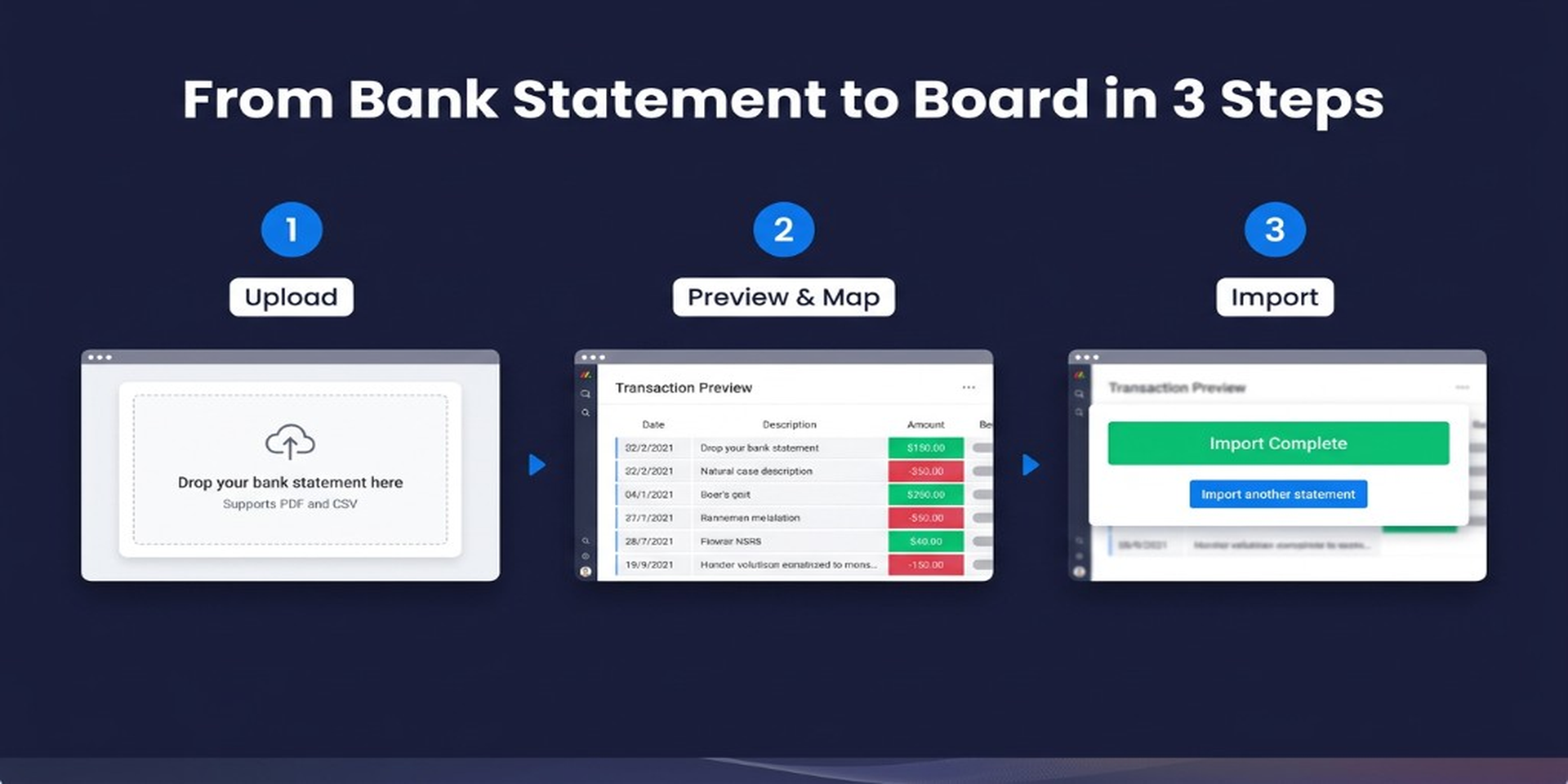
Simply open the Board View, upload your statement, and let the app do the rest.
What You Get:
- AI-Powered Extraction — Automatically reads and extracts transactions from PDF and CSV bank statements. No templates, no setup — it works with statements from any bank worldwide.
- Smart Column Mapping — Instantly maps extracted data (date, description, amount, balance) to your board's columns. Review and adjust mappings before importing.
- Bulk Import — Import hundreds of transactions into your monday.com board with a single click. No more copying and pasting row by row.
- Flexible File Support — Upload PDF or CSV files via simple drag-and-drop. The app handles multi-page PDFs and various CSV formats automatically.
Who Is It For?
- Accountants and bookkeepers managing multiple client bank statements
- Finance and operations teams tracking expenses, reconciling accounts, or building financial reports in monday.com
- Small business owners who want a fast way to get bank data into their workflows
Use Cases:
- Import monthly bank statements to track and categorize business expenses
- Reconcile vendor payments by importing transaction history alongside existing board data
- Build financial dashboards by bringing real bank data into monday.com
AI Model: This app uses OpenAI to extract and structure transaction data from uploaded documents.
Get Started: Install Financial Importer from the monday.com Marketplace, add the Board View to any board, and upload your first statement — it takes less than a minute.
Security & Compliance
The app developer did not provide the security and compliance information for this app.
Reviews
No reviews yet.
Historical data
Installation history
We have data for December 28, 2024 onwards only. Collected sometime after 00:00 UTC daily.
Total number of installs
Change in total number of installs in last 1 day(s)
Compares the number of installs on each date with 1 days previously:
Change in total number of installs in last 7 day(s)
Compares the number of installs on each date with 7 days previously:
Change in total number of installs in last 30 day(s)
Compares the number of installs on each date with 30 days previously:
Change in total number of installs in last 90 day(s)
Compares the number of installs on each date with 90 days previously:
Change in total number of installs in last 180 day(s)
Compares the number of installs on each date with 180 days previously:
Ratings history
Categories history
Each of the following is a yes/no answer, so the graphs show 1 for yes, and 0 for no.