Automate SMS drip campaigns using your own Twilio account.
SMS & Drip for Twilio
Native SMS automation that lives directly in your monday.com workflow.
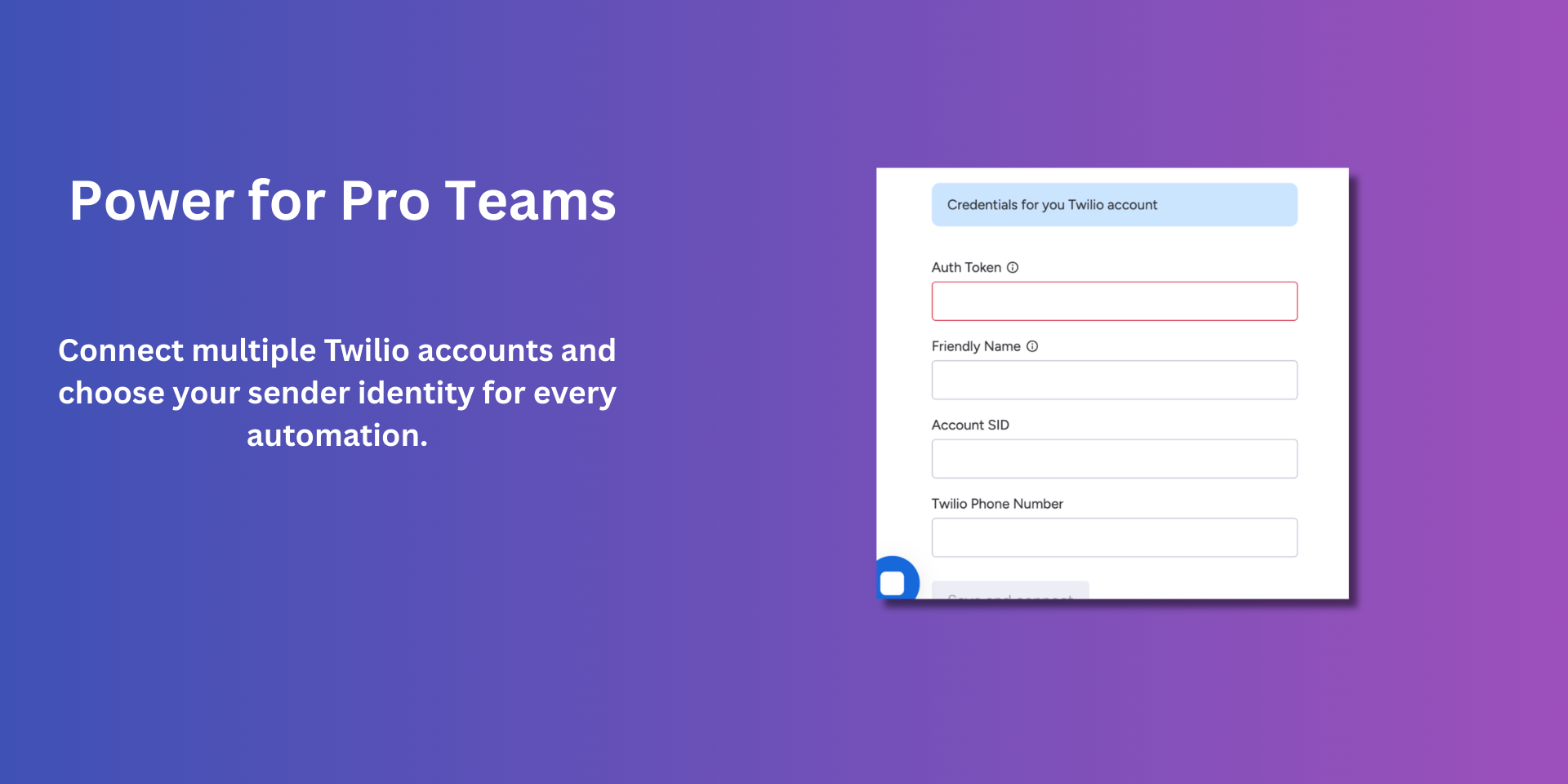
SMS & Drip for Twilio is built for teams that need reliable outreach without the complexity. By connecting your own Twilio account, you maintain 100% control over your costs while leveraging the data already in your board.
⚡ Powerful Workflow Integrations
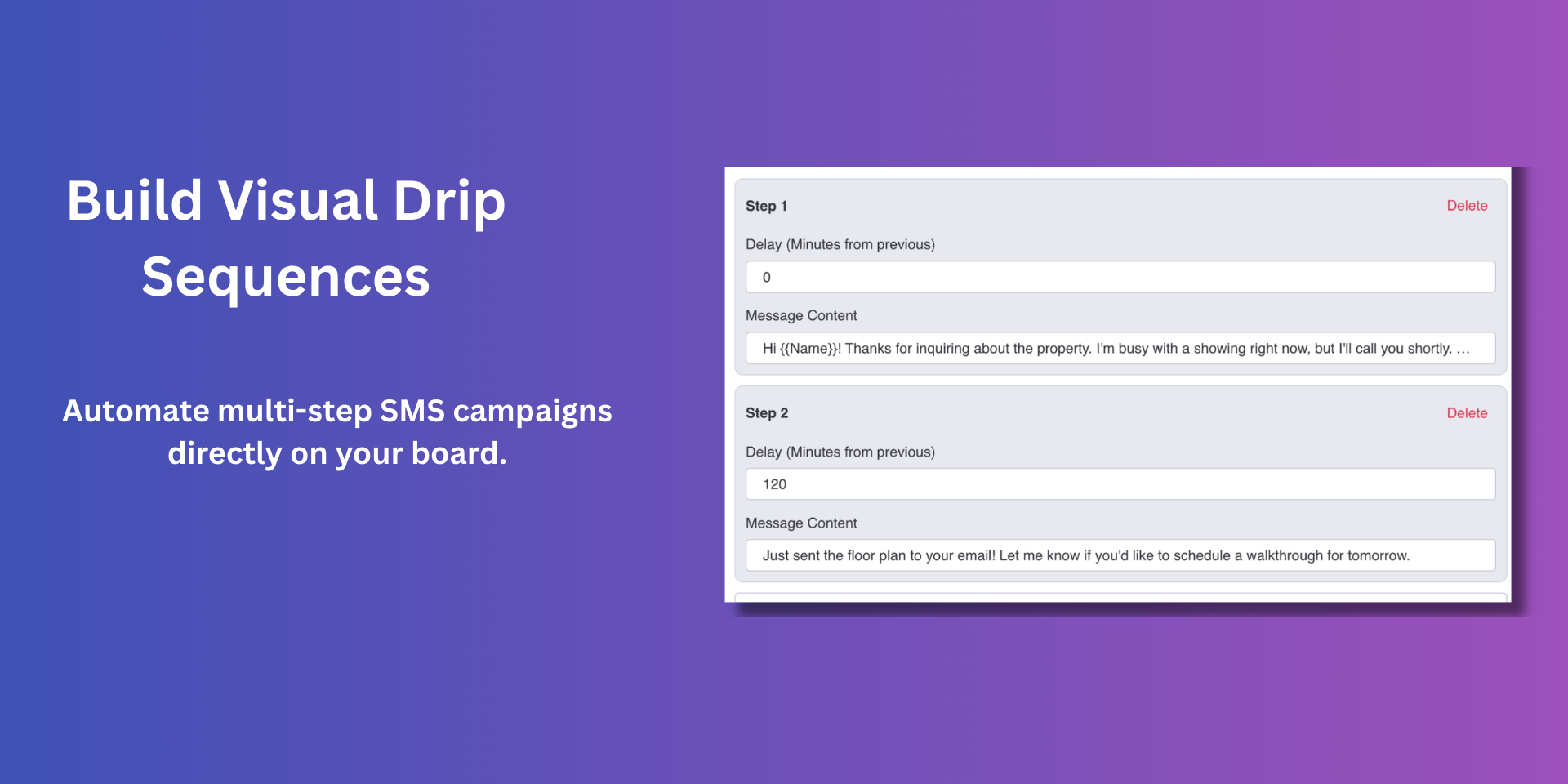
Visual Drip Builder: Create multi-step sequences with custom delays.
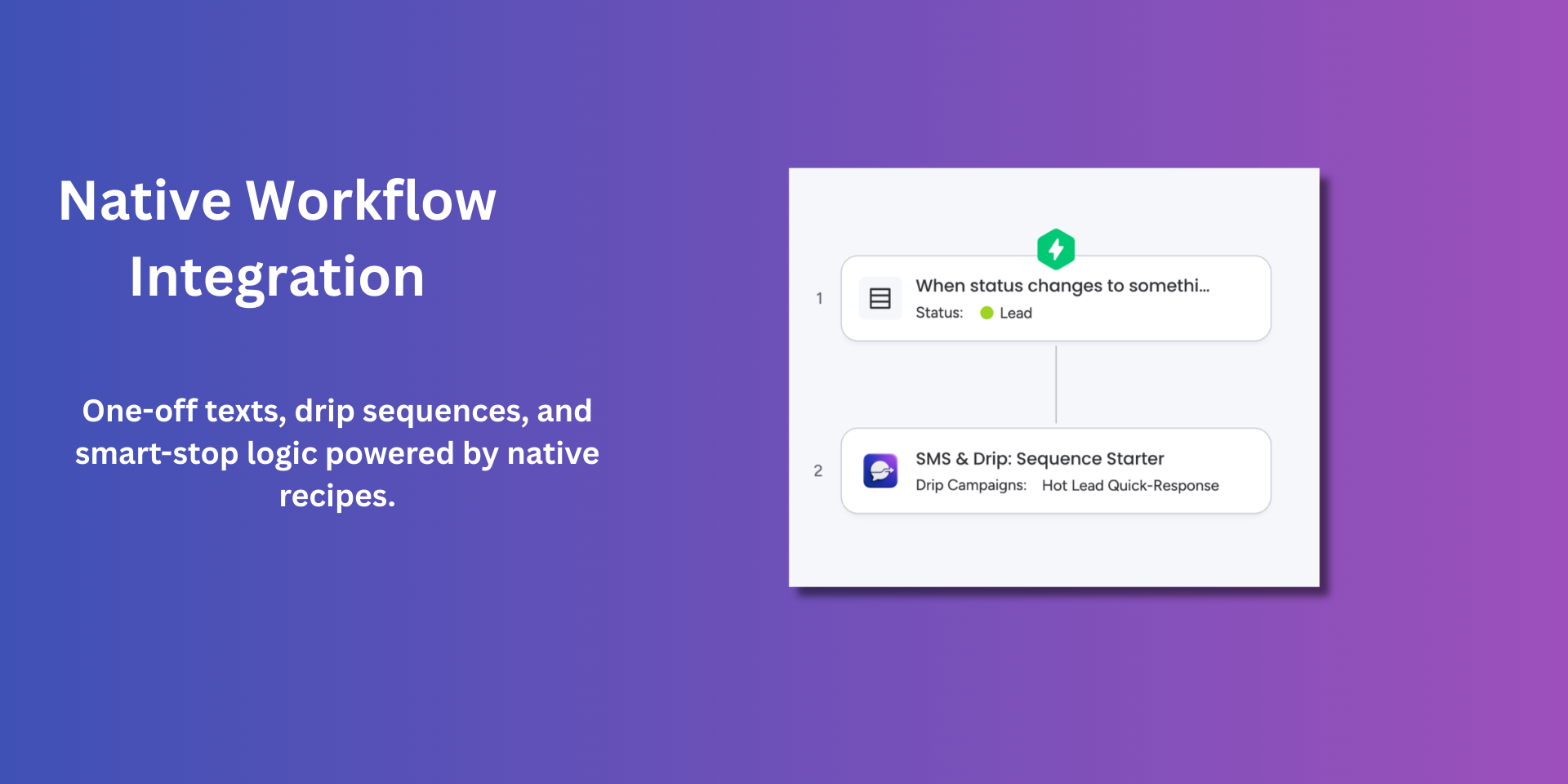
Native Automation: Use monday.com’s workflow builder to trigger or stop campaigns. For example, configure a "stop" action to halt all active drips as soon as a lead is moved to "Won" or "Qualified."
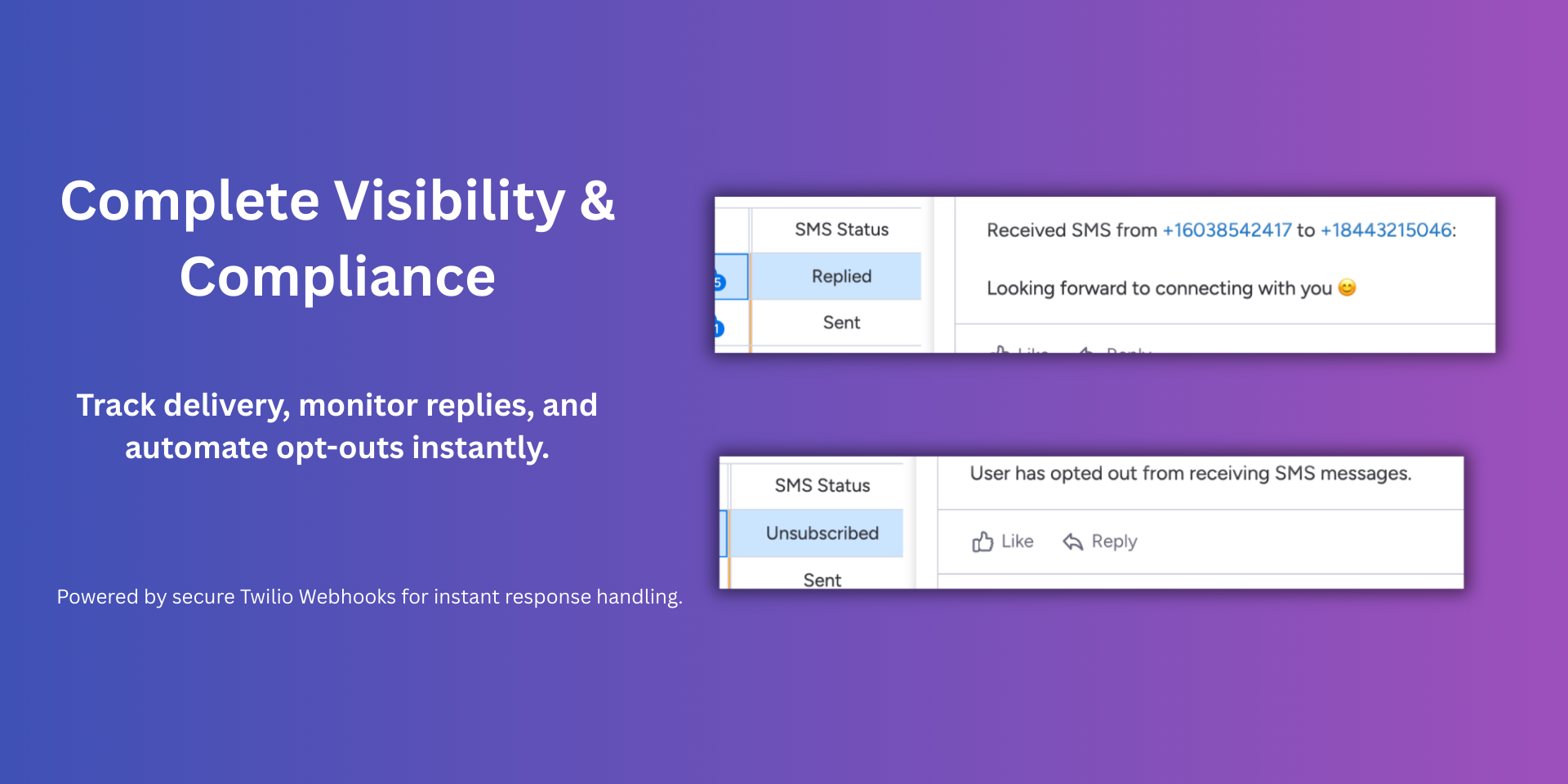
Two-Way Communication Logs: When a customer replies, the app instantly posts an update to the item and changes the "SMS Status" to "Replied."
Auto-Stop on Reply: To prevent awkward follow-ups, the app automatically cancels active drips for an item the moment a response is received.
📊 Deep Board Visibility
Real-Time Status Updates: Watch your "SMS Status" column update automatically (Sent, Replied, Unsubscribed).
Activity Stream Logging: Every outgoing message is logged as an Item Update, keeping your entire team informed.
Built-in Compliance: The app automatically recognizes global opt-out keywords like STOP and CANCEL. If a recipient opts out, the app immediately halts all campaigns and updates your board status to "Unsubscribed."
Security & Compliance
The app developer did not provide the security and compliance information for this app.
Reviews
No reviews yet.
Historical data
Installation history
We have data for December 28, 2024 onwards only. Collected sometime after 00:00 UTC daily.
Total number of installs
Change in total number of installs in last 1 day(s)
Compares the number of installs on each date with 1 days previously:
Max
Min
Current
Change in total number of installs in last 7 day(s)
Compares the number of installs on each date with 7 days previously:
Max
Min
Current
Change in total number of installs in last 30 day(s)
Compares the number of installs on each date with 30 days previously:
Max
Min
Current
Change in total number of installs in last 90 day(s)
Compares the number of installs on each date with 90 days previously:
Max
Min
Current
Change in total number of installs in last 180 day(s)
Compares the number of installs on each date with 180 days previously:
Max
Min
Current
Ratings history
Categories history
Each of the following is a yes/no answer, so the graphs show 1 for yes, and 0 for no.
{
"id": 10001120,
"marketplace_developer_id": 100000165,
"app_id": 10755497,
"app_type": "app",
"security_info": {},
"gallery_assets": [
{
"url": "https://cdn.monday.com/marketplace/10001120/10001120_2026_2_25_15_14_53_tr9ahqt.png",
"type": "image"
},
{
"url": "https://cdn.monday.com/marketplace/10001120/10001120_2026_2_25_15_15_2_vpp11k3.png",
"type": "image"
},
{
"url": "https://cdn.monday.com/marketplace/10001120/10001120_2026_2_25_15_15_11_jkqoj5q.png",
"type": "image"
},
{
"url": "https://cdn.monday.com/marketplace/10001120/10001120_2026_2_25_15_15_21_15kg8nb.png",
"type": "image"
},
{
"url": "https://cdn.monday.com/marketplace/10001120/10001120_2026_2_25_15_15_50_f0wr7eqj.mp4",
"type": "video"
}
],
"description": "<p><strong>SMS & Drip for Twilio</strong></p><p>Native SMS automation that lives directly in your <a href=\"http://monday.com/\" rel=\"noopener noreferrer\" target=\"_blank\">monday.com</a> workflow.</p><p>SMS & Drip for Twilio is built for teams that need reliable outreach without the complexity. By connecting your own Twilio account, you maintain 100% control over your costs while leveraging the data already in your board.</p><p><strong>⚡ Powerful Workflow Integrations</strong></p><ul><li><strong>Visual Drip Builder:</strong> Create multi-step sequences with custom delays.</li><li><strong>Native Automation:</strong> Use <a href=\"http://monday.com/\" rel=\"noopener noreferrer\" target=\"_blank\">monday.com</a>’s workflow builder to trigger or stop campaigns. For example, configure a \"stop\" action to halt all active drips as soon as a lead is moved to <strong>\"</strong>Won\" or \"Qualified.<strong>\"</strong></li><li><strong>Two-Way Communication Logs:</strong> When a customer replies, the app instantly posts an update to the item and changes the \"SMS Status\" to <strong>\"Replied.\"</strong></li><li><strong>Auto-Stop on Reply:</strong> To prevent awkward follow-ups, the app automatically cancels active drips for an item the moment a response is received.</li></ul><p><strong>📊 Deep Board Visibility</strong></p><ul><li><strong>Real-Time Status Updates:</strong> Watch your \"SMS Status\" column update automatically (Sent, Replied, Unsubscribed).</li><li><strong>Activity Stream Logging:</strong> Every outgoing message is logged as an <strong>Item Update</strong>, keeping your entire team informed.</li><li><strong>Built-in Compliance:</strong> The app automatically recognizes global opt-out keywords like STOP and CANCEL. If a recipient opts out, the app immediately halts all campaigns and updates your board status to \"Unsubscribed.\"</li></ul><p><br></p>",
"short_description": "Automate SMS drip campaigns using your own Twilio account.",
"thumbnail_url": "https://cdn.monday.com/marketplace/10001120/10001120_2026_2_25_15_14_29_7fw41ro.png",
"logo_url": "https://cdn.monday.com/marketplace/10001120/10001120_2026_2_25_15_13_40_ybsorw3.png",
"feedback_url": "support@mofadlalla.io",
"privacy_policy_url": "https://sms.mofadlalla.io/privacy.html",
"featured": false,
"name": "SMS & Drip for Twilio",
"how_to_use_url": "https://sms.mofadlalla.io/how-to-use",
"external_pricing_url": null,
"keywords": "SMS,Twilio,Drip,Campaign,Marketing,Notification,Sequence,Text,Message,CRM",
"compliance_answers": [],
"created_at": "2026-03-25T15:12:30.616Z",
"updated_at": "2026-03-25T15:16:20.918Z",
"automation_app_id": null,
"marketplace_category_ids": [],
"pinned_for_categories_ids": [],
"featured_for_categories_ids": [],
"pricing_data": "Free Plan Available",
"label": null,
"app_values": [
"Centralize your work on monday.com"
],
"security": false,
"display_in_template_store": false,
"acquisition_source": "No touch",
"is_connector": false,
"terms_of_service_url": "https://sms.mofadlalla.io/terms.html",
"available_for_tiers": [],
"available_for_products": [],
"google_analytics_tag_id": null,
"is_solution": false,
"app_scope_str": "boards:read,boards:write,users:read,updates:write",
"app_client_id": "608fd218839ef69234d8bebfd7825d57",
"app_color": {
"hsl": {
"h": 283.177570093458,
"s": 0.4403292181069959,
"l": 0.5235294117647058,
"a": 1
},
"hex": "#9d50bb",
"rgb": {
"r": 157,
"g": 80,
"b": 187,
"a": 1
},
"hsv": {
"h": 283.177570093458,
"s": 0.5721925133689839,
"v": 0.7333333333333333,
"a": 1
},
"oldHue": 38.76106194690266,
"source": "hex"
},
"plans": null,
"app_live_version": {
"updated_at": "2026-03-12T03:54:18.058Z",
"id": 13380897
},
"pricing_model": null,
"badges_data": {
"pricing_data": "Free Plan Available",
"app_values": [
"Centralize your work on monday.com"
],
"security": false,
"acquisition_source": "No touch",
"display_in_template_store": false
},
"data": {
"is_connector": false,
"google_analytics_tag_id": null,
"is_solution": false,
"terms_of_service_url": "https://sms.mofadlalla.io/terms.html",
"available_for_tiers": [],
"available_for_products": []
},
"display": null,
"installsDelta": {
"totalInstalls": 4
}
}