Extract and insert tabes from PDFs and images in your Docs.
Stop wasting time manually copying tables from PDFs, invoices, reports, and scanned documents. Tables Extractor brings powerful document intelligence directly into your monday.com workdocs, so your team can focus on decisions instead of data entry.
How It Works
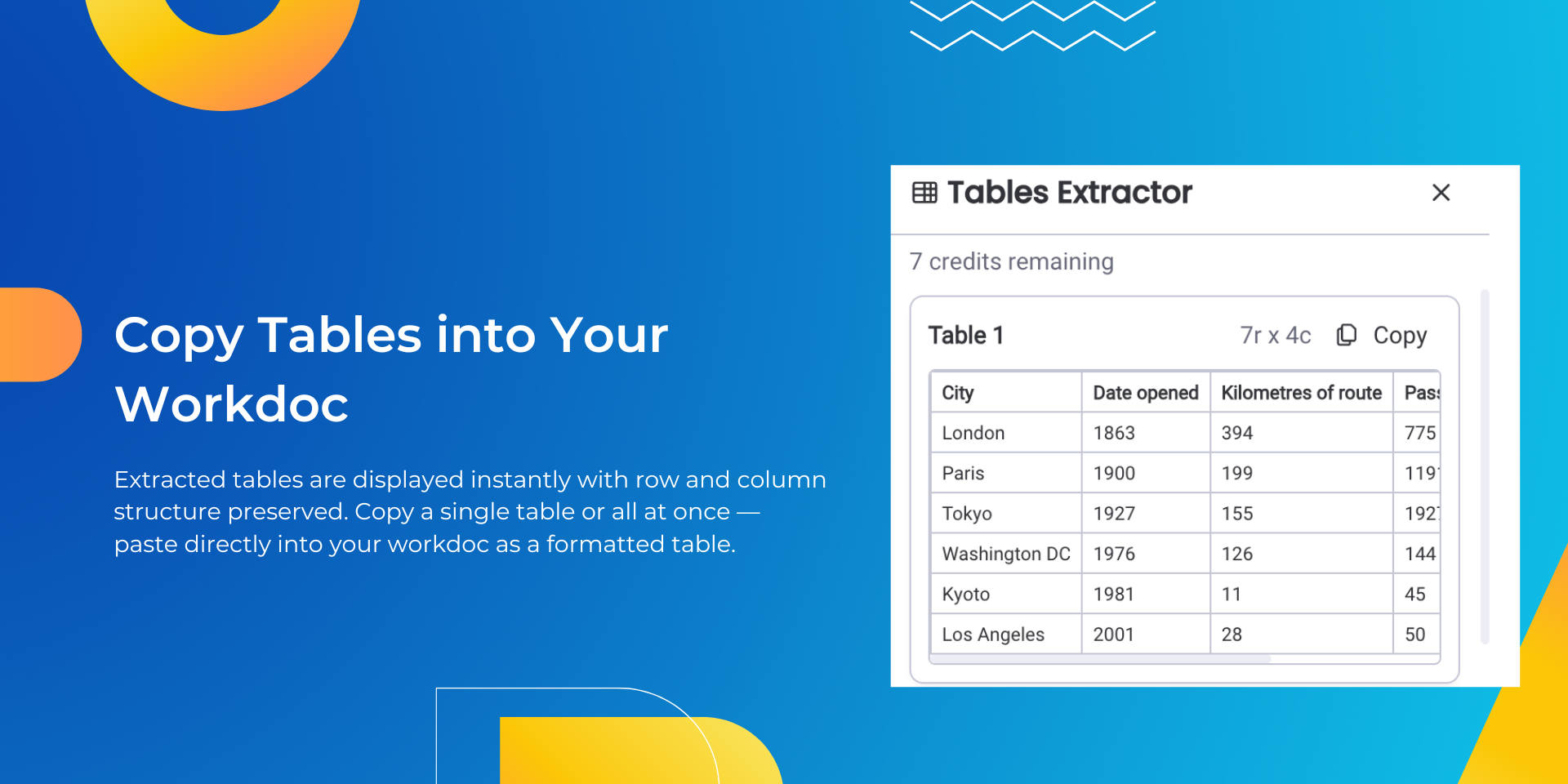
Simply open Tables Extractor from any workdoc, upload your document, and watch as every table is automatically detected and structured for you. Whether it's a financial report, a supplier invoice, a project schedule, or a research paper — if it has a table, we'll find it.Select the tables you need, then copy them to your clipboard and paste them directly into your workdoc with a single click. It's that simple.
Supported Formats
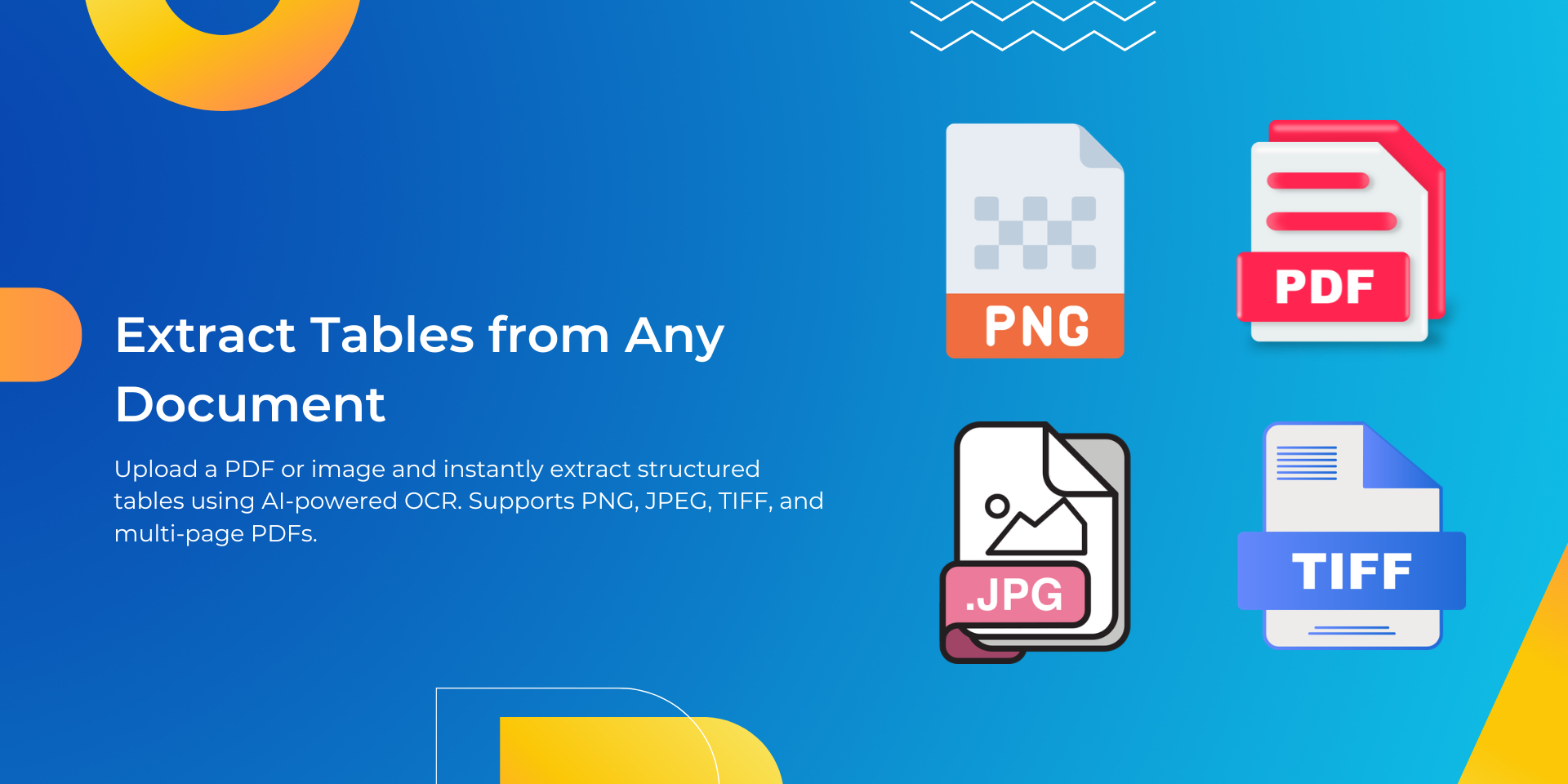
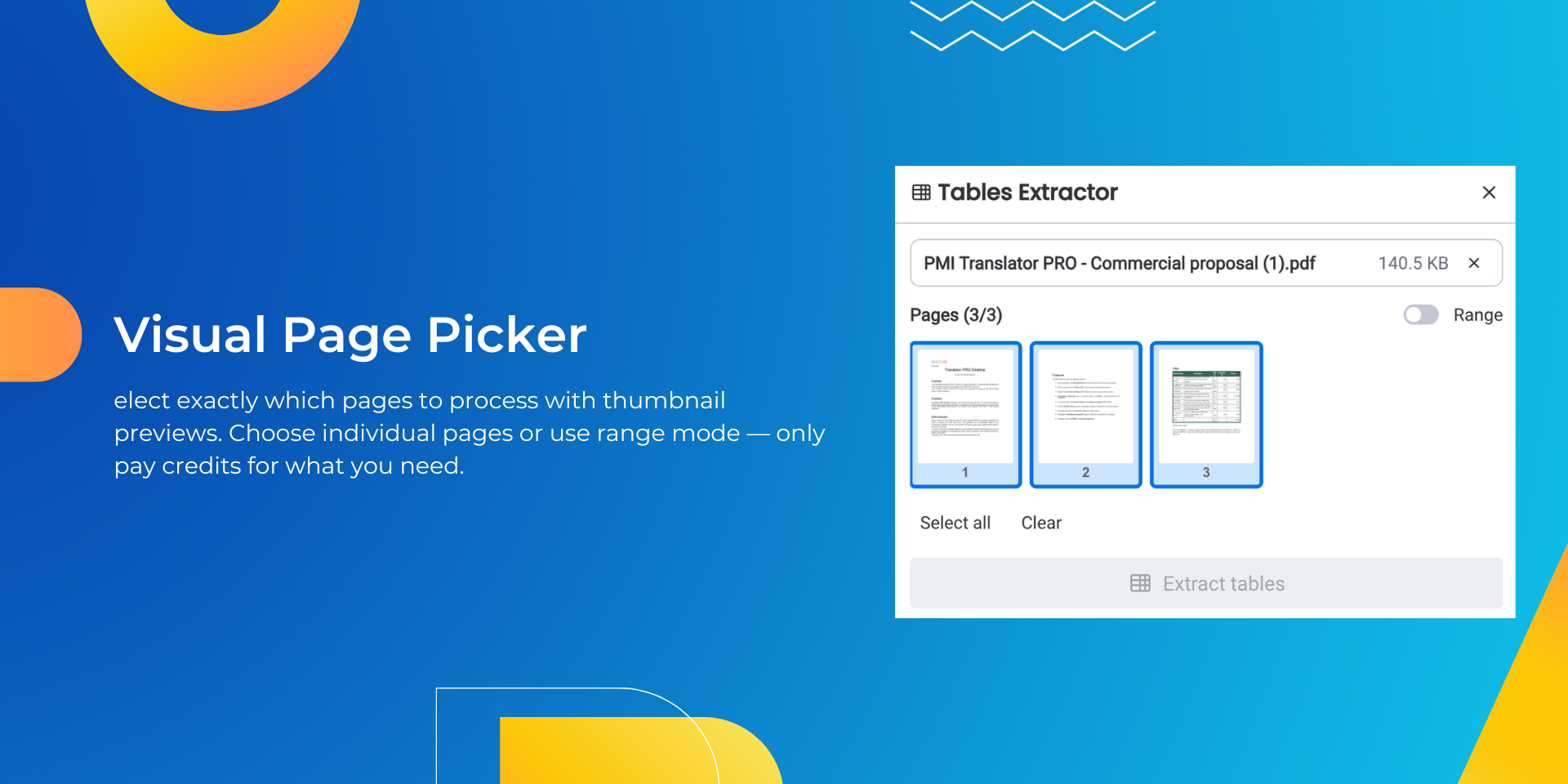
Upload PDFs, PNGs, or JPEGs. For multi-page PDFs, use our visual page browser to select exactly the pages you want to process — no need to extract or split files beforehand.
Built for Teams
Tables Extractor tracks usage per user and per account, giving administrators full visibility into how the tool is being used across the organization. Choose from flexible plans that scale with your needs, from small teams processing a handful of documents to enterprises handling thousands each month.
Why Teams Love Tables Extractor
No more manual retyping : Extract tables from any document in seconds
Works where you work : Fully integrated into monday.com workdocs
Visual page selection : Browse PDF pages as thumbnails and pick exactly what you need
Accuratedetection : Powered by industry-leading document analysis technology
Flexible plans : Start free and scale as your needs grow
Secure bydesign : Your documents are processed and immediately deleted; nothing is stored
Perfect For
Finance teams extracting data from invoices and statements
Operations teams digitizing supplier and logistics documents
Research teams pulling data from published reports and papers
HR teams processing forms and compliance documents
Anyone tired of retyping tables from PDFs
Get Started in Seconds
Install Tables Extractor, open any workdoc, and start extracting. Your first 10 extractions are free.
See It in Action
Want a personalized walkthrough? Book a live demo with our team and see how Tables Extractor can save hours of manual work every week. Book a Demo on Calendly
Security & Compliance
The app developer did not provide the security and compliance information for this app.
Reviews
No reviews yet.
Historical data
Installation history
We have data for December 28, 2024 onwards only. Collected sometime after 00:00 UTC daily.
Total number of installs
Change in total number of installs in last 1 day(s)
Compares the number of installs on each date with 1 days previously:
Max
Min
Current
Change in total number of installs in last 7 day(s)
Compares the number of installs on each date with 7 days previously:
Max
Min
Current
Change in total number of installs in last 30 day(s)
Compares the number of installs on each date with 30 days previously:
Max
Min
Current
Change in total number of installs in last 90 day(s)
Compares the number of installs on each date with 90 days previously:
Max
Min
Current
Change in total number of installs in last 180 day(s)
Compares the number of installs on each date with 180 days previously:
Max
Min
Current
Ratings history
Categories history
Each of the following is a yes/no answer, so the graphs show 1 for yes, and 0 for no.
{
"id": 10001086,
"marketplace_developer_id": 100000161,
"app_id": 10868005,
"app_type": "app",
"security_info": {},
"gallery_assets": [
{
"url": "https://cdn.monday.com/marketplace/10001086/10001086_2026_1_23_18_14_16_0l4esh3.mp4",
"type": "video"
},
{
"url": "https://cdn.monday.com/marketplace/10001086/10001086_2026_1_23_18_14_31_7hnqnl3.png",
"type": "image"
},
{
"url": "https://cdn.monday.com/marketplace/10001086/10001086_2026_1_23_18_14_36_2bv9n6n.png",
"type": "image"
},
{
"url": "https://cdn.monday.com/marketplace/10001086/10001086_2026_1_23_18_14_40_94y8nrfh.png",
"type": "image"
}
],
"description": "<p>Stop wasting time manually copying tables from PDFs, invoices, reports, and scanned documents. Tables Extractor brings powerful document intelligence directly into your monday.com workdocs, so your team can focus on decisions instead of data entry.</p><p><br></p><p><strong>How It Works</strong></p><p><br></p><p>Simply open Tables Extractor from any workdoc, upload your document, and watch as every table is automatically detected and structured for you. Whether it's a financial report, a supplier invoice, a project schedule, or a research paper — if it has a table, we'll find it.Select the tables you need, then copy them to your clipboard and paste them directly into your workdoc with a single click. It's that simple.</p><p><br></p><p><strong>Supported Formats</strong></p><p>Upload PDFs, PNGs, or JPEGs. For multi-page PDFs, use our visual page browser to select exactly the pages you want to process — no need to extract or split files beforehand.</p><p><br></p><p><strong>Built for Teams</strong></p><p><br></p><p>Tables Extractor tracks usage per user and per account, giving administrators full visibility into how the tool is being used across the organization. Choose from flexible plans that scale with your needs, from small teams processing a handful of documents to enterprises handling thousands each month.</p><p><br></p><p><strong>Why Teams Love Tables Extractor</strong></p><ul><li><strong>No more manual retyping</strong> : Extract tables from any document in seconds</li><li><strong>Works where you work</strong> : Fully integrated into monday.com workdocs</li><li><strong>Visual page selection </strong>: Browse PDF pages as thumbnails and pick exactly what you need</li><li><strong>Accurate</strong> <strong>detection</strong> : Powered by industry-leading document analysis technology</li><li><strong>Flexible plans</strong> : Start free and scale as your needs grow</li><li><strong>Secure by</strong> <strong>design</strong> : Your documents are processed and immediately deleted; nothing is stored</li></ul><p><strong>Perfect For</strong></p><ul><li>Finance teams extracting data from invoices and statements</li><li>Operations teams digitizing supplier and logistics documents</li><li>Research teams pulling data from published reports and papers</li><li>HR teams processing forms and compliance documents</li><li>Anyone tired of retyping tables from PDFs</li></ul><p><strong>Get Started in Seconds</strong></p><p><br></p><p>Install Tables Extractor, open any workdoc, and start extracting. Your first 10 extractions are free.</p><p><br></p><p><strong>See It in Action</strong></p><p><br></p><p>Want a personalized walkthrough? Book a live demo with our team and see how Tables Extractor can save hours of manual work every week. <a href=\"https://calendly.com/contact-lingway/30min\" rel=\"noopener noreferrer\" target=\"_blank\">Book a Demo on Calendly</a></p>",
"short_description": "Extract and insert tabes from PDFs and images in your Docs.",
"thumbnail_url": "https://cdn.monday.com/marketplace/10001086/10001086_2026_1_23_18_14_9_n74tvvh.png",
"logo_url": "https://cdn.monday.com/marketplace/10001086/10001086_2026_1_23_18_14_6_2adslku.png",
"feedback_url": "contact@lingway.io",
"privacy_policy_url": "https://www.lingway.io/tables-extractor-docs-privacy",
"featured": false,
"name": "Tables Extractor",
"how_to_use_url": "https://www.lingway.io/tables-extractor-docs-how-to-use",
"external_pricing_url": null,
"keywords": "table detection,invoice extraction,image to table,PDF import,data extraction,document scanner,workdoc,OCR,PDF to table,table extraction",
"compliance_answers": [],
"created_at": "2026-02-23T18:13:42.479Z",
"updated_at": "2026-02-23T18:16:02.923Z",
"automation_app_id": null,
"marketplace_category_ids": [
10,
7,
6
],
"pinned_for_categories_ids": [],
"featured_for_categories_ids": [],
"pricing_data": "Free plan available",
"label": null,
"app_values": [
"Centralize your work on monday.com"
],
"security": false,
"display_in_template_store": false,
"acquisition_source": "No touch",
"is_connector": false,
"terms_of_service_url": "https://www.lingway.io/tables-extractor-docs-terms",
"available_for_tiers": [],
"available_for_products": [],
"google_analytics_tag_id": null,
"is_solution": false,
"app_scope_str": "",
"app_client_id": "9d6125d0a7ee935558c266513e26306b",
"app_color": {
"hsl": {
"h": 180,
"s": 0,
"l": 1,
"a": 1
},
"hex": "#ffffff",
"rgb": {
"r": 255,
"g": 255,
"b": 255,
"a": 1
},
"hsv": {
"h": 180,
"s": 0,
"v": 1,
"a": 1
},
"oldHue": 180,
"source": "rgb"
},
"plans": [
{
"id": "10868005-1-professional",
"appPlanId": "professional",
"name": "Professional",
"versionId": 1,
"isTrial": false,
"prices": {
"type": "standard",
"monthly": 60,
"yearly": 54
},
"versionState": "live",
"appId": 10868005,
"description": "For growing teams with regular document processing needs. Best value.",
"extraData": {
"bullets": [
"500 extractions per month",
"Team shared credits pool"
],
"monthlyFee": 60,
"yearlyFee": 54
},
"isFree": false,
"isRecommended": false,
"currency": "USD"
},
{
"id": "10868005-1-business",
"appPlanId": "business",
"name": "Business",
"versionId": 1,
"isTrial": false,
"prices": {
"type": "standard",
"monthly": 180,
"yearly": 162
},
"versionState": "live",
"appId": 10868005,
"description": "For departments handling high volumes of invoices, reports, and forms. ",
"extraData": {
"bullets": [
"2000 extractions per month",
"Team shared credits pool"
],
"monthlyFee": 180,
"yearlyFee": 162
},
"isFree": false,
"isRecommended": true,
"currency": "USD"
},
{
"id": "10868005-1-enterprise",
"appPlanId": "enterprise",
"name": "Enterprise",
"versionId": 1,
"isTrial": false,
"prices": {
"type": "standard",
"monthly": 600,
"yearly": 540
},
"versionState": "live",
"appId": 10868005,
"description": "For organizations with large-scale document processing across multiple teams.",
"extraData": {
"bullets": [
"10000 extractions per month",
"Team shared credits pool"
],
"monthlyFee": 600,
"yearlyFee": 540
},
"isFree": false,
"isRecommended": false,
"currency": "USD"
},
{
"id": "10868005-1-starter",
"appPlanId": "starter",
"name": "Starter",
"versionId": 1,
"isTrial": false,
"prices": {
"type": "standard",
"monthly": 15,
"yearly": 14
},
"versionState": "live",
"appId": 10868005,
"description": "For individuals and small teams processing documents occasionally.",
"extraData": {
"bullets": [
"100 extractions per month",
"Team shared credits pool"
],
"monthlyFee": 15,
"yearlyFee": 14
},
"isFree": false,
"isRecommended": false,
"currency": "USD"
},
{
"id": "10868005-1-free",
"appPlanId": "free",
"name": "Discovery",
"versionId": 1,
"isTrial": true,
"prices": {
"type": "standard",
"monthly": 3,
"yearly": 2
},
"versionState": "live",
"appId": 10868005,
"description": "To discover Tables Extractor Features",
"extraData": {
"bullets": [
"10 extractions per month",
"Team shared credits pool"
],
"monthlyFee": 3,
"yearlyFee": 2
},
"isFree": false,
"isRecommended": false,
"currency": "USD"
}
],
"app_live_version": {
"updated_at": "2026-02-17T23:01:11.633Z",
"id": 12894155
},
"pricing_model": null,
"badges_data": {
"pricing_data": "Free plan available",
"app_values": [
"Centralize your work on monday.com"
],
"security": false,
"acquisition_source": "No touch",
"display_in_template_store": false
},
"data": {
"is_connector": false,
"google_analytics_tag_id": null,
"is_solution": false,
"terms_of_service_url": "https://www.lingway.io/tables-extractor-docs-terms",
"available_for_tiers": [],
"available_for_products": []
},
"display": null,
"installsDelta": {
"totalInstalls": 3,
"sevenDays": 0,
"thirtyDays": 0
}
}