
Smart Row Highlighter
7 installs, since February 3, 2026. 3 installs/month. Updated February 26, 2026.
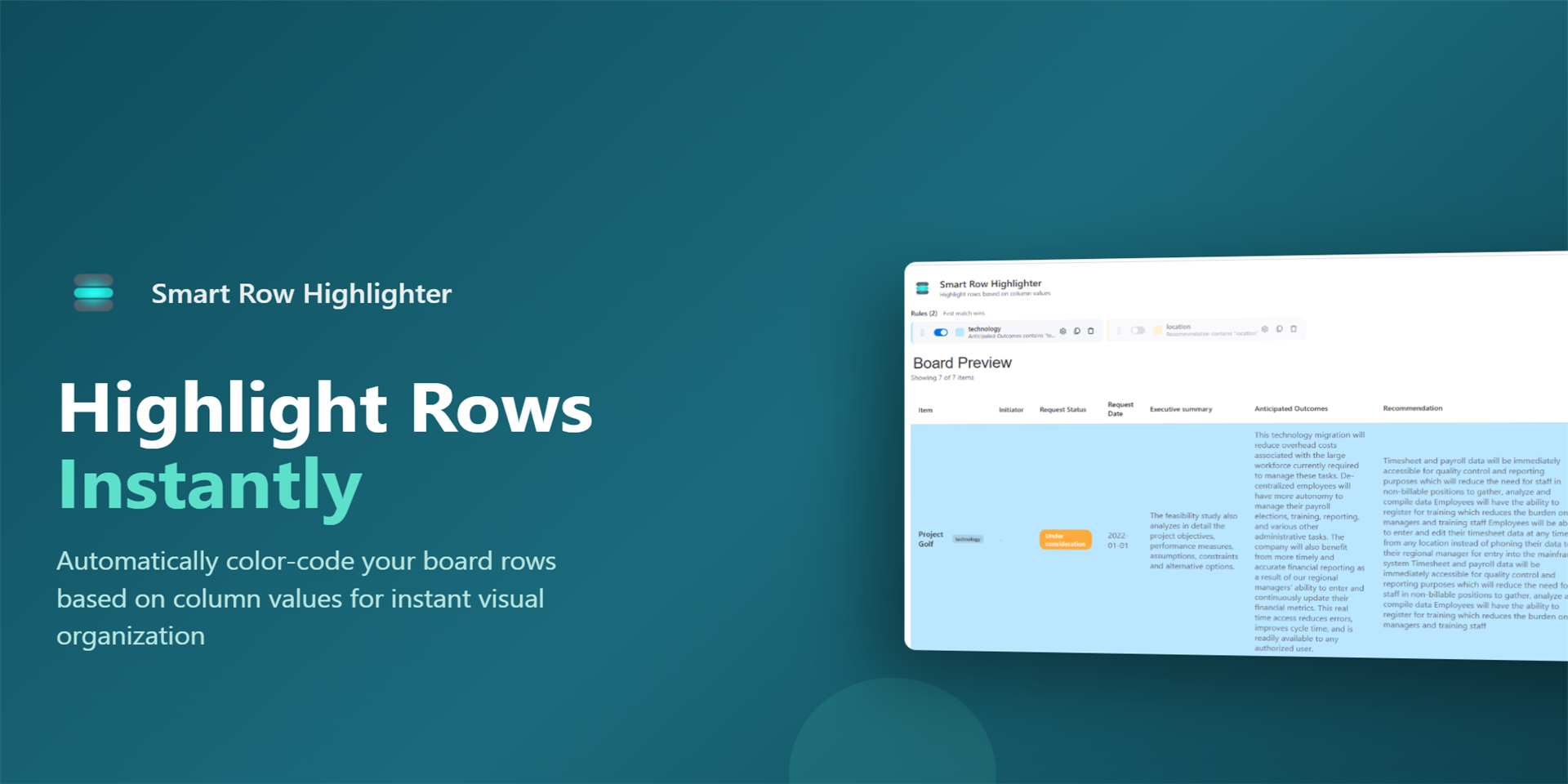
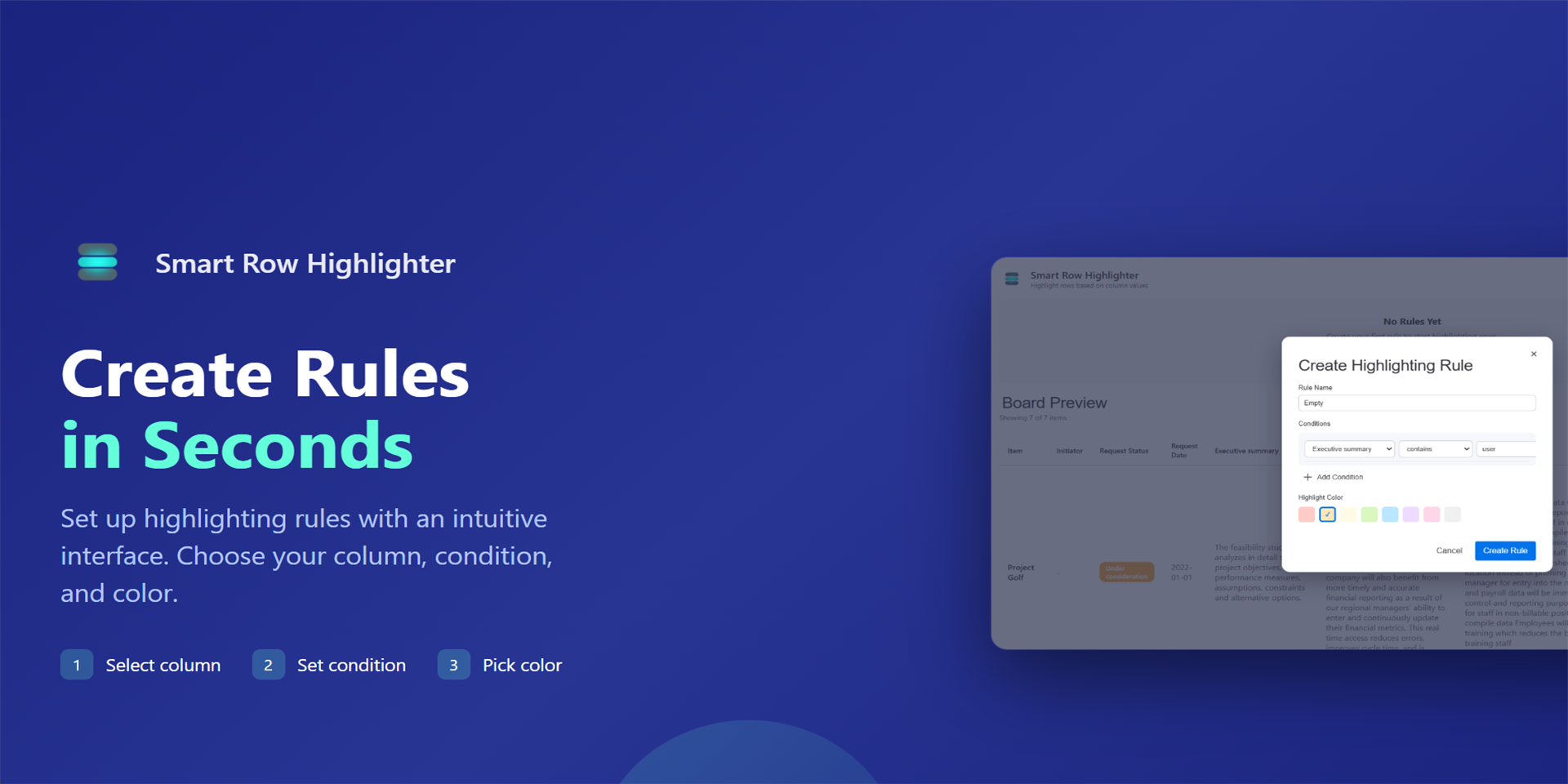
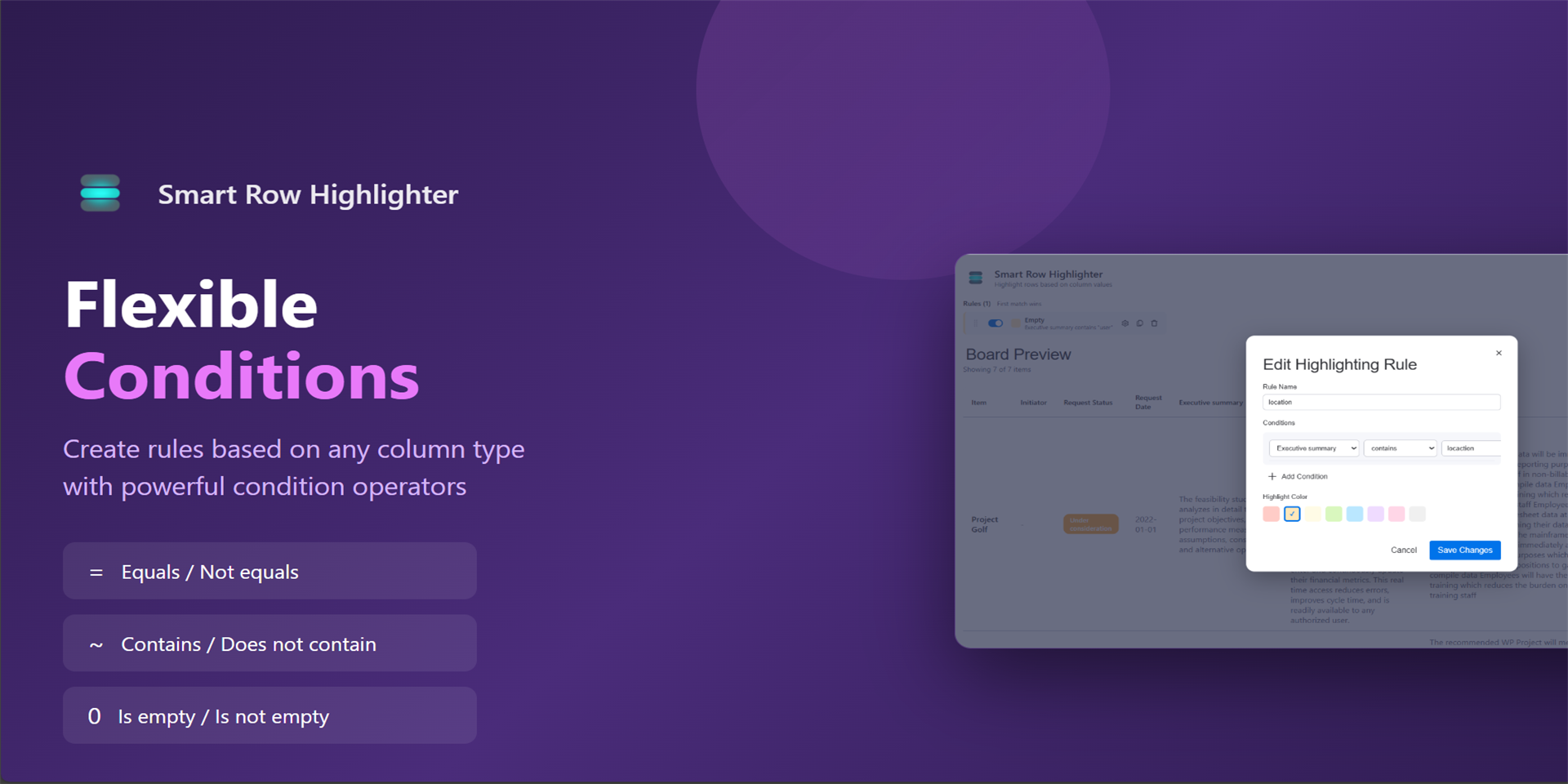
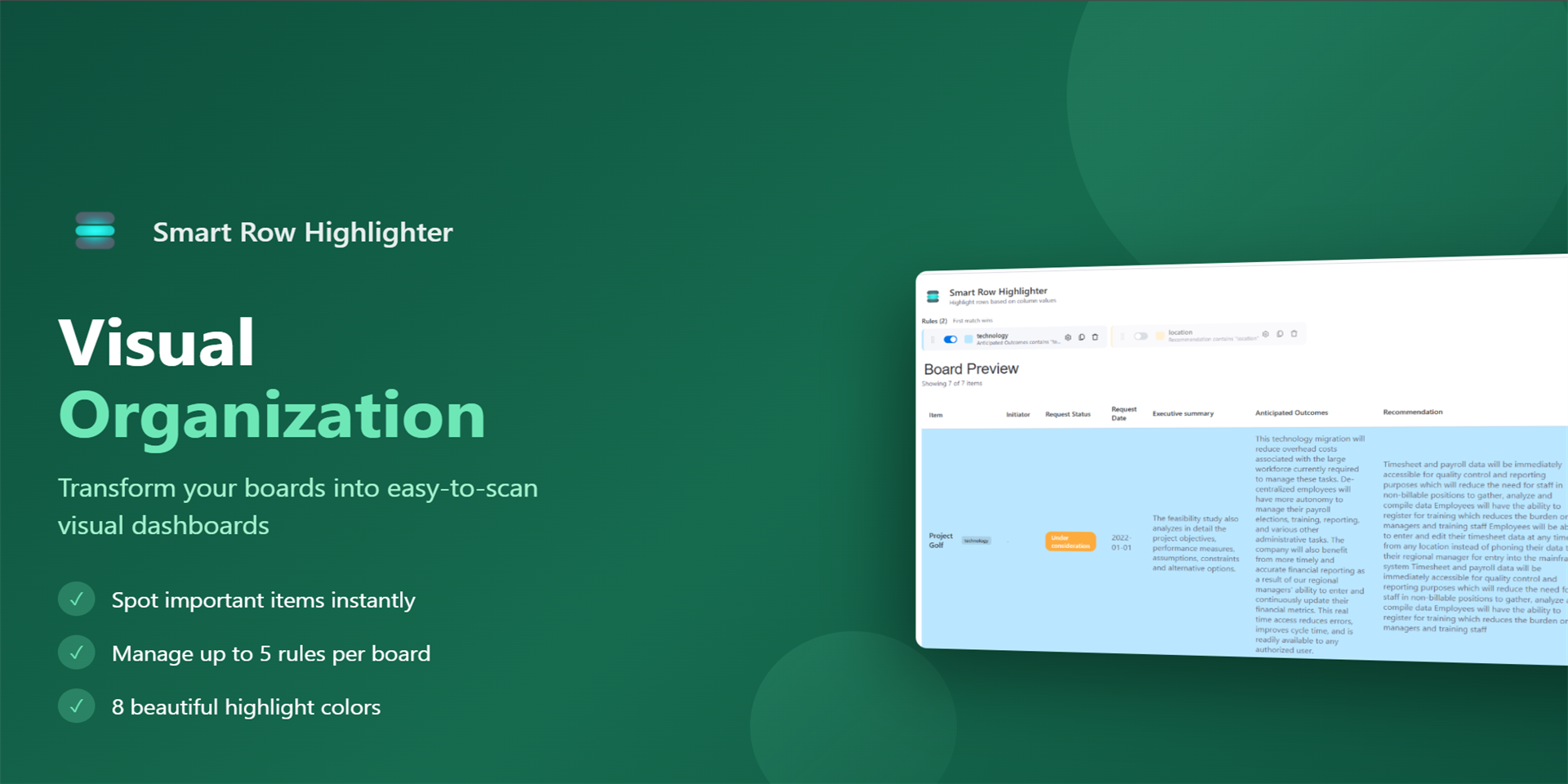
Highlight rows based on column values with conditional rules
Smart Row Highlighter automatically highlights rows in your monday.com boards based on conditional rules you define. Make important items stand out instantly!
KEY FEATURES:
• Rule-Based Highlighting - Create rules that evaluate column values and apply colors to matching rows
• Multiple Conditions - Combine conditions with AND/OR logic for powerful filtering (e.g., "Status = Done AND Due Date is overdue")
• 15+ Operators - equals, contains, starts with, ends with, regex, greater than, less than, is overdue, is today, is this week, and more
• All Column Types - Works with Status, Text, Numbers, Date, Checkbox, and People columns
• Drag & Drop Priority - Reorder rules to control which highlighting takes precedence
• Export & Import - Share your rule configurations across boards or with team members
• Real-Time Preview - See highlighting applied instantly as you create and modify rules
• Dark Mode Support - Looks great in both light and dark themes
PERFECT FOR:
- Project managers tracking overdue or at-risk tasks
- Sales teams highlighting high-value opportunities
- HR teams flagging pending approvals
- Support teams identifying urgent tickets
- Anyone who wants better visual organization
Free users get 5 powerful rules per board. With multiple conditions per rule, that's more than enough for most workflows!
Need help? Contact us at https://leongael.xyz/contact
Security & Compliance
The app developer did not provide the security and compliance information for this app.
Reviews
No reviews yet.
Historical data
Installation history
We have data for December 28, 2024 onwards only. Collected sometime after 00:00 UTC daily.
Total number of installs
Change in total number of installs in last 1 day(s)
Compares the number of installs on each date with 1 days previously:
Change in total number of installs in last 7 day(s)
Compares the number of installs on each date with 7 days previously:
Change in total number of installs in last 30 day(s)
Compares the number of installs on each date with 30 days previously:
Change in total number of installs in last 90 day(s)
Compares the number of installs on each date with 90 days previously:
Change in total number of installs in last 180 day(s)
Compares the number of installs on each date with 180 days previously:
Ratings history
Categories history
Each of the following is a yes/no answer, so the graphs show 1 for yes, and 0 for no.
In "Featured" category?
In "Editor's choice" category?
In "Trending this week" category?
App metadata
ID: 10001043 • App ID: 10789034 • Listing updated: February 4, 2026{
"id": 10001043,
"marketplace_developer_id": 100000153,
"app_id": 10789034,
"app_type": "app",
"security_info": {},
"gallery_assets": [
{
"url": "https://cdn.monday.com/marketplace/10001043/10001043_2026_1_4_7_19_47_dmgh83r.png",
"type": "image"
},
{
"url": "https://cdn.monday.com/marketplace/10001043/10001043_2026_1_4_7_19_58_koxhf2h.png",
"type": "image"
},
{
"url": "https://cdn.monday.com/marketplace/10001043/10001043_2026_1_4_7_20_11_0h4iuta.png",
"type": "image"
},
{
"url": "https://cdn.monday.com/marketplace/10001043/10001043_2026_1_4_7_20_22_kcuc1v3h.png",
"type": "image"
},
{
"url": "https://cdn.monday.com/marketplace/10001043/10001043_2026_1_4_7_23_43_n9n29nz.mp4",
"type": "video"
}
],
"description": "<p>Smart Row Highlighter automatically highlights rows in your <a href=\"http://monday.com/\" rel=\"noopener noreferrer\" target=\"_blank\">monday.com</a> boards based on conditional rules you define. Make important items stand out instantly!</p><p><br></p><p>KEY FEATURES:</p><p><br></p><p>• Rule-Based Highlighting - Create rules that evaluate column values and apply colors to matching rows</p><p><br></p><p>• Multiple Conditions - Combine conditions with AND/OR logic for powerful filtering (e.g., \"Status = Done AND Due Date is overdue\")</p><p><br></p><p>• 15+ Operators - equals, contains, starts with, ends with, regex, greater than, less than, is overdue, is today, is this week, and more</p><p><br></p><p>• All Column Types - Works with Status, Text, Numbers, Date, Checkbox, and People columns</p><p><br></p><p>• Drag & Drop Priority - Reorder rules to control which highlighting takes precedence</p><p><br></p><p>• Export & Import - Share your rule configurations across boards or with team members</p><p><br></p><p>• Real-Time Preview - See highlighting applied instantly as you create and modify rules</p><p><br></p><p>• Dark Mode Support - Looks great in both light and dark themes</p><p><br></p><p>PERFECT FOR:</p><p><br></p><p>- Project managers tracking overdue or at-risk tasks</p><p>- Sales teams highlighting high-value opportunities</p><p>- HR teams flagging pending approvals</p><p>- Support teams identifying urgent tickets</p><p>- Anyone who wants better visual organization</p><p><br></p><p>Free users get 5 powerful rules per board. With multiple conditions per rule, that's more than enough for most workflows!</p><p><strong>Need help?</strong> Contact us at <a href=\"https://leongael.xyz/contact\" rel=\"noopener noreferrer\" target=\"_blank\">https://leongael.xyz/contact</a></p>",
"short_description": "Highlight rows based on column values with conditional rules",
"thumbnail_url": "https://cdn.monday.com/marketplace/10001043/10001043_2026_1_3_10_20_21_mnt1ln2.png",
"logo_url": "https://cdn.monday.com/marketplace/10001043/10001043_2026_1_3_10_19_51_c3y0zuh.png",
"feedback_url": "support@leongael.xyz",
"privacy_policy_url": "https://leongael.xyz/legal/smart-row-highlighter/privacy",
"featured": false,
"name": "Smart Row Highlighter",
"how_to_use_url": "https://leongael.xyz/docs/smart-row-highlighter/how-to-use.html",
"external_pricing_url": null,
"keywords": "highlight,rows,conditional,formatting,rules,colors,status,visual,board view,automation",
"compliance_answers": [],
"created_at": "2026-02-03T09:08:15.432Z",
"updated_at": "2026-02-04T07:23:48.999Z",
"automation_app_id": null,
"marketplace_category_ids": [
10000001,
9,
6
],
"pinned_for_categories_ids": [],
"featured_for_categories_ids": [],
"pricing_data": "Free plan available",
"label": null,
"app_values": [
"Make data-driver decisions"
],
"security": false,
"display_in_template_store": false,
"acquisition_source": "No touch",
"is_connector": false,
"terms_of_service_url": "https://leongael.xyz/legal/smart-row-highlighter/terms",
"available_for_tiers": [],
"available_for_products": [],
"google_analytics_tag_id": null,
"is_solution": false,
"app_scope_str": "boards:read",
"app_client_id": "93b6b3cb97fb8fa25b896fbd1bf44c04",
"app_color": {
"hsl": {
"h": 169.28756359011626,
"s": 0.7253000000000004,
"l": 0.5431,
"a": 1
},
"hex": "#36dfc1",
"rgb": {
"r": 54,
"g": 223,
"b": 193,
"a": 1
},
"hsv": {
"h": 169.28756359011626,
"s": 0.7579039964993524,
"v": 0.8744895700000002,
"a": 1
},
"oldHue": 169.28756359011626,
"source": "hsl"
},
"plans": [
{
"id": "10789034-1-DEFAULT",
"appPlanId": "DEFAULT",
"name": "default",
"versionId": 1,
"isTrial": true,
"prices": {
"type": "bucket_based",
"buckets": {
"3": {
"monthly": 6,
"yearly": 5
},
"5": {
"monthly": 10,
"yearly": 8
},
"10": {
"monthly": 20,
"yearly": 16
},
"15": {
"monthly": 30,
"yearly": 24
},
"20": {
"monthly": 39,
"yearly": 32
},
"25": {
"monthly": 48,
"yearly": 39
},
"30": {
"monthly": 57,
"yearly": 47
},
"35": {
"monthly": 66,
"yearly": 54
},
"40": {
"monthly": 75,
"yearly": 62
},
"45": {
"monthly": 84,
"yearly": 69
},
"50": {
"monthly": 93,
"yearly": 76
},
"55": {
"monthly": 102,
"yearly": 83
},
"60": {
"monthly": 111,
"yearly": 91
},
"65": {
"monthly": 119,
"yearly": 98
},
"70": {
"monthly": 128,
"yearly": 105
},
"75": {
"monthly": 137,
"yearly": 112
},
"80": {
"monthly": 146,
"yearly": 120
},
"85": {
"monthly": 155,
"yearly": 127
},
"90": {
"monthly": 163,
"yearly": 134
},
"95": {
"monthly": 172,
"yearly": 141
},
"100": {
"monthly": 181,
"yearly": 148
},
"110": {
"monthly": 198,
"yearly": 162
},
"120": {
"monthly": 215,
"yearly": 176
},
"130": {
"monthly": 232,
"yearly": 190
},
"140": {
"monthly": 249,
"yearly": 204
},
"150": {
"monthly": 266,
"yearly": 218
},
"160": {
"monthly": 283,
"yearly": 232
},
"170": {
"monthly": 300,
"yearly": 246
},
"180": {
"monthly": 317,
"yearly": 260
},
"190": {
"monthly": 334,
"yearly": 274
},
"200": {
"monthly": 351,
"yearly": 288
},
"225": {
"monthly": 394,
"yearly": 323
},
"250": {
"monthly": 436,
"yearly": 358
},
"275": {
"monthly": 477,
"yearly": 391
},
"300": {
"monthly": 518,
"yearly": 425
},
"350": {
"monthly": 600,
"yearly": 492
},
"400": {
"monthly": 682,
"yearly": 559
},
"450": {
"monthly": 764,
"yearly": 627
},
"500": {
"monthly": 846,
"yearly": 694
},
"550": {
"monthly": 923,
"yearly": 757
},
"600": {
"monthly": 1000,
"yearly": 820
},
"650": {
"monthly": 1077,
"yearly": 883
},
"700": {
"monthly": 1154,
"yearly": 946
},
"750": {
"monthly": 1231,
"yearly": 1009
},
"800": {
"monthly": 1308,
"yearly": 1073
},
"850": {
"monthly": 1385,
"yearly": 1136
},
"900": {
"monthly": 1462,
"yearly": 1199
},
"950": {
"monthly": 1539,
"yearly": 1262
},
"1000": {
"monthly": 1616,
"yearly": 1325
},
"1100": {
"monthly": 1760,
"yearly": 1443
},
"1200": {
"monthly": 1904,
"yearly": 1561
},
"1300": {
"monthly": 2048,
"yearly": 1679
},
"1400": {
"monthly": 2192,
"yearly": 1797
},
"1500": {
"monthly": 2336,
"yearly": 1916
},
"1600": {
"monthly": 2480,
"yearly": 2034
},
"1700": {
"monthly": 2624,
"yearly": 2152
},
"1800": {
"monthly": 2768,
"yearly": 2270
},
"1900": {
"monthly": 2912,
"yearly": 2388
},
"2000": {
"monthly": 3056,
"yearly": 2506
},
"2250": {
"monthly": 3416,
"yearly": 2801
},
"2500": {
"monthly": 3776,
"yearly": 3096
},
"2750": {
"monthly": 4136,
"yearly": 3392
},
"3000": {
"monthly": 4496,
"yearly": 3687
},
"3250": {
"monthly": 4856,
"yearly": 3982
},
"3500": {
"monthly": 5216,
"yearly": 4277
},
"3750": {
"monthly": 5576,
"yearly": 4572
},
"4000": {
"monthly": 5936,
"yearly": 4868
},
"4250": {
"monthly": 6296,
"yearly": 5163
},
"4500": {
"monthly": 6656,
"yearly": 5458
},
"4750": {
"monthly": 7016,
"yearly": 5753
},
"5000": {
"monthly": 7376,
"yearly": 6048
},
"6000": {
"monthly": 8676,
"yearly": 7114
},
"7000": {
"monthly": 9976,
"yearly": 8180
},
"8000": {
"monthly": 11276,
"yearly": 9246
},
"9000": {
"monthly": 12576,
"yearly": 10312
},
"10000": {
"monthly": 13876,
"yearly": 11378
},
"12500": {
"monthly": 16376,
"yearly": 13428
},
"15000": {
"monthly": 18876,
"yearly": 15478
},
"17500": {
"monthly": 21376,
"yearly": 17528
},
"20000": {
"monthly": 23876,
"yearly": 19578
},
"25000": {
"monthly": 27376,
"yearly": 22448
},
"30000": {
"monthly": 30876,
"yearly": 25318
},
"35000": {
"monthly": 30976,
"yearly": 25400
},
"40000": {
"monthly": 31076,
"yearly": 25482
},
"45000": {
"monthly": 31176,
"yearly": 25564
},
"50000": {
"monthly": 31276,
"yearly": 25646
},
"60000": {
"monthly": 31476,
"yearly": 25810
},
"70000": {
"monthly": 31676,
"yearly": 25974
},
"80000": {
"monthly": 31876,
"yearly": 26138
},
"90000": {
"monthly": 32076,
"yearly": 26302
},
"100000": {
"monthly": 32276,
"yearly": 26466
},
"1000000": {
"monthly": 32276,
"yearly": 26466
}
}
},
"versionState": "live",
"appId": 10789034,
"description": "Unlimited highlighting rules to make important rows stand out instantly based on status, dates, priority and more",
"extraData": {
"bullets": [
"Unlimited highlighting rules",
"All column types supported",
"Priority rule ordering",
"Real-time preview"
],
"monthlyFee": null,
"yearlyFee": null
},
"isFree": false,
"isRecommended": false,
"currency": "USD"
},
{
"id": "10789034-2-DEFAULT",
"appPlanId": "DEFAULT",
"name": "default",
"versionId": 2,
"isTrial": true,
"prices": {
"type": "bucket_based",
"buckets": {
"3": {
"monthly": 6,
"yearly": 5
},
"5": {
"monthly": 10,
"yearly": 8
},
"10": {
"monthly": 20,
"yearly": 16
},
"15": {
"monthly": 30,
"yearly": 24
},
"20": {
"monthly": 39,
"yearly": 32
},
"25": {
"monthly": 48,
"yearly": 39
},
"30": {
"monthly": 57,
"yearly": 47
},
"35": {
"monthly": 66,
"yearly": 54
},
"40": {
"monthly": 75,
"yearly": 62
},
"45": {
"monthly": 84,
"yearly": 69
},
"50": {
"monthly": 93,
"yearly": 76
},
"55": {
"monthly": 102,
"yearly": 83
},
"60": {
"monthly": 111,
"yearly": 91
},
"65": {
"monthly": 119,
"yearly": 98
},
"70": {
"monthly": 128,
"yearly": 105
},
"75": {
"monthly": 137,
"yearly": 112
},
"80": {
"monthly": 146,
"yearly": 120
},
"85": {
"monthly": 155,
"yearly": 127
},
"90": {
"monthly": 163,
"yearly": 134
},
"95": {
"monthly": 172,
"yearly": 141
},
"100": {
"monthly": 181,
"yearly": 148
},
"110": {
"monthly": 198,
"yearly": 162
},
"120": {
"monthly": 215,
"yearly": 176
},
"130": {
"monthly": 232,
"yearly": 190
},
"140": {
"monthly": 249,
"yearly": 204
},
"150": {
"monthly": 266,
"yearly": 218
},
"160": {
"monthly": 283,
"yearly": 232
},
"170": {
"monthly": 300,
"yearly": 246
},
"180": {
"monthly": 317,
"yearly": 260
},
"190": {
"monthly": 334,
"yearly": 274
},
"200": {
"monthly": 351,
"yearly": 288
},
"225": {
"monthly": 394,
"yearly": 323
},
"250": {
"monthly": 436,
"yearly": 358
},
"275": {
"monthly": 477,
"yearly": 391
},
"300": {
"monthly": 518,
"yearly": 425
},
"350": {
"monthly": 600,
"yearly": 492
},
"400": {
"monthly": 682,
"yearly": 559
},
"450": {
"monthly": 764,
"yearly": 627
},
"500": {
"monthly": 846,
"yearly": 694
},
"550": {
"monthly": 923,
"yearly": 757
},
"600": {
"monthly": 1000,
"yearly": 820
},
"650": {
"monthly": 1077,
"yearly": 883
},
"700": {
"monthly": 1154,
"yearly": 946
},
"750": {
"monthly": 1231,
"yearly": 1009
},
"800": {
"monthly": 1308,
"yearly": 1073
},
"850": {
"monthly": 1385,
"yearly": 1136
},
"900": {
"monthly": 1462,
"yearly": 1199
},
"950": {
"monthly": 1539,
"yearly": 1262
},
"1000": {
"monthly": 1616,
"yearly": 1325
},
"1100": {
"monthly": 1760,
"yearly": 1443
},
"1200": {
"monthly": 1904,
"yearly": 1561
},
"1300": {
"monthly": 2048,
"yearly": 1679
},
"1400": {
"monthly": 2192,
"yearly": 1797
},
"1500": {
"monthly": 2336,
"yearly": 1916
},
"1600": {
"monthly": 2480,
"yearly": 2034
},
"1700": {
"monthly": 2624,
"yearly": 2152
},
"1800": {
"monthly": 2768,
"yearly": 2270
},
"1900": {
"monthly": 2912,
"yearly": 2388
},
"2000": {
"monthly": 3056,
"yearly": 2506
},
"2250": {
"monthly": 3416,
"yearly": 2801
},
"2500": {
"monthly": 3776,
"yearly": 3096
},
"2750": {
"monthly": 4136,
"yearly": 3392
},
"3000": {
"monthly": 4496,
"yearly": 3687
},
"3250": {
"monthly": 4856,
"yearly": 3982
},
"3500": {
"monthly": 5216,
"yearly": 4277
},
"3750": {
"monthly": 5576,
"yearly": 4572
},
"4000": {
"monthly": 5936,
"yearly": 4868
},
"4250": {
"monthly": 6296,
"yearly": 5163
},
"4500": {
"monthly": 6656,
"yearly": 5458
},
"4750": {
"monthly": 7016,
"yearly": 5753
},
"5000": {
"monthly": 7376,
"yearly": 6048
},
"6000": {
"monthly": 8676,
"yearly": 7114
},
"7000": {
"monthly": 9976,
"yearly": 8180
},
"8000": {
"monthly": 11276,
"yearly": 9246
},
"9000": {
"monthly": 12576,
"yearly": 10312
},
"10000": {
"monthly": 13876,
"yearly": 11378
},
"12500": {
"monthly": 16376,
"yearly": 13428
},
"15000": {
"monthly": 18876,
"yearly": 15478
},
"17500": {
"monthly": 21376,
"yearly": 17528
},
"20000": {
"monthly": 23876,
"yearly": 19578
},
"25000": {
"monthly": 27376,
"yearly": 22448
},
"30000": {
"monthly": 30876,
"yearly": 25318
},
"35000": {
"monthly": 30976,
"yearly": 25400
},
"40000": {
"monthly": 31076,
"yearly": 25482
},
"45000": {
"monthly": 31176,
"yearly": 25564
},
"50000": {
"monthly": 31276,
"yearly": 25646
},
"60000": {
"monthly": 31476,
"yearly": 25810
},
"70000": {
"monthly": 31676,
"yearly": 25974
},
"80000": {
"monthly": 31876,
"yearly": 26138
},
"90000": {
"monthly": 32076,
"yearly": 26302
},
"100000": {
"monthly": 32276,
"yearly": 26466
},
"1000000": {
"monthly": 32276,
"yearly": 26466
}
}
},
"versionState": "live",
"appId": 10789034,
"description": "Unlimited highlighting rules to make important rows stand out instantly based on status, dates, priority and more",
"extraData": {
"bullets": [
"Unlimited highlighting rules",
"All column types supported",
"Priority rule ordering",
"Real-time preview"
],
"monthlyFee": null,
"yearlyFee": null
},
"isFree": false,
"isRecommended": false,
"currency": "USD"
}
],
"app_live_version": {
"updated_at": "2026-02-26T14:26:56.277Z",
"id": 12856654
},
"pricing_model": null,
"badges_data": {
"pricing_data": "Free plan available",
"app_values": [
"Make data-driver decisions"
],
"security": false,
"acquisition_source": "No touch",
"display_in_template_store": false
},
"data": {
"is_connector": false,
"google_analytics_tag_id": null,
"is_solution": false,
"terms_of_service_url": "https://leongael.xyz/legal/smart-row-highlighter/terms",
"available_for_tiers": [],
"available_for_products": []
},
"display": null,
"installsDelta": {
"totalInstalls": 7,
"sevenDays": 0,
"thirtyDays": 3
}
}