Create, send, and sync Stripe invoices inside monday.com
Stop copying invoice data between Stripe and monday.com.
This integration brings your entire Stripe billing workflow into monday.com. Create, edit, send,
and track invoices without switching tabs—with automatic sync that keeps everything current.
What you can do:
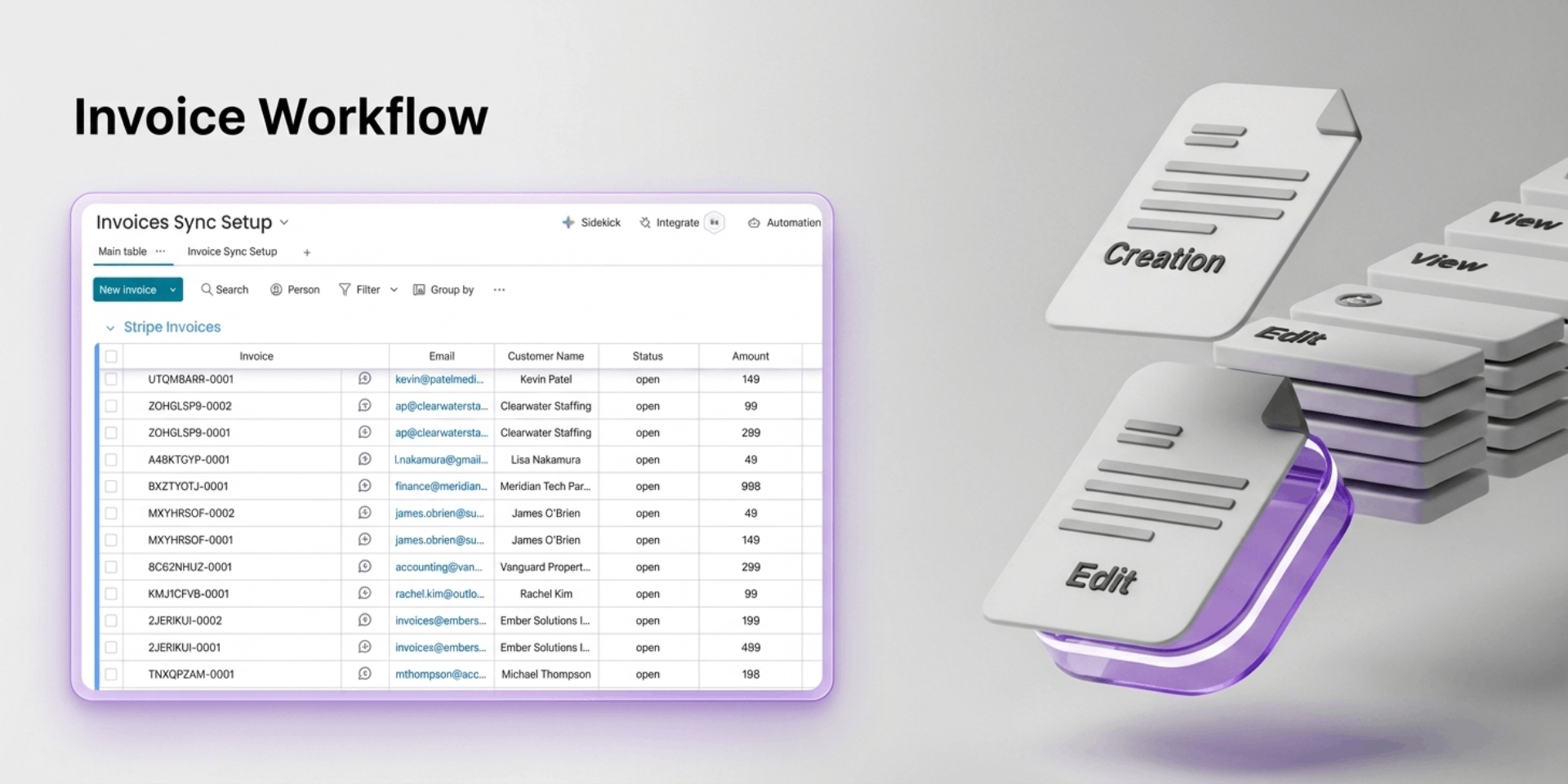
Create invoices in 30 seconds — Inline customer search, real-time calculations, send directly to Stripe
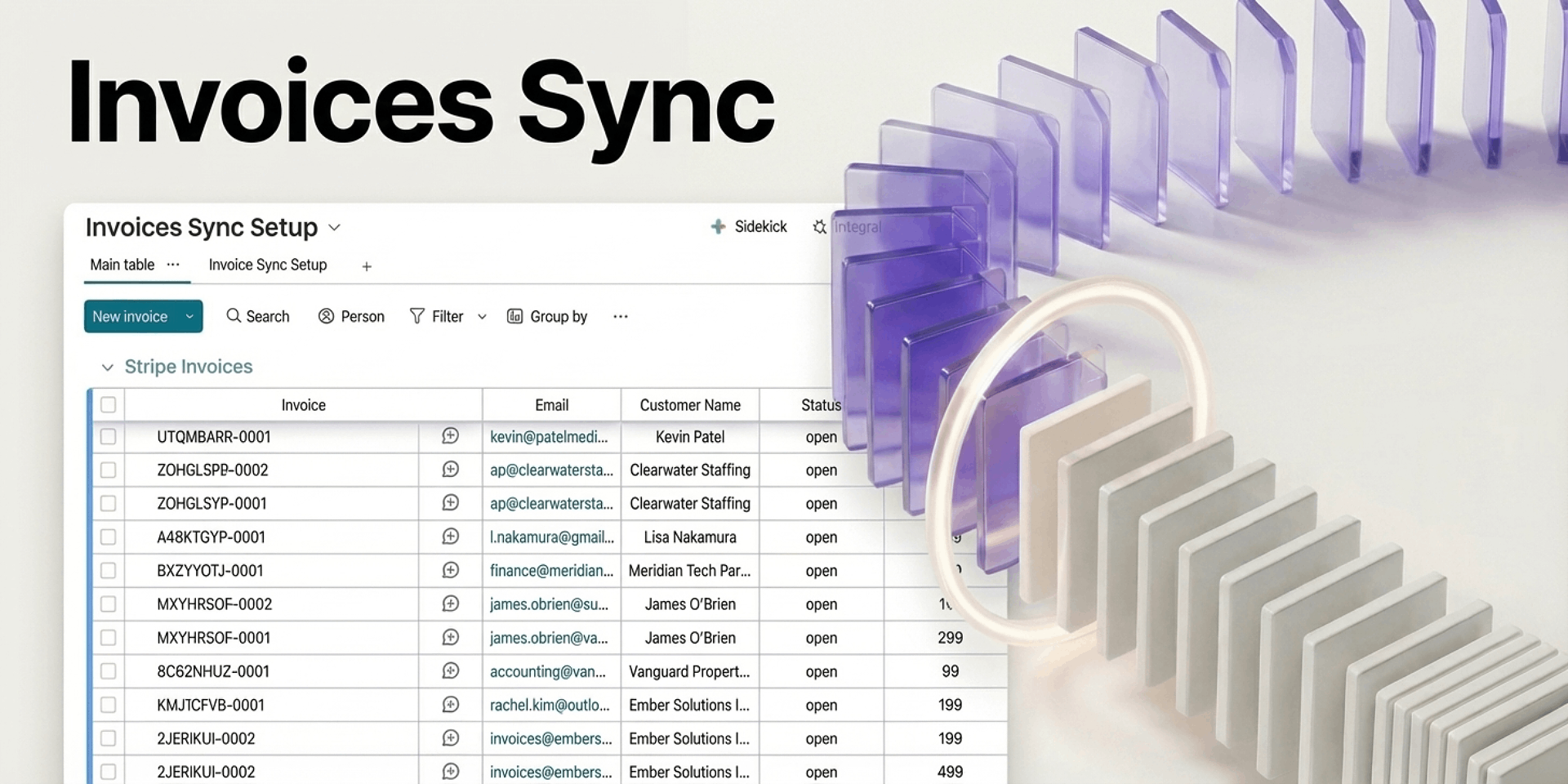
See your full invoice pipeline — Status badges, amounts, due dates, and customer details at a glance
Edit before sending — Modify line items, tax rates, and due dates with instant validation
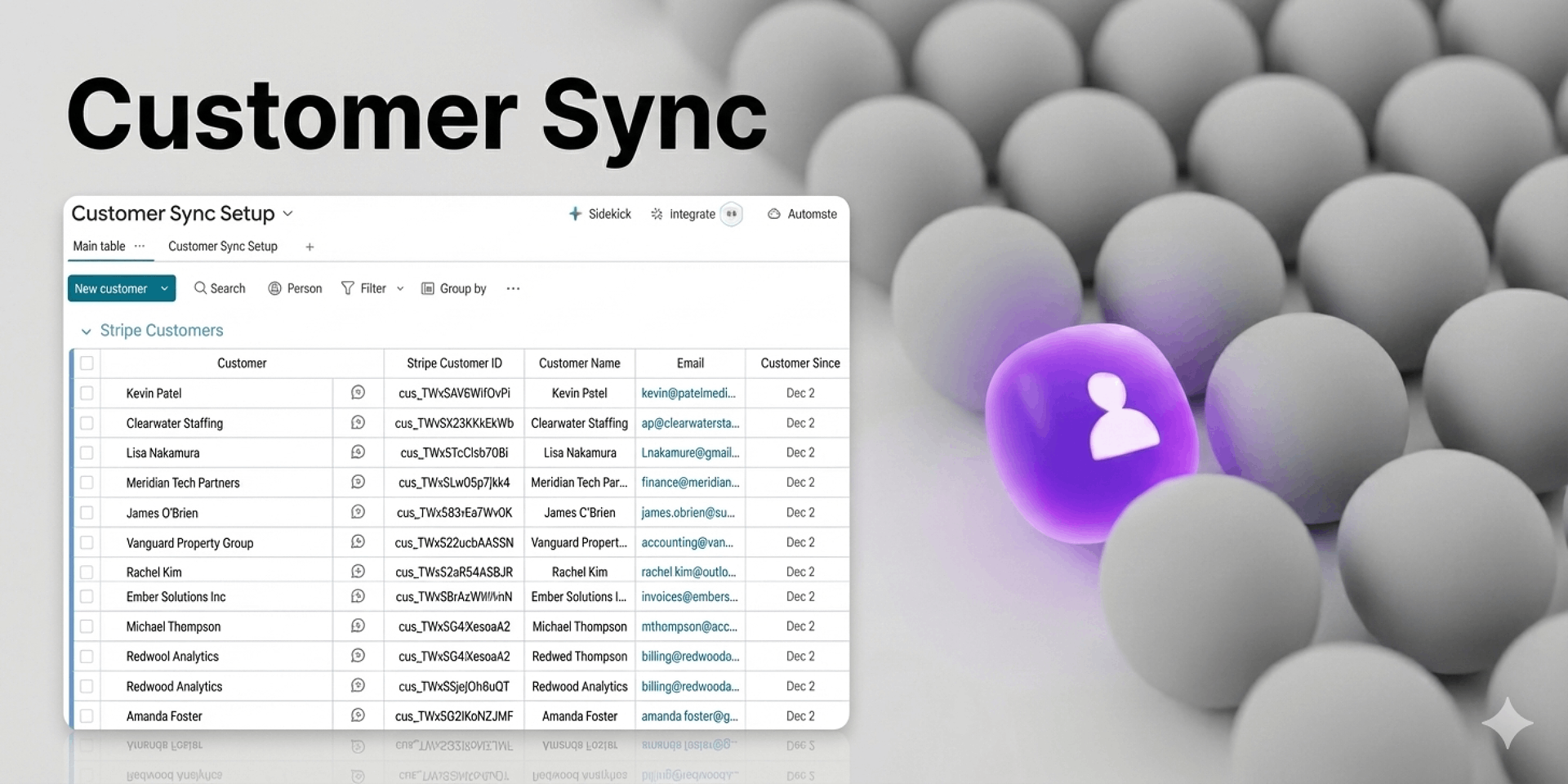
Sync customers & subscriptions — Bring your complete Stripe data into dedicated boards for full billing visibility
Sync automatically — Daily, every 4 hours, or hourly. Set it once and forget it
Set up in 5 minutes — Smart field mapping wizard suggests the best column matches
Built for:
Agencies, freelancers, and finance teams managing 50+ invoices monthly.
The result:
Teams save 8–25 hours/month on manual data entry while improving cash flow visibility.
Get started in 3 steps:
Connect Stripe → Map your columns → Choose sync schedule. Historical data imports automatically.Create, send, and sync Stripe invoices inside monday.com
Security & Compliance
Security
Does the developer periodically perform penetration testing?
No
Our app is built on platforms with robust, ongoing security testing (Vercel, Supabase) and leverage Stripe's PCI-compliant infrastructure for all payment operations. We are evaluating options for application-level penetration testing as we scale.
Does the developer have a dedicated security and privacy point of contact for such issues or questions?
Yes
Yes, we have a dedicated security point of contact: security@sagapeak.com
Does the app restrict redirects and forwards only to approved destinations, or show a warning when redirecting to potentially untrusted content?
Yes
The app internally redirects only to approved URLs (Stripe and monday) as part of the authorization process
Does the app protect against mass parameter assignment attacks?
Yes
Yes. The app explicitly defines which data fields can be saved or updated. User input cannot automatically overwrite database records—each field is individually validated and processed before storage.
Does the app perform encoding and sanitization on all user supplied parameters to protect against Cross-Site Scripting?
Yes
Yes. All user-provided text is cleaned and encoded before display or storage: HTML tags and scripts are automatically stripped from user input Special characters are safely encoded to prevent code injection The app uses industry-standard sanitization libraries
Does the developer protect all state-changing actions against Cross-Site Request Forgery (CSRF)?
Yes
Yes. All sensitive actions require cryptographic verification
Does the developer have mechanisms to notify monday.com in case of a security breach?
Yes
Yes, we have policies to notify relevant security teams
Does this developer have a process for installing application-level updates and security patches for the service (such as software packages and databases)?
Yes
Yes. We maintain a regular update process: - Dependencies are tracked and updated regularly - Security patches are prioritized and deployed promptly - Deployments are automated to minimize delays between patch availability and implementation
Compliance
Is the app certified with the information security standard ISO/IEC 27001:2022?
Not answered
Is the app compliant with the Health Insurance Portability and Accountability Act (HIPAA)?
Not answered
Is the app certified with System and Organization Controls (SOC 2 or SOC 3)?
Not answered
Is the app compliant with the General Data Protection Regulation (GDPR)?
Not answered
Data
Does the app send any data outside of monday.com? If yes, indicate whether the data is customer-submitted (e.g., board names, item names, doc content) or non-customer-submitted (e.g., account ID, board ID, user ID).
Yes
Yes. The app connects Monday.com with Stripe to enable invoice synchronization. Sync config settings are stored in our database. No data is shared with third-party analytics, advertising or marketing services.
Where does the app store logs data?
other
Logs are stored in Vercel's secure logging infrastructure. Personal information is automatically filtered from logs to protect user privacy.
Where does the app store the app data?
DB
Application data is stored in Supabase, a managed database service hosted on AWS infrastructure
Does the developer ensure application logs do not contain secrets or personally-identifiable information (PII)?
Yes
Yes. Our logging system automatically protects sensitive information
Is customer data segregated from the data of other customers (for example logically or physically)?
Yes
Yes, data is logically separated at the database level.
Privacy
Does the developer enforce multi-factor authentication on employees access to systems which may process customer data?
Yes
Yes, MFA is required for all team members to access our systems
Does the developer protect access to customer data based on the principle of least privilege?
Yes
Yes. Security access controls are designed to limit data exposure.
Reviews
No reviews yet.
Historical data
Installation history
We have data for December 28, 2024 onwards only. Collected sometime after 00:00 UTC daily.
Total number of installs
Change in total number of installs in last 1 day(s)
Compares the number of installs on each date with 1 days previously:
Max
Min
Current
Change in total number of installs in last 7 day(s)
Compares the number of installs on each date with 7 days previously:
Max
Min
Current
Change in total number of installs in last 30 day(s)
Compares the number of installs on each date with 30 days previously:
Max
Min
Current
Change in total number of installs in last 90 day(s)
Compares the number of installs on each date with 90 days previously:
Max
Min
Current
Change in total number of installs in last 180 day(s)
Compares the number of installs on each date with 180 days previously:
Max
Min
Current
Ratings history
Categories history
Each of the following is a yes/no answer, so the graphs show 1 for yes, and 0 for no.