Your dashboards are more intuitive, visual, and actionable.
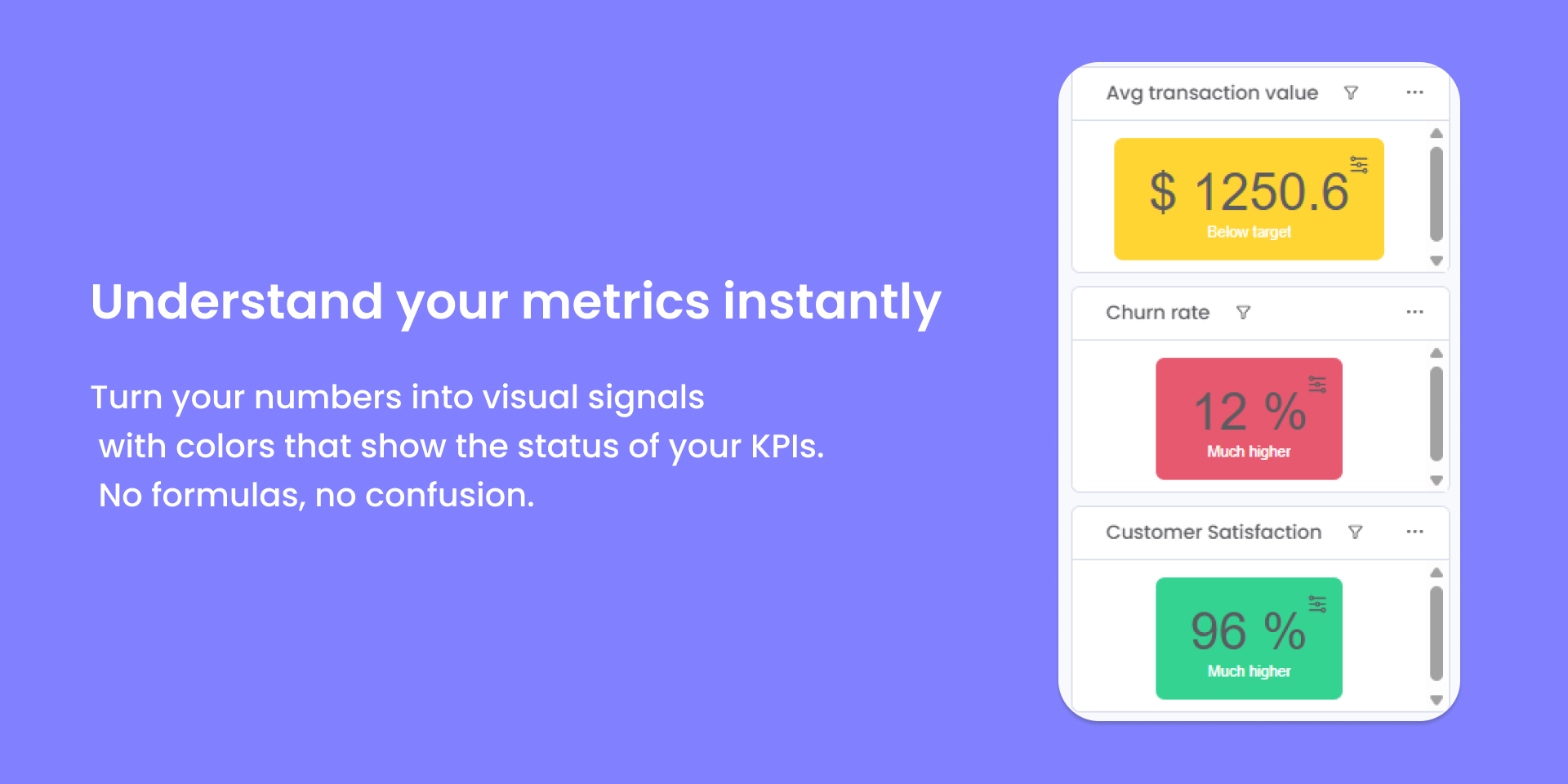
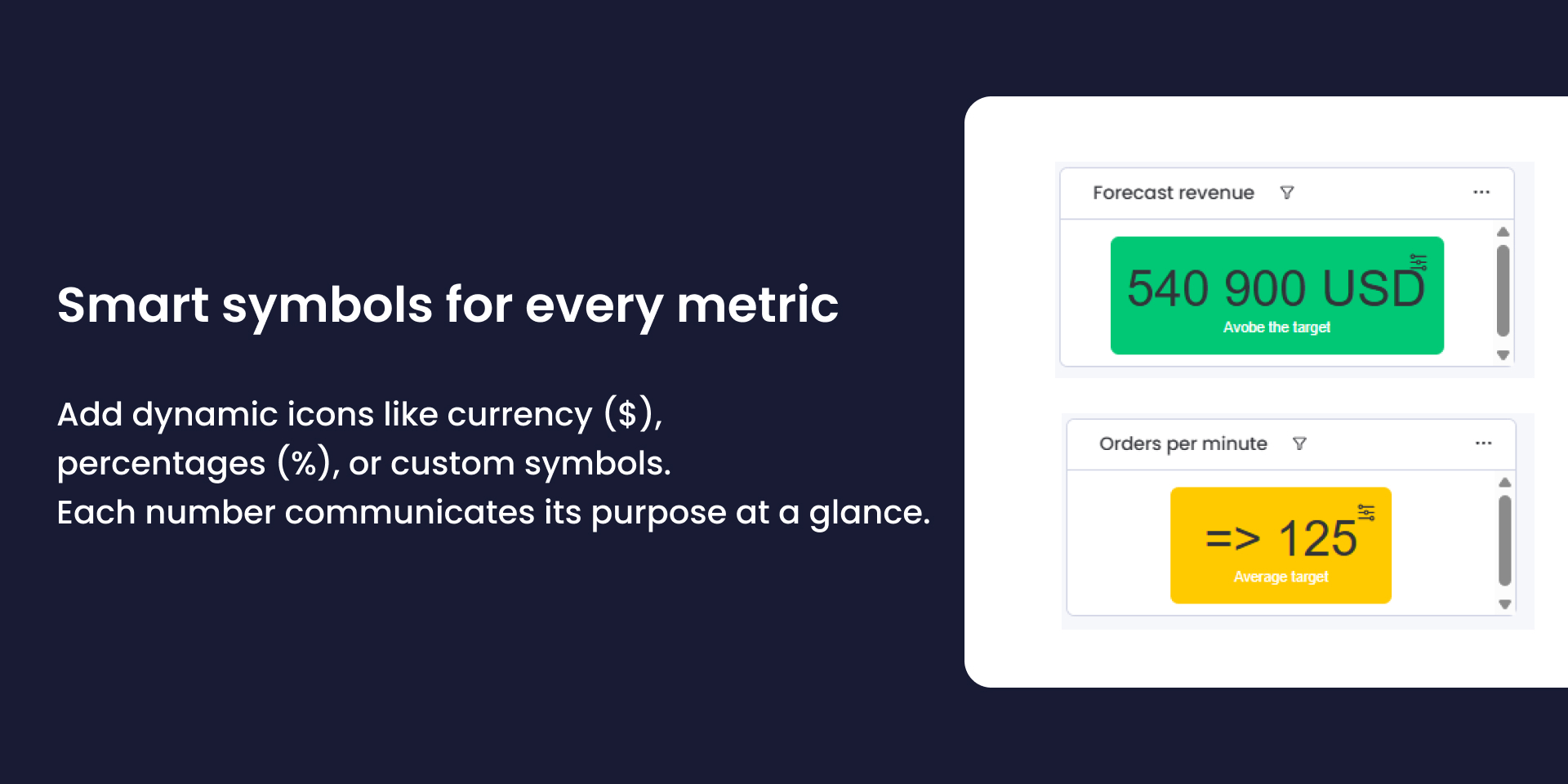
Turn your metrics into visual insights with KPI Color Card, the widget that brings your numbers to life in monday.com dashboards.
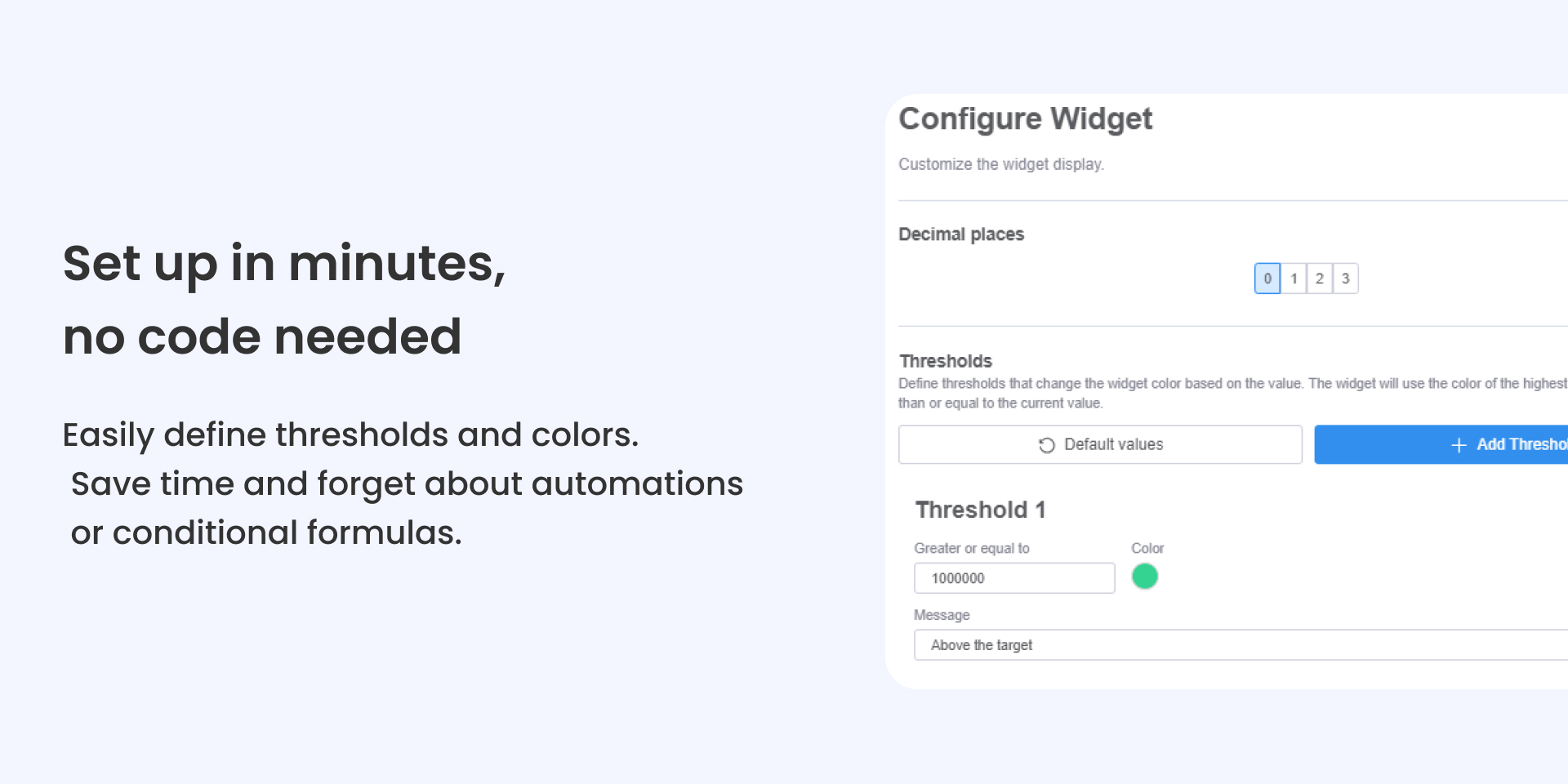
With KPI Color Card, you can assign custom colors based on thresholds you define (for example: low values in red, medium values in yellow, and high values in green). This way, any team member can understand the situation at a glance, without formulas or explanations.
Key benefits:
Save time: Set up in minutes without code. Forget about complex formulas or unnecessary automations.
Improve communication: Managers and teams can see performance clearly and immediately.
Scalable and secure: Fully compatible with all monday.com plans.
Ideal for operations, marketing, sales, or finance teams that need a quick read on performance.
Make your dashboards more intuitive, visual, and actionable with KPI Color Card.
Book a demo, feel to reach out: https://calendar.app.google/JH1FyUr9HFfRuxbB9
Security & Compliance
The app developer did not provide the security and compliance information for this app.
Reviews
No reviews yet.
Historical data
Installation history
We have data for December 28, 2024 onwards only. Collected sometime after 00:00 UTC daily.
Total number of installs
Change in total number of installs in last 1 day(s)
Compares the number of installs on each date with 1 days previously:
Max
Min
Current
Change in total number of installs in last 7 day(s)
Compares the number of installs on each date with 7 days previously:
Max
Min
Current
Change in total number of installs in last 30 day(s)
Compares the number of installs on each date with 30 days previously:
Max
Min
Current
Change in total number of installs in last 90 day(s)
Compares the number of installs on each date with 90 days previously:
Max
Min
Current
Change in total number of installs in last 180 day(s)
Compares the number of installs on each date with 180 days previously:
Max
Min
Current
Ratings history
Categories history
Each of the following is a yes/no answer, so the graphs show 1 for yes, and 0 for no.