Maximize your team’s time management with this seamless monday.com time tracking solution. Perfect for teams of all sizes, it offers precise tracking, detailed reporting, and efficient timesheet management, all integrated directly into your monday.com workflows.
With this app, you’ll gain real-time visibility into your team’s efforts, streamline workflows, and optimize billing or payroll processes. Whether managing a small team or an enterprise, this solution provides powerful insights for data-driven decision-making.
✨ Key Features
Real-Time Time Tracking
Automatically capture work durations—no manual effort required. Track time against tasks, projects, or specific items with ease using monday time tracking.
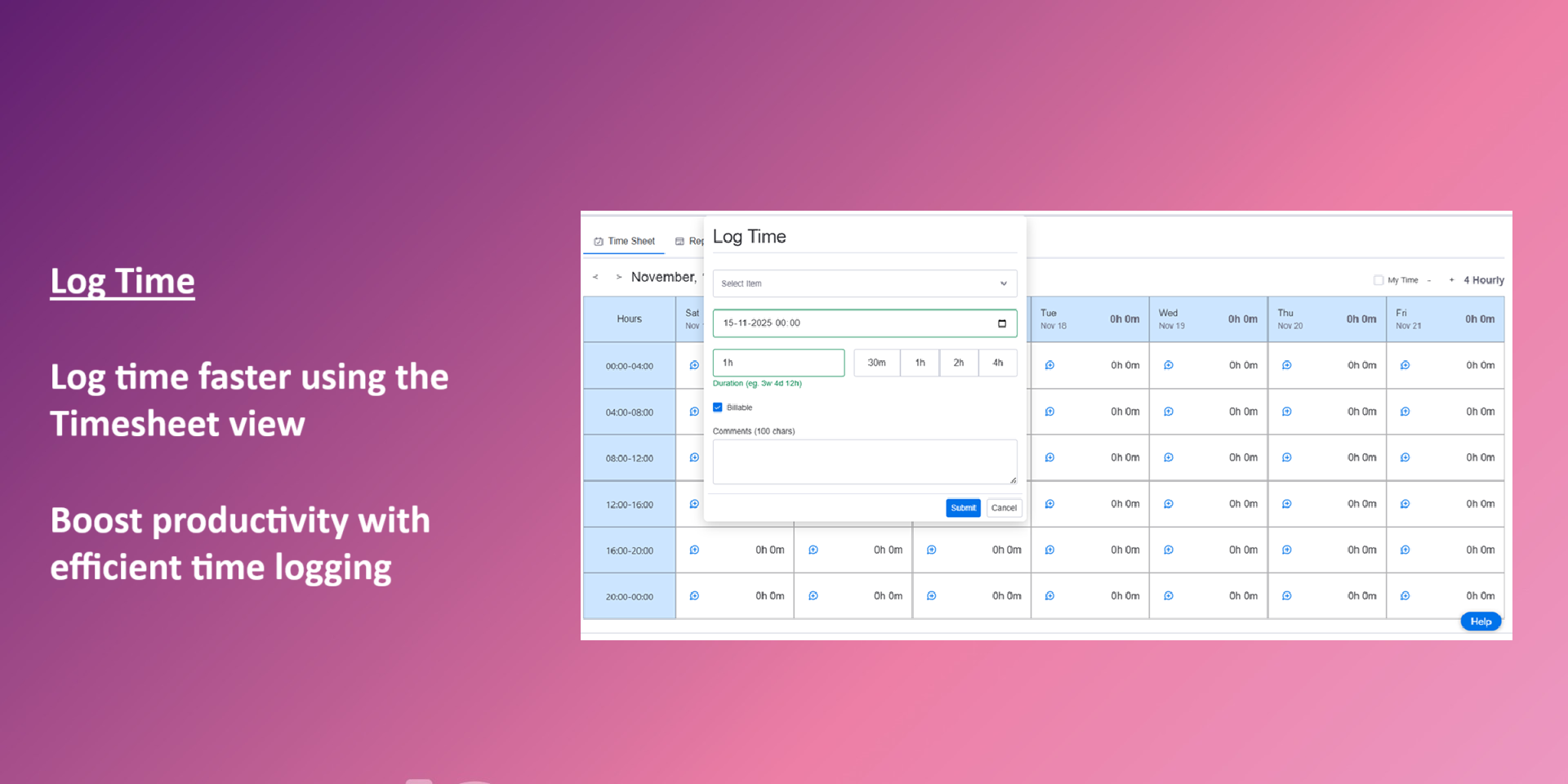
Manual Worklog Entries
Add time manually when necessary. Log hours, adjust past entries, or update multiple items at once for flexibility and accuracy.
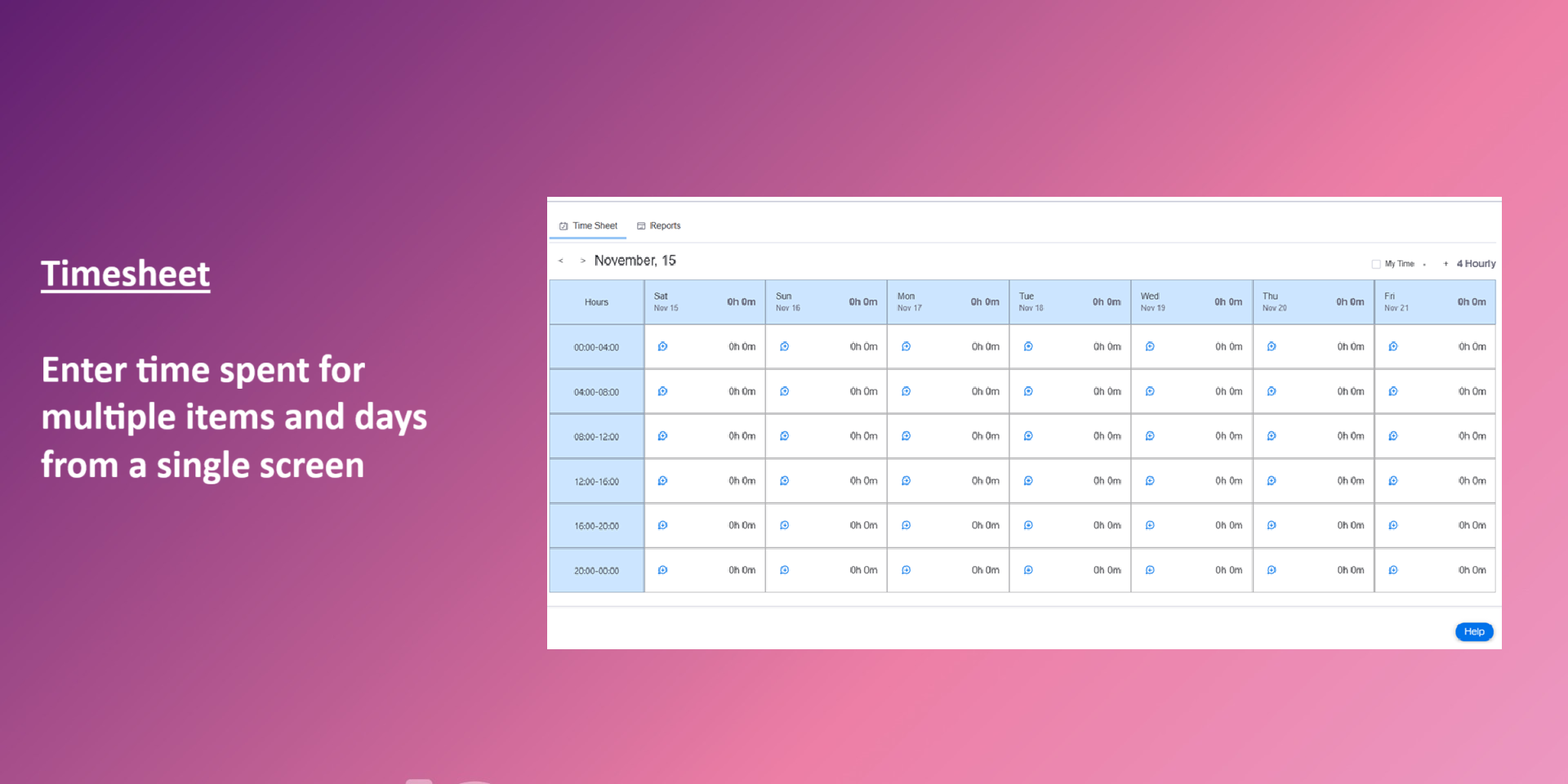
Smart Timesheets Dashboard
View organized timesheets by user, board, project, item, or date range. Export timesheets for HR, payroll, or client billing effortlessly.
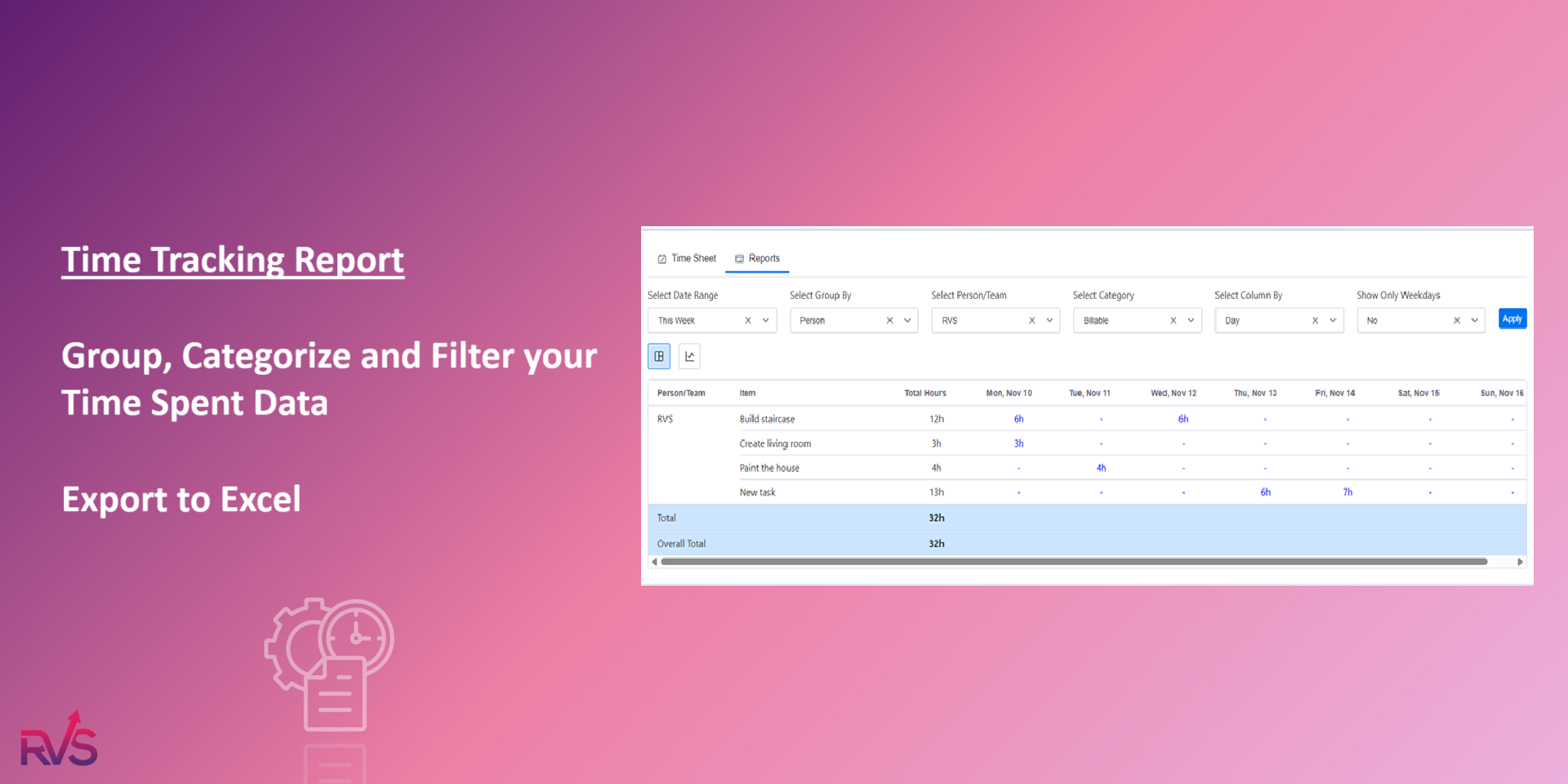
Advanced Time Reports
Analyze productivity with detailed reports across categories:
Users & Teams: Track time by individual users or teams for performance insights.
Projects & Boards: Monitor time spent on projects and boards to stay on track.
Tasks & Subitems: Measure time on tasks and subitems for detailed work tracking.
Custom Date Ranges: Generate time reports for any custom date range you choose.
Export to CSV
Export timesheet and productivity data to CSV with a single click for easy sharing with clients or managers.
Why Choose This Solution?
This time-tracking app simplifies workflows, boosts productivity, and enhances transparency. It helps you:
Save time with automated tracking and bulk updates
Improve billing accuracy with detailed timesheet exports
Make smarter decisions with actionable productivity insights
Gain control over your team’s time and start making data-driven decisions today with monday.com time tracking.
Security & Compliance
The app developer did not provide the security and compliance information for this app.
Reviews
No reviews yet.
Historical data
Installation history
We have data for December 28, 2024 onwards only. Collected sometime after 00:00 UTC daily.
Total number of installs
Change in total number of installs in last 1 day(s)
Compares the number of installs on each date with 1 days previously:
Max
Min
Current
Change in total number of installs in last 7 day(s)
Compares the number of installs on each date with 7 days previously:
Max
Min
Current
Change in total number of installs in last 30 day(s)
Compares the number of installs on each date with 30 days previously:
Max
Min
Current
Change in total number of installs in last 90 day(s)
Compares the number of installs on each date with 90 days previously:
Max
Min
Current
Change in total number of installs in last 180 day(s)
Compares the number of installs on each date with 180 days previously:
Max
Min
Current
Ratings history
Categories history
Each of the following is a yes/no answer, so the graphs show 1 for yes, and 0 for no.