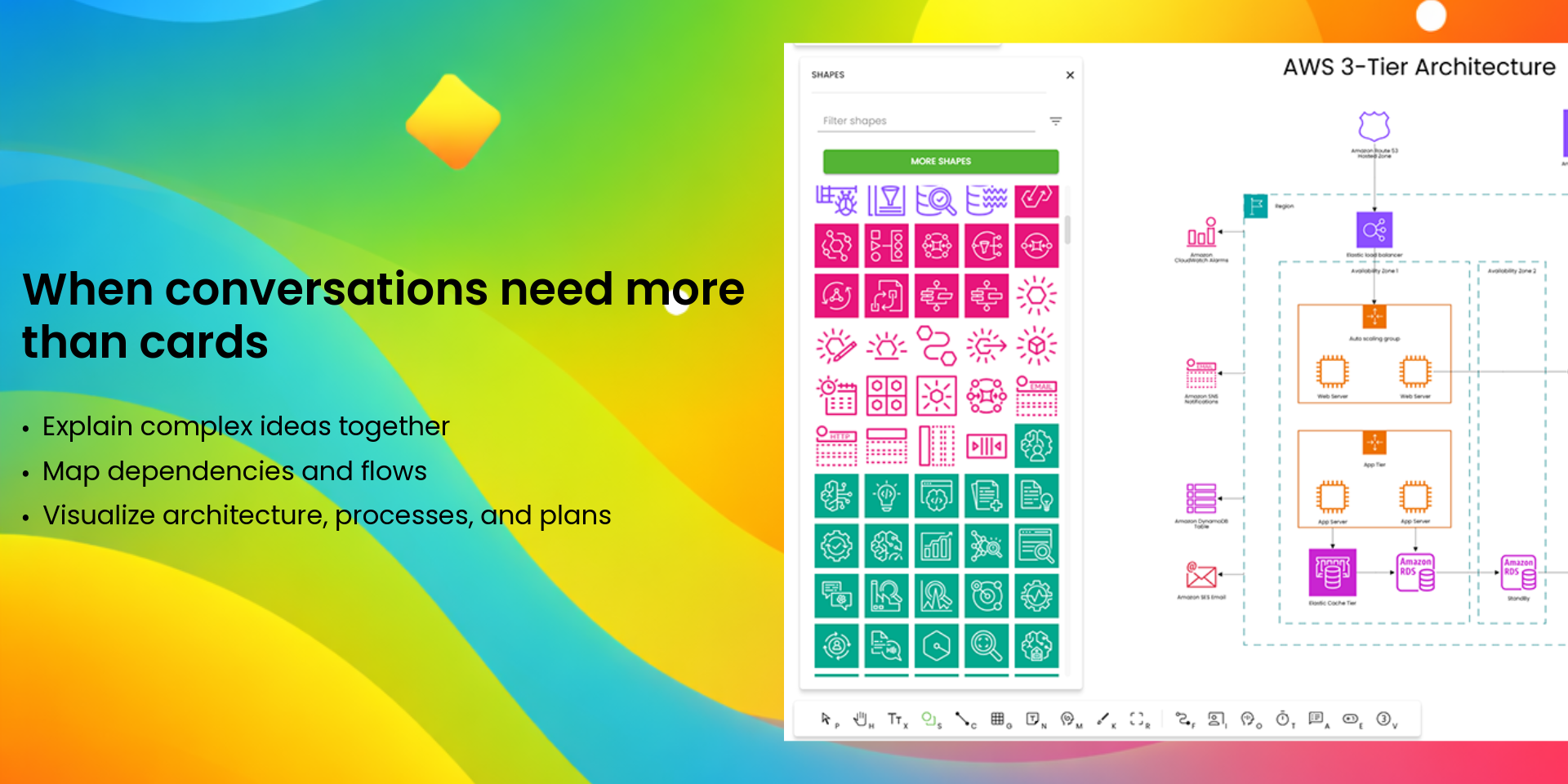
👀 See work visually. In real time. Stay in context.
Your boards track work.
But teams still struggle to communicate it.
In monday.com, work lives in tables.
But planning and alignment don’t.
Conversations are spread across boards, tabs, and views.
Teams explain priorities and dependencies instead of seeing them.
⚠️ Context gets lost
🐢 Meetings slow down
📉 Engagement drops
This isn’t a workflow problem.
It’s a communication problem.
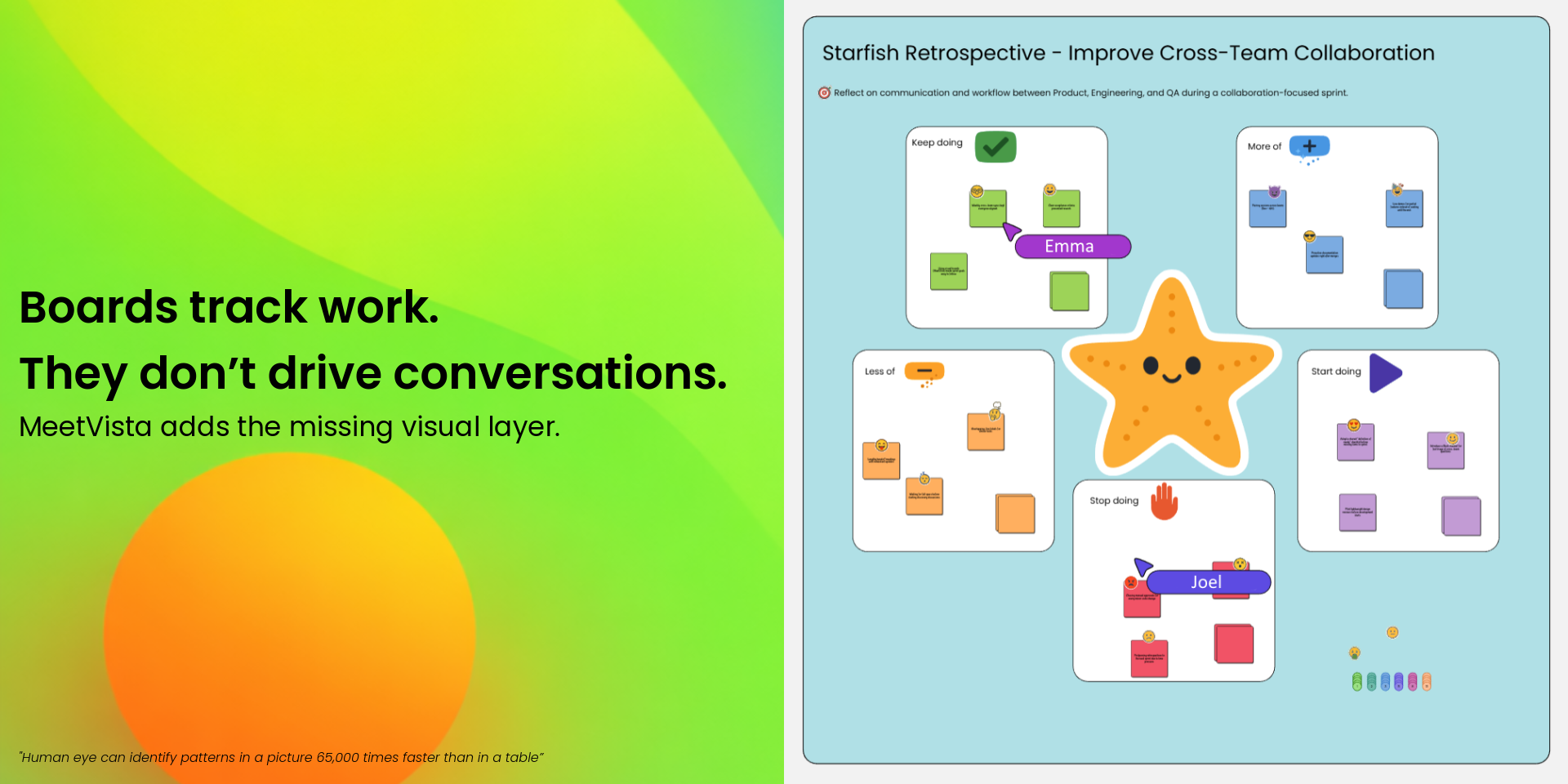
💡Tables explain what. Visuals explain why.
Boards are great for structure — but struggle to show:
🎯 Priorities and focus
🔗 Relationships and dependencies
🧭 The bigger picture of a sprint or initiative
That’s why teams end up context switching.
🧩 MeetVista adds the missing visual layer
MeetVista brings a visual workspace directly into your monday boards.
Turn your boards into living canvases where planning, discussion, and execution happen in one place.
Your next sprint gets:
✅ Clearer planning
🙌 Better engagement
🚀 Higher velocity
📊 Healthier burndowns
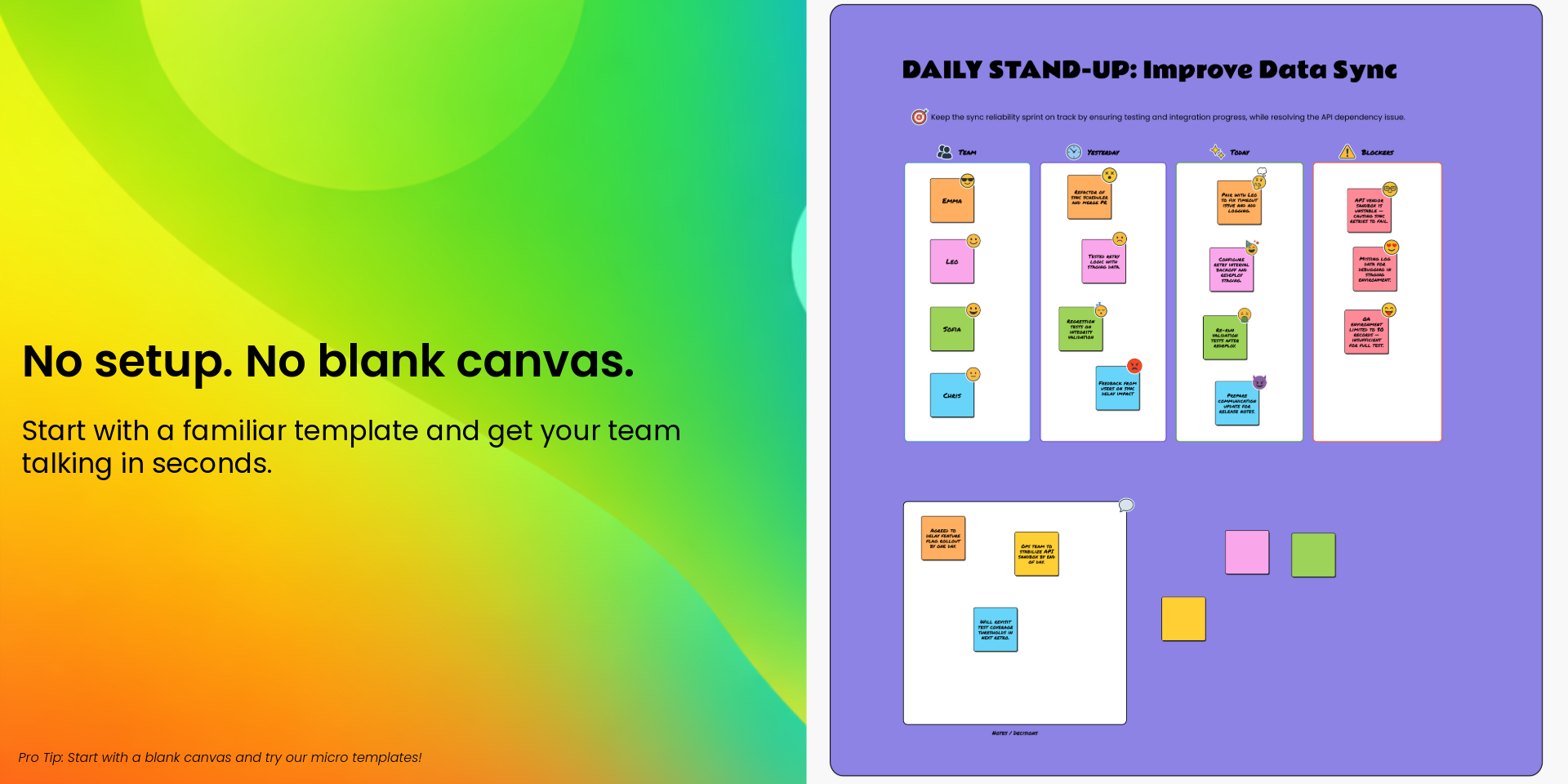
⚡ Get started in seconds with ready-made templates
Sprint planning, standups, retrospectives, sprint reviews — and more.
Or build your own canvas using micro-templates or from scratch.
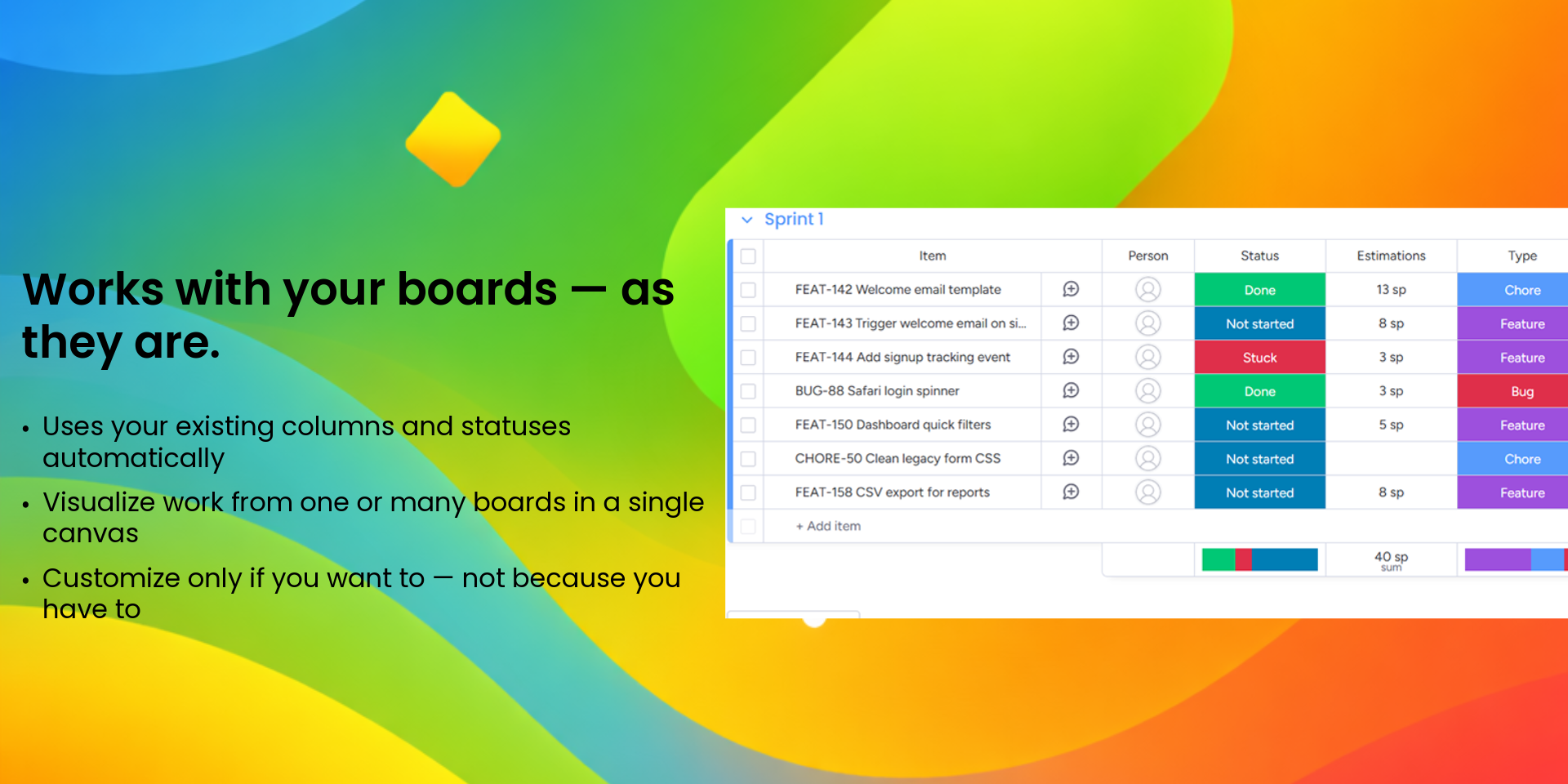
🔁 Works with your boards — not against them
🔄 Automatic column mapping to the canvas
🎛️ Full manual control when you need it
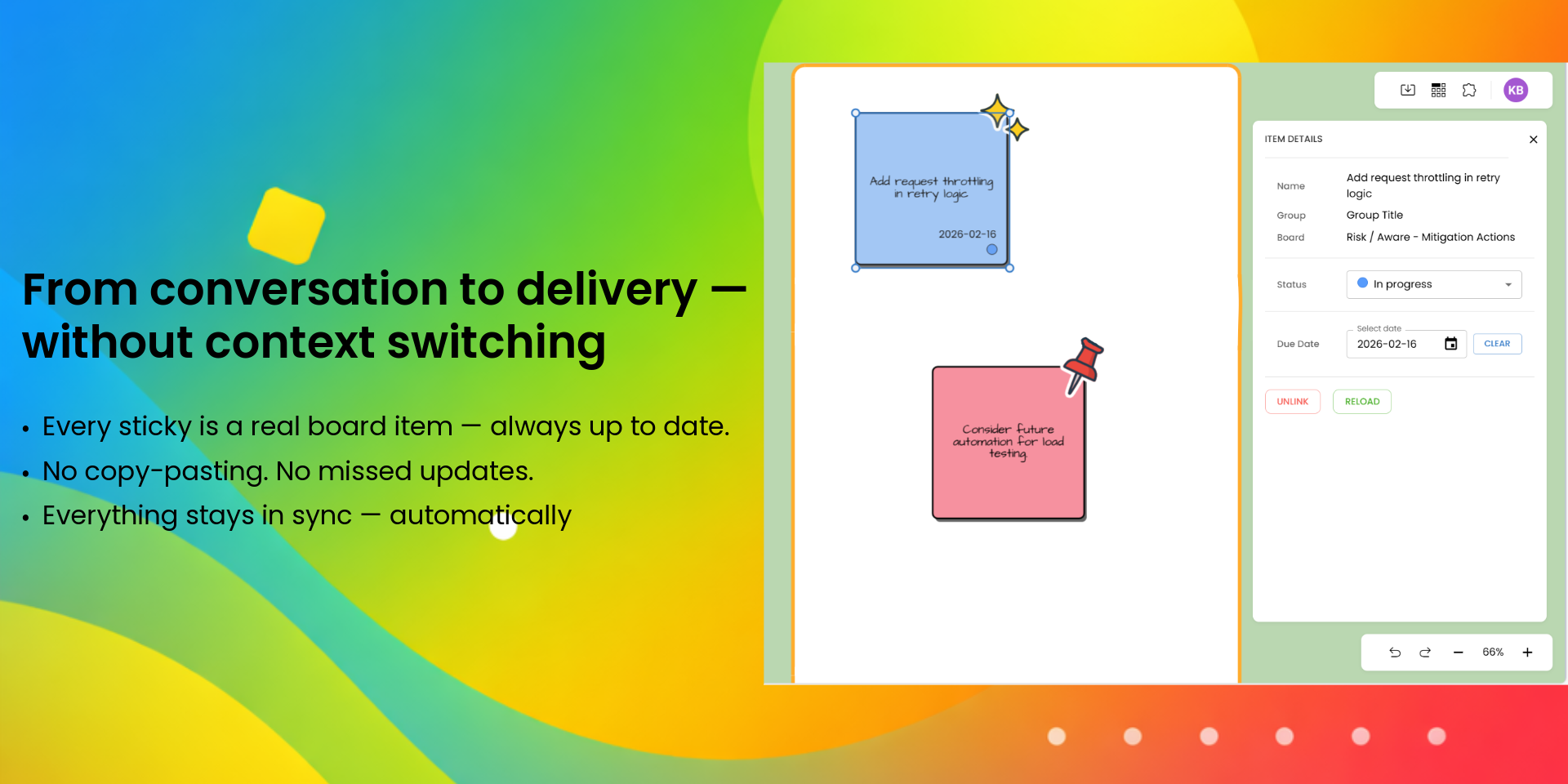
🤝 Real-time collaboration, without context switching
Update items visually. MeetVista keeps everything in sync.
🚫 No tab switching
🔄 No manual updates
🧩 One shared visual space
Multiple boards?
No problem — connect them to the same canvas.
🎨 A full-featured visual workspace
Diagramming, mind maps, flows, presentations, sticky notes — plus 3,000+ shapes and stickers.
Security & Compliance
Security
Does the developer periodically perform penetration testing?
Not answered
Does the developer have a dedicated security and privacy point of contact for such issues or questions?
Not answered
Does the app restrict redirects and forwards only to approved destinations, or show a warning when redirecting to potentially untrusted content?
Yes
MeetVista restricts all redirects and forwards to approved, internal destinations only. MeetVista does not redirect or forward to URLs outside its own domain or trusted subdomains.
Does the app protect against mass parameter assignment attacks?
Yes
MeetVista is protected against mass parameter assignment attacks through strict input validation, schema enforcement, and controlled data mapping. All incoming requests are validated using schemas on both the client and server side, ensuring only explicitly allowed fields are processed. The backend uses ORM defined model attributes and whitelisted fields to prevent unintended data binding or property injection.
Does the app perform encoding and sanitization on all user supplied parameters to protect against Cross-Site Scripting?
Yes
MeetVista performs input validation, encoding, and sanitization on all user-supplied data. All text and HTML inputs are validated using schemas and sanitized. ORM-level schemas are used to enforce type safety, reject malformed or unexpected fields. Uploaded files are validated for type.
Does the developer protect all state-changing actions against Cross-Site Request Forgery (CSRF)?
Yes
MeetVista protects all state-changing requests against CSRF using a double-submit cookie pattern. Each request must include a CSRF token that matches the session cookie, validated server-side before execution.
Does the developer have mechanisms to notify monday.com in case of a security breach?
Not answered
Does this developer have a process for installing application-level updates and security patches for the service (such as software packages and databases)?
Yes
Application dependencies are automatically scanned for vulnerabilities during continuous integration (CI). Critical updates are applied promptly based on severity. All infrastructure runs on AWS, where managed services and instances receive routine security patches.
Compliance
Is the app certified with the information security standard ISO/IEC 27001:2022?
Not answered
Is the app compliant with the Health Insurance Portability and Accountability Act (HIPAA)?
Not answered
Is the app certified with System and Organization Controls (SOC 2 or SOC 3)?
Not answered
Is the app compliant with the General Data Protection Regulation (GDPR)?
Yes
MeetVista is compliant with the General Data Protection Regulation (GDPR). MeetVista provides users with all GDPR rights, including data access, rectification, and erasure (right to be forgotten). Upon app uninstallation, all customer data and metadata are permanently deleted, with backups cycled out within 10 days. MeetVista follows AWS’s GDPR-compliant infrastructure to ensure secure data handling and storage.
Data
Does the app send any data outside of monday.com? If yes, indicate whether the data is customer-submitted (e.g., board names, item names, doc content) or non-customer-submitted (e.g., account ID, board ID, user ID).
Yes
MeetVista sends limited data outside of monday.com only to its own backend services, hosted securely on Amazon Web Services (AWS) within EU regions (Stockholm). Customer-submitted data: board names, item names, column values, and other user-generated content needed to display and synchronize the visual workspace. Non-customer-submitted data: monday.com account ID, board ID, item ID, and user ID — used strictly for authentication, data linkage, and synchronization.
Where does the app store logs data?
aws
MeetVista stores all application and system logs securely within Amazon Web Services (AWS) infrastructure.
Where does the app store the app data?
DB
MeetVista stores all application data securely on Amazon Web Services (AWS) infrastructure, hosted in EU regions to ensure GDPR compliance and data residency within the EU/EEA.
Does the developer ensure application logs do not contain secrets or personally-identifiable information (PII)?
Yes
MeetVista ensures that application logs never contain secrets or personally identifiable information (PII).
Is customer data segregated from the data of other customers (for example logically or physically)?
Not answered
Privacy
Does the developer enforce multi-factor authentication on employees access to systems which may process customer data?
Yes
All employee accounts that access systems processing customer data are protected by Multi-Factor Authentication (MFA). Access to infrastructure requires MFA and is restricted to authorized personnel only.
Does the developer protect access to customer data based on the principle of least privilege?
Yes
Access to customer data is strictly controlled based on the principle of least privilege. Each system component, service, and user is granted only the minimum permissions necessary to perform its intended function.
Reviews
No reviews yet.
Historical data
Installation history
We have data for December 28, 2024 onwards only. Collected sometime after 00:00 UTC daily.
Total number of installs
Change in total number of installs in last 1 day(s)
Compares the number of installs on each date with 1 days previously:
Max
Min
Current
Change in total number of installs in last 7 day(s)
Compares the number of installs on each date with 7 days previously:
Max
Min
Current
Change in total number of installs in last 30 day(s)
Compares the number of installs on each date with 30 days previously:
Max
Min
Current
Change in total number of installs in last 90 day(s)
Compares the number of installs on each date with 90 days previously:
Max
Min
Current
Change in total number of installs in last 180 day(s)
Compares the number of installs on each date with 180 days previously:
Max
Min
Current
Ratings history
Categories history
Each of the following is a yes/no answer, so the graphs show 1 for yes, and 0 for no.