App metadata ID: 10000998 • App ID: 10689009 • Listing updated: March 19, 2026 View app data JSON {
"id": 10000998,
"marketplace_developer_id": 10000202,
"app_id": 10689009,
"app_type": "app",
"security_info": {},
"gallery_assets": [
{
"url": "https://cdn.monday.com/marketplace/10000998/10000998_2025_11_11_8_4_42_oyz21xf.jpg",
"type": "image"
},
{
"url": "https://cdn.monday.com/marketplace/10000998/10000998_2025_11_11_8_4_47_8wtof2c.jpg",
"type": "image"
},
{
"url": "https://cdn.monday.com/marketplace/10000998/10000998_2025_11_11_8_4_51_0hjqn36.jpg",
"type": "image"
}
],
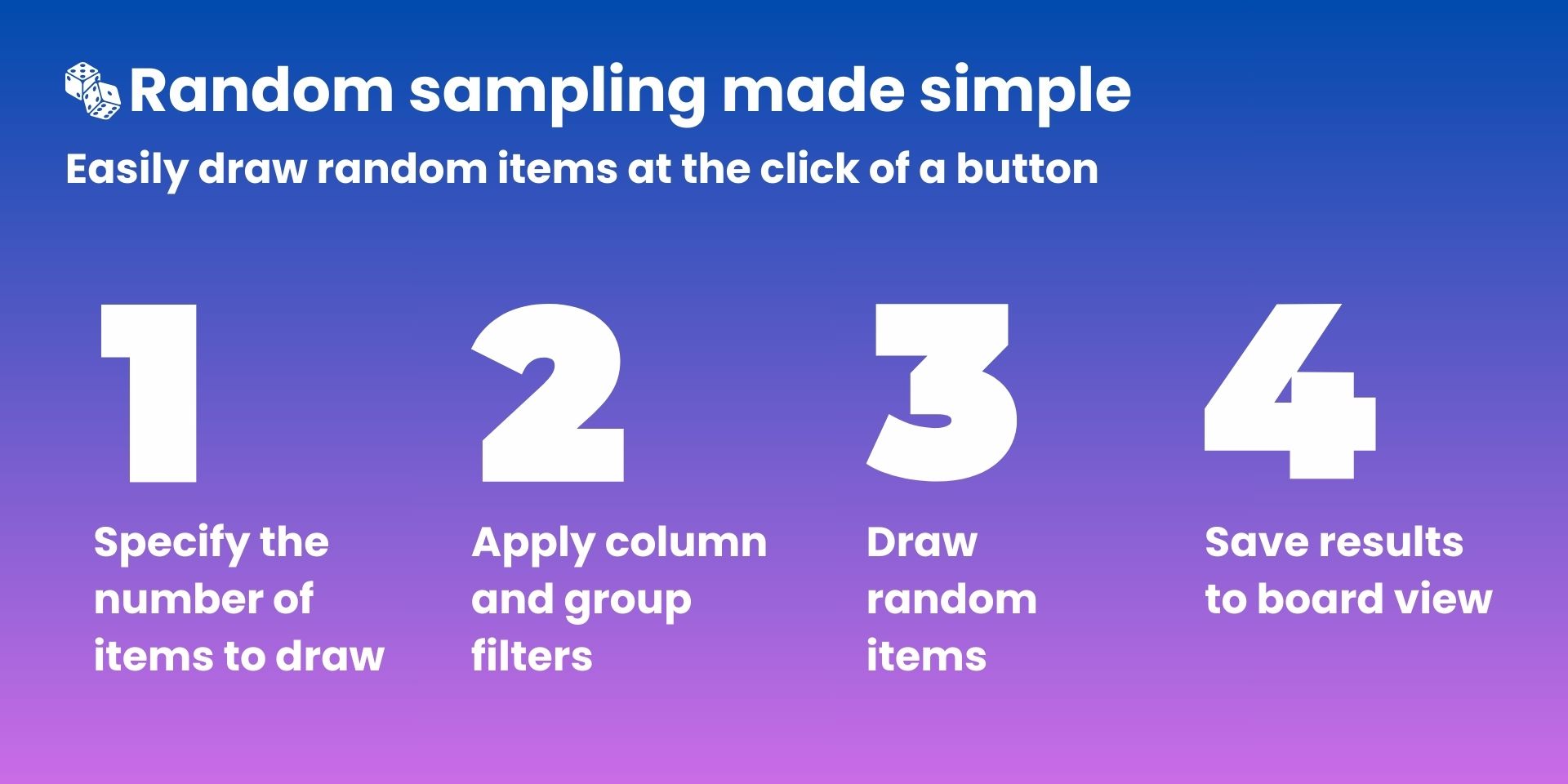
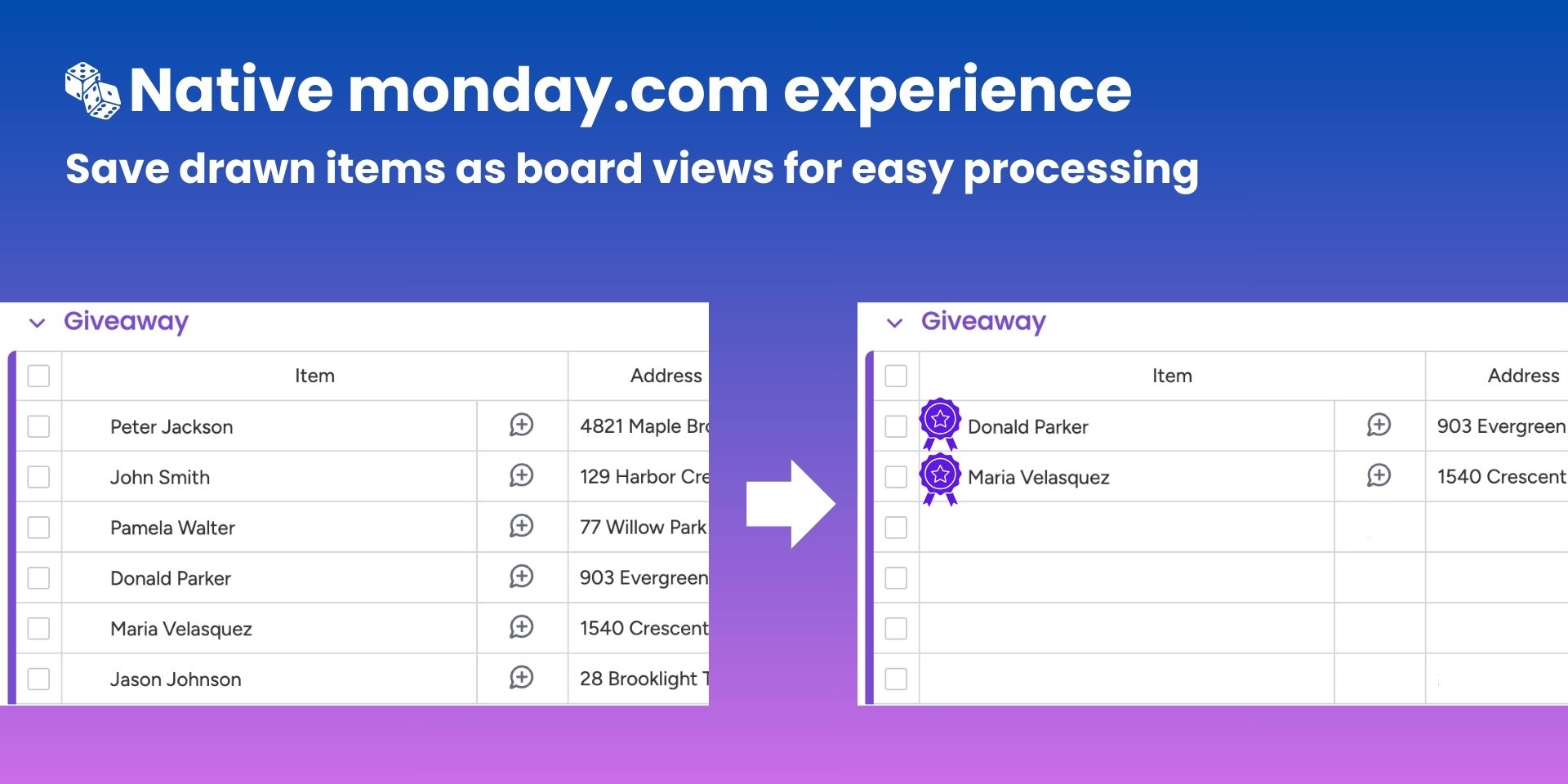
"description": "<p>Random Item Picker is a <a href=\"http://monday.com/\" rel=\"noopener noreferrer\" target=\"_blank\">monday.com</a> board view that lets you draw a random selection of items from any board in just a few clicks. Choose how many items you want, narrow the eligible pool with flexible filters and group selection, then save the results into a brand‑new filtered view that your team can work from right away.</p><p>Easily run giveaways, quality audits, customer research, or load‑balancing tasks, the app keeps the process transparent and native to your <a href=\"http://monday.com/\" rel=\"noopener noreferrer\" target=\"_blank\">monday.com</a> workspace.</p><p><strong>Key Features</strong></p><p>✅ <strong>Random sampling made simple</strong>: Specify the number of items to draw, click once, and let the app handle the randomness and selection logic.</p><p>🎯 <strong>Precise control over the pool</strong>: Filter by columns and limit to specific groups to ensure only the right items are eligible.</p><p>📁 <strong>Auto‑created filtered views</strong>: Save each draw as a new table view with the correct filters applied, so stakeholders can immediately review, process, or export the selected items.</p><p>📈 <strong>Built for real‑world workflows</strong>: Perfect for giveaways and contests, QA spot checks, experiment sampling, and unbiased task assignment.</p><p>🧩 <strong>Native </strong><a href=\"http://monday.com/\" rel=\"noopener noreferrer\" target=\"_blank\"><strong>monday.com</strong></a><strong> experience</strong>: Runs entirely as a board view - no context switching, no external tools. Just open the view, configure, draw, and keep working where your data already lives.</p><p>With Random Item Picker, you can perform fair, random draws directly inside <a href=\"http://monday.com/\" rel=\"noopener noreferrer\" target=\"_blank\">monday.com</a>, turning complex sampling workflows into a fast, reliable, and fully integrated experience.</p><p>See Random Item Picker in action <a href=\"https://www.youtube.com/watch?v=y6ybAd48Adk\" rel=\"noopener noreferrer\" target=\"_blank\">here</a></p><p><br></p><p>Book a free demo at <a href=\"mailto:support@deview-studios.com\" rel=\"noopener noreferrer\" target=\"_blank\"><strong>support@deview-studios.com</strong></a>.</p>",
"short_description": "Draw random items from your monday.com boards",
"thumbnail_url": "https://cdn.monday.com/marketplace/10000998/10000998_2025_11_11_8_4_20_3y585bs.jpg",
"logo_url": "https://cdn.monday.com/marketplace/10000998/10000998_2025_11_11_8_4_4_c2wzbls.png",
"feedback_url": "support@deview-studios.com",
"privacy_policy_url": "https://deview-studios.com/privacy-policy/",
"featured": false,
"name": "Random Item Picker",
"how_to_use_url": "https://deview-mdc-prod-65b39de591a3.herokuapp.com/monday/rip/v1/config/",
"external_pricing_url": null,
"keywords": "random,giveaway,sampling,winner,contest,audit,research,draw,selection,item",
"compliance_answers": [],
"created_at": "2025-12-11T08:03:09.433Z",
"updated_at": "2026-03-19T15:44:13.179Z",
"automation_app_id": null,
"marketplace_category_ids": [
13,
9,
6
],
"pinned_for_categories_ids": [],
"featured_for_categories_ids": [],
"pricing_data": "14 days trial",
"label": null,
"app_values": [
"Fun"
],
"security": false,
"display_in_template_store": false,
"acquisition_source": "No touch",
"is_connector": false,
"terms_of_service_url": "https://deview-studios.com/terms-of-service/",
"available_for_tiers": [],
"available_for_products": [],
"google_analytics_tag_id": "G-8V0317CJF3",
"is_solution": false,
"app_scope_str": "boards:read,boards:write",
"app_client_id": "5f2bcf6e7302e4999593f405689382e4",
"app_color": {
"hsl": {
"h": 204.70588235294122,
"s": 0,
"l": 1,
"a": 1
},
"hex": "#ffffff",
"rgb": {
"r": 255,
"g": 255,
"b": 255,
"a": 1
},
"hsv": {
"h": 204.70588235294122,
"s": 0,
"v": 1,
"a": 1
},
"oldHue": 204.70588235294122,
"source": "hsv"
},
"plans": [
{
"id": "10689009-1-DEFAULT",
"appPlanId": "DEFAULT",
"name": "default",
"versionId": 1,
"isTrial": true,
"prices": {
"type": "bucket_based",
"buckets": {
"10": {
"monthly": 20,
"yearly": 16
},
"15": {
"monthly": 30,
"yearly": 24
},
"20": {
"monthly": 39,
"yearly": 32
},
"25": {
"monthly": 48,
"yearly": 39
},
"30": {
"monthly": 57,
"yearly": 47
},
"35": {
"monthly": 66,
"yearly": 54
},
"40": {
"monthly": 75,
"yearly": 62
},
"45": {
"monthly": 84,
"yearly": 69
},
"50": {
"monthly": 93,
"yearly": 76
},
"55": {
"monthly": 102,
"yearly": 83
},
"60": {
"monthly": 111,
"yearly": 91
},
"65": {
"monthly": 119,
"yearly": 98
},
"70": {
"monthly": 128,
"yearly": 105
},
"75": {
"monthly": 137,
"yearly": 112
},
"80": {
"monthly": 146,
"yearly": 120
},
"85": {
"monthly": 155,
"yearly": 127
},
"90": {
"monthly": 163,
"yearly": 134
},
"95": {
"monthly": 172,
"yearly": 141
},
"100": {
"monthly": 181,
"yearly": 148
},
"110": {
"monthly": 198,
"yearly": 162
},
"120": {
"monthly": 215,
"yearly": 176
},
"130": {
"monthly": 232,
"yearly": 190
},
"140": {
"monthly": 249,
"yearly": 204
},
"150": {
"monthly": 266,
"yearly": 218
},
"160": {
"monthly": 283,
"yearly": 232
},
"170": {
"monthly": 300,
"yearly": 246
},
"180": {
"monthly": 317,
"yearly": 260
},
"190": {
"monthly": 334,
"yearly": 274
},
"200": {
"monthly": 351,
"yearly": 288
},
"225": {
"monthly": 394,
"yearly": 323
},
"250": {
"monthly": 436,
"yearly": 358
},
"275": {
"monthly": 477,
"yearly": 391
},
"300": {
"monthly": 518,
"yearly": 425
},
"350": {
"monthly": 600,
"yearly": 492
},
"400": {
"monthly": 682,
"yearly": 559
},
"450": {
"monthly": 764,
"yearly": 627
},
"500": {
"monthly": 846,
"yearly": 694
},
"550": {
"monthly": 923,
"yearly": 757
},
"600": {
"monthly": 1000,
"yearly": 820
},
"650": {
"monthly": 1077,
"yearly": 883
},
"700": {
"monthly": 1154,
"yearly": 946
},
"750": {
"monthly": 1231,
"yearly": 1009
},
"800": {
"monthly": 1308,
"yearly": 1073
},
"850": {
"monthly": 1385,
"yearly": 1136
},
"900": {
"monthly": 1462,
"yearly": 1199
},
"950": {
"monthly": 1539,
"yearly": 1262
},
"1000": {
"monthly": 1616,
"yearly": 1325
},
"1100": {
"monthly": 1760,
"yearly": 1443
},
"1200": {
"monthly": 1904,
"yearly": 1561
},
"1300": {
"monthly": 2048,
"yearly": 1679
},
"1400": {
"monthly": 2192,
"yearly": 1797
},
"1500": {
"monthly": 2336,
"yearly": 1916
},
"1600": {
"monthly": 2480,
"yearly": 2034
},
"1700": {
"monthly": 2624,
"yearly": 2152
},
"1800": {
"monthly": 2768,
"yearly": 2270
},
"1900": {
"monthly": 2912,
"yearly": 2388
},
"2000": {
"monthly": 3056,
"yearly": 2506
},
"2250": {
"monthly": 3416,
"yearly": 2801
},
"2500": {
"monthly": 3776,
"yearly": 3096
},
"2750": {
"monthly": 4136,
"yearly": 3392
},
"3000": {
"monthly": 4496,
"yearly": 3687
},
"3250": {
"monthly": 4856,
"yearly": 3982
},
"3500": {
"monthly": 5216,
"yearly": 4277
},
"3750": {
"monthly": 5576,
"yearly": 4572
},
"4000": {
"monthly": 5936,
"yearly": 4868
},
"4250": {
"monthly": 6296,
"yearly": 5163
},
"4500": {
"monthly": 6656,
"yearly": 5458
},
"4750": {
"monthly": 7016,
"yearly": 5753
},
"5000": {
"monthly": 7376,
"yearly": 6048
},
"6000": {
"monthly": 8676,
"yearly": 7114
},
"7000": {
"monthly": 9976,
"yearly": 8180
},
"8000": {
"monthly": 11276,
"yearly": 9246
},
"9000": {
"monthly": 12576,
"yearly": 10312
},
"10000": {
"monthly": 13876,
"yearly": 11378
},
"12500": {
"monthly": 16376,
"yearly": 13428
},
"15000": {
"monthly": 18876,
"yearly": 15478
},
"17500": {
"monthly": 21376,
"yearly": 17528
},
"20000": {
"monthly": 23876,
"yearly": 19578
},
"25000": {
"monthly": 27376,
"yearly": 22448
},
"30000": {
"monthly": 30876,
"yearly": 25318
},
"35000": {
"monthly": 30976,
"yearly": 25400
},
"40000": {
"monthly": 31076,
"yearly": 25482
},
"45000": {
"monthly": 31176,
"yearly": 25564
},
"50000": {
"monthly": 31276,
"yearly": 25646
},
"60000": {
"monthly": 31476,
"yearly": 25810
},
"70000": {
"monthly": 31676,
"yearly": 25974
},
"80000": {
"monthly": 31876,
"yearly": 26138
},
"90000": {
"monthly": 32076,
"yearly": 26302
},
"100000": {
"monthly": 32276,
"yearly": 26466
},
"1000000": {
"monthly": 32276,
"yearly": 26466
}
}
},
"versionState": "live",
"appId": 10689009,
"description": "Draw random items from your monday.com boards",
"extraData": {
"bullets": [
"Unlimited draws",
"Unlimited boards",
"Unlimited items"
],
"monthlyFee": null,
"yearlyFee": null
},
"isFree": false,
"isRecommended": false,
"currency": "USD"
}
],
"app_live_version": {
"updated_at": "2025-12-10T13:08:48.057Z",
"id": 11971930
},
"pricing_model": null,
"badges_data": {
"pricing_data": "14 days trial",
"app_values": [
"Fun"
],
"security": false,
"acquisition_source": "No touch",
"display_in_template_store": false
},
"data": {
"is_connector": false,
"google_analytics_tag_id": "G-8V0317CJF3",
"is_solution": false,
"terms_of_service_url": "https://deview-studios.com/terms-of-service/",
"available_for_tiers": [],
"available_for_products": []
},
"display": null,
"installsDelta": {
"totalInstalls": 4,
"sevenDays": 0,
"thirtyDays": 0,
"ninetyDays": 0
}
}