
Time Tracking - Tracket
8,296 installs, since November 4, 2021. 156 installs/month. Updated January 27, 2026.
Time Tracking that Actually Gets Used
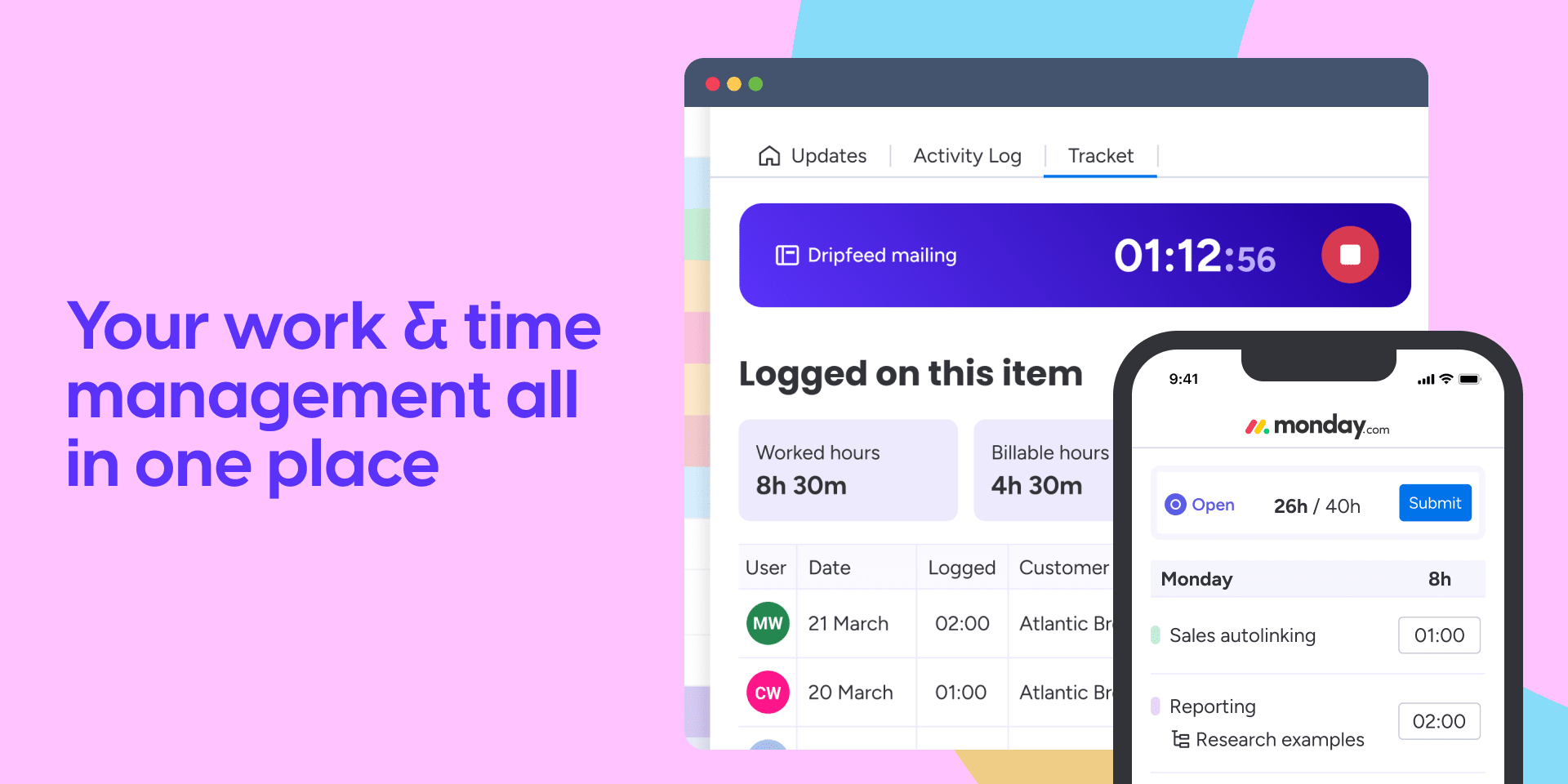
Stop guessing where and how much time was spent on projects. Tracket lets you log time on items and subitems, run timers, and turn worked hours into actionable insights right where work happens, inside monday.com, for smarter tracking, planning and invoicing.
🤖 NEW AI SKILLS: Ask Sidekick About Your Time
Tracket now works with monday Sidekick. Just ask sidekick, and get instant answers and reports about your time data.
What you can do:
- "How many hours did our team log this week?"
- "What's my billable utilization this month?"
- "Who has a timer running right now?"
- "Start a timer on [item name]"
Features Powering Tracket
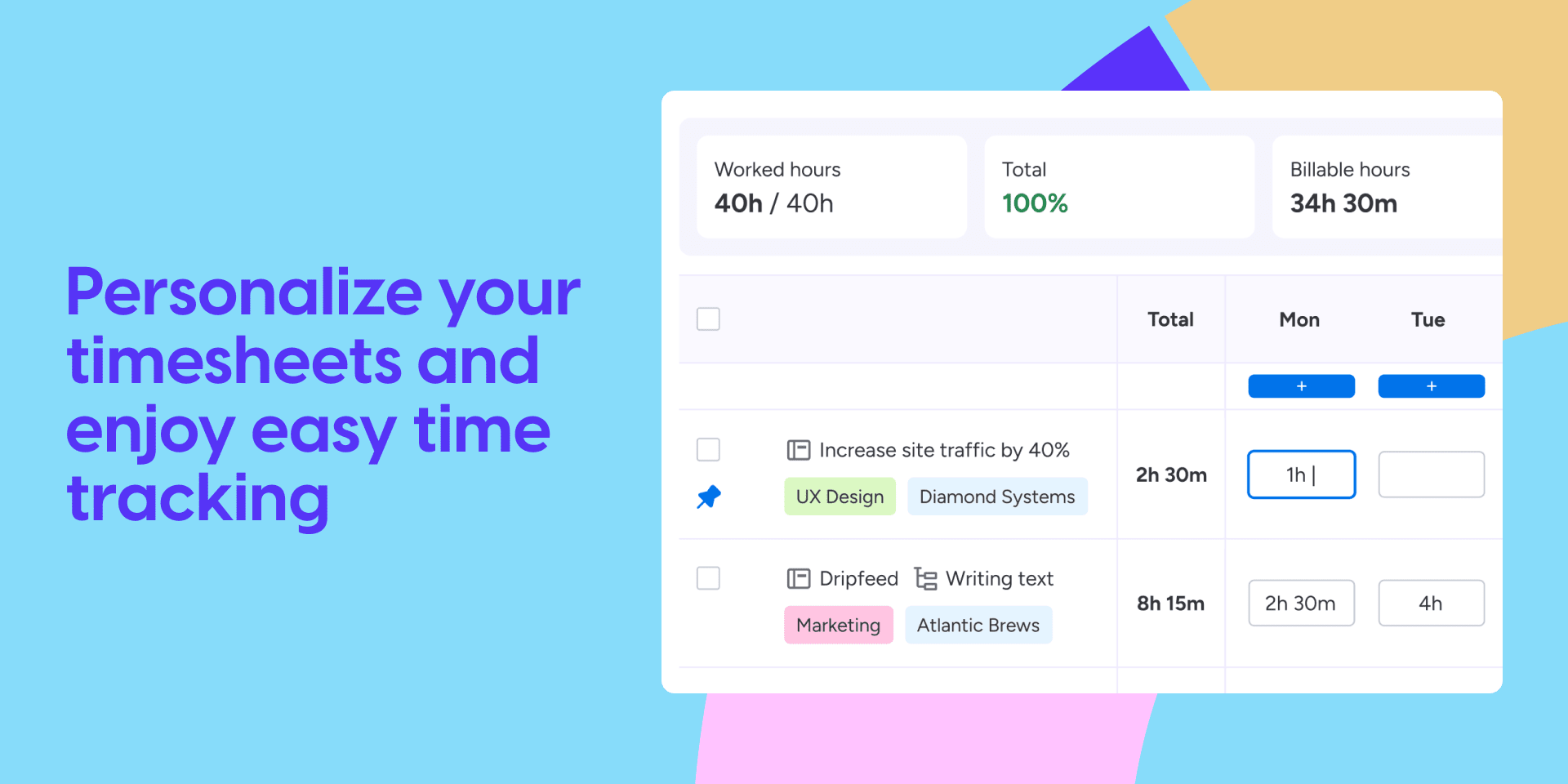
⏱️ Time Tracking & Timer Log time directly on items and sub-items, or start a timer from your timesheet and tasks to log hours automatically.
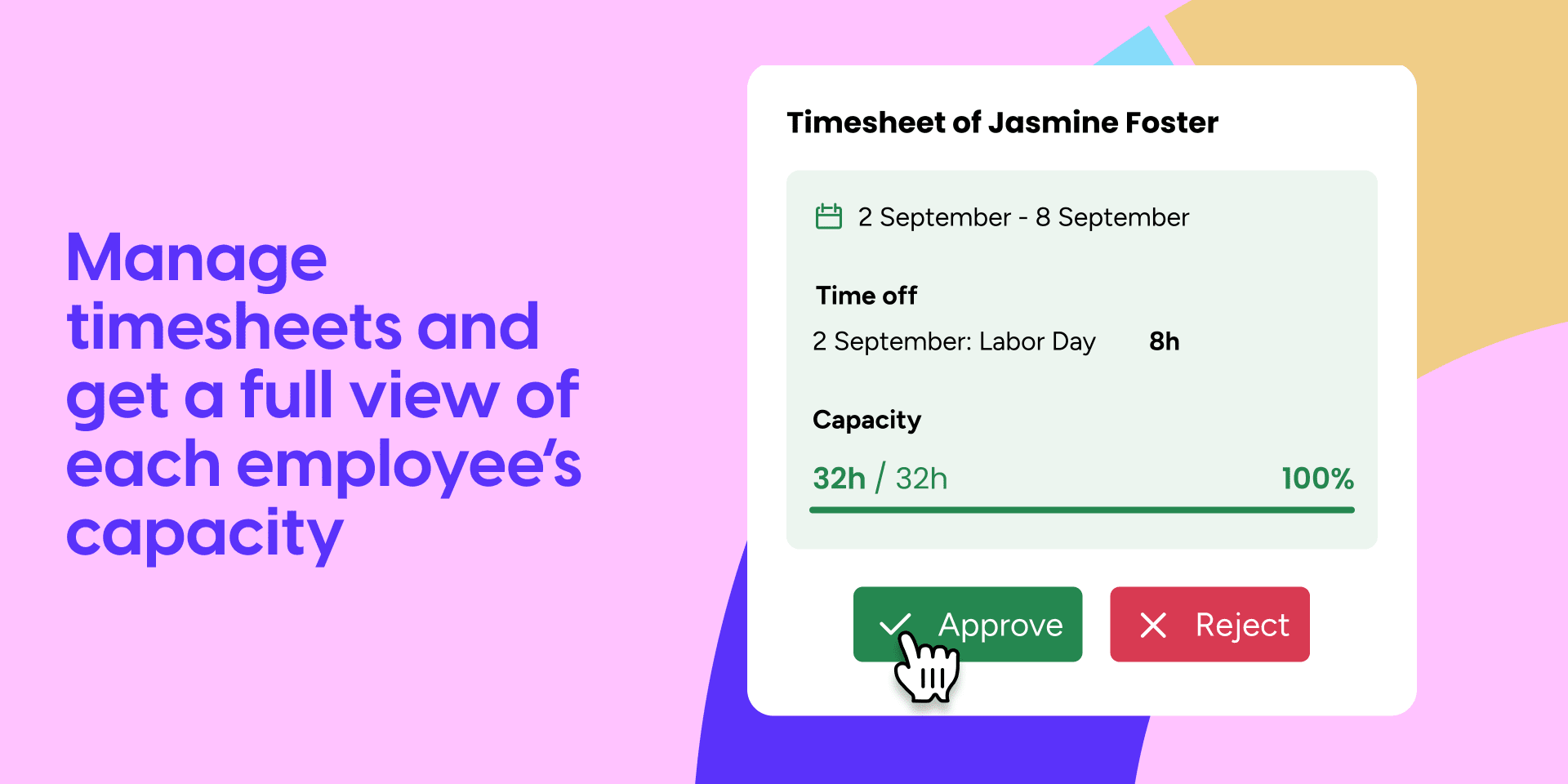
✅ Timesheet Approvals Get notified when timesheets are submitted. Approve, reject, or request changes. See each person's full weekly capacity, adjusted for holidays and time off.
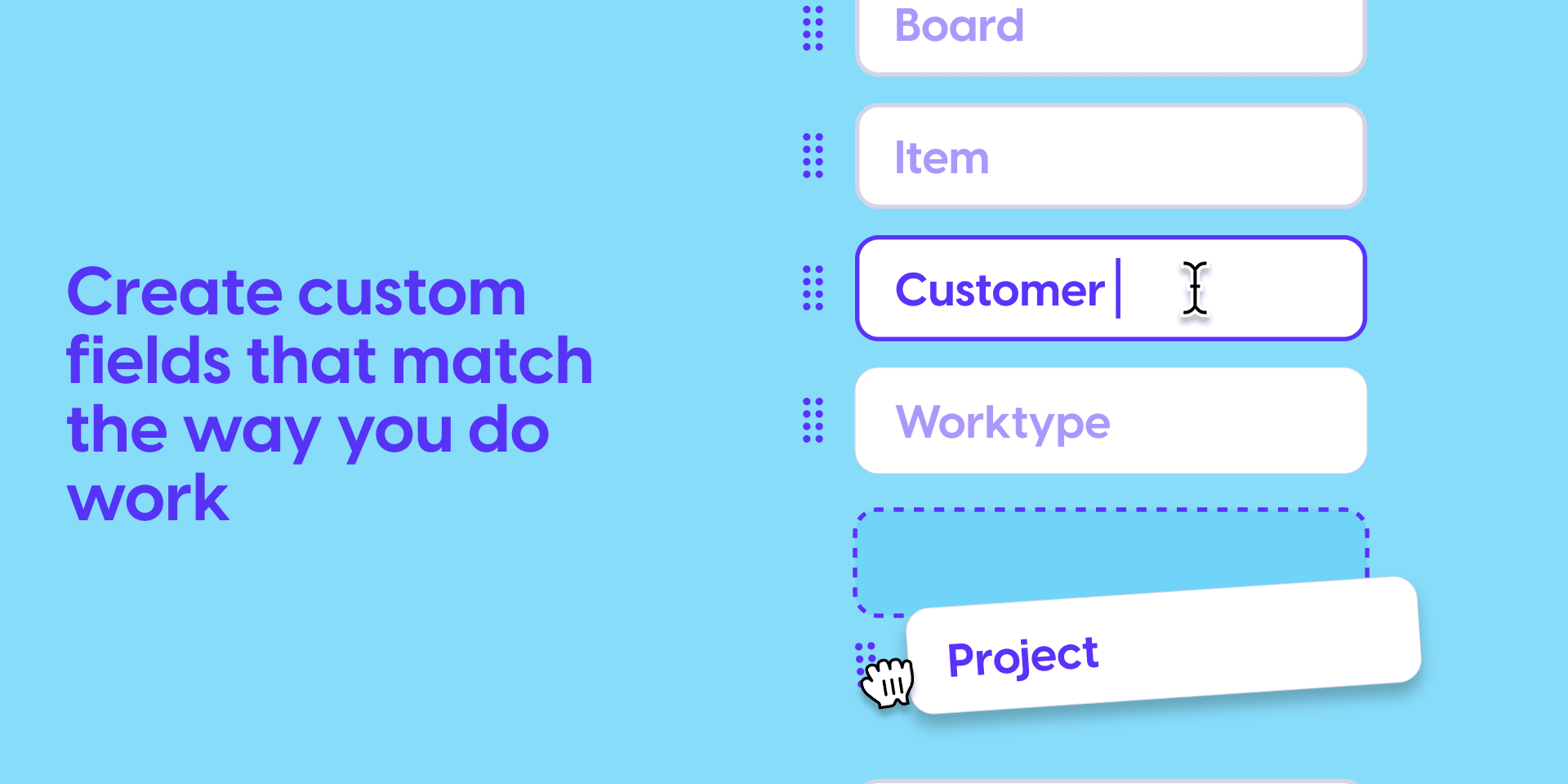
🎛️ Permissions and Customization Assign roles and permissions for more control, and create custom fields to reflect your workflow.
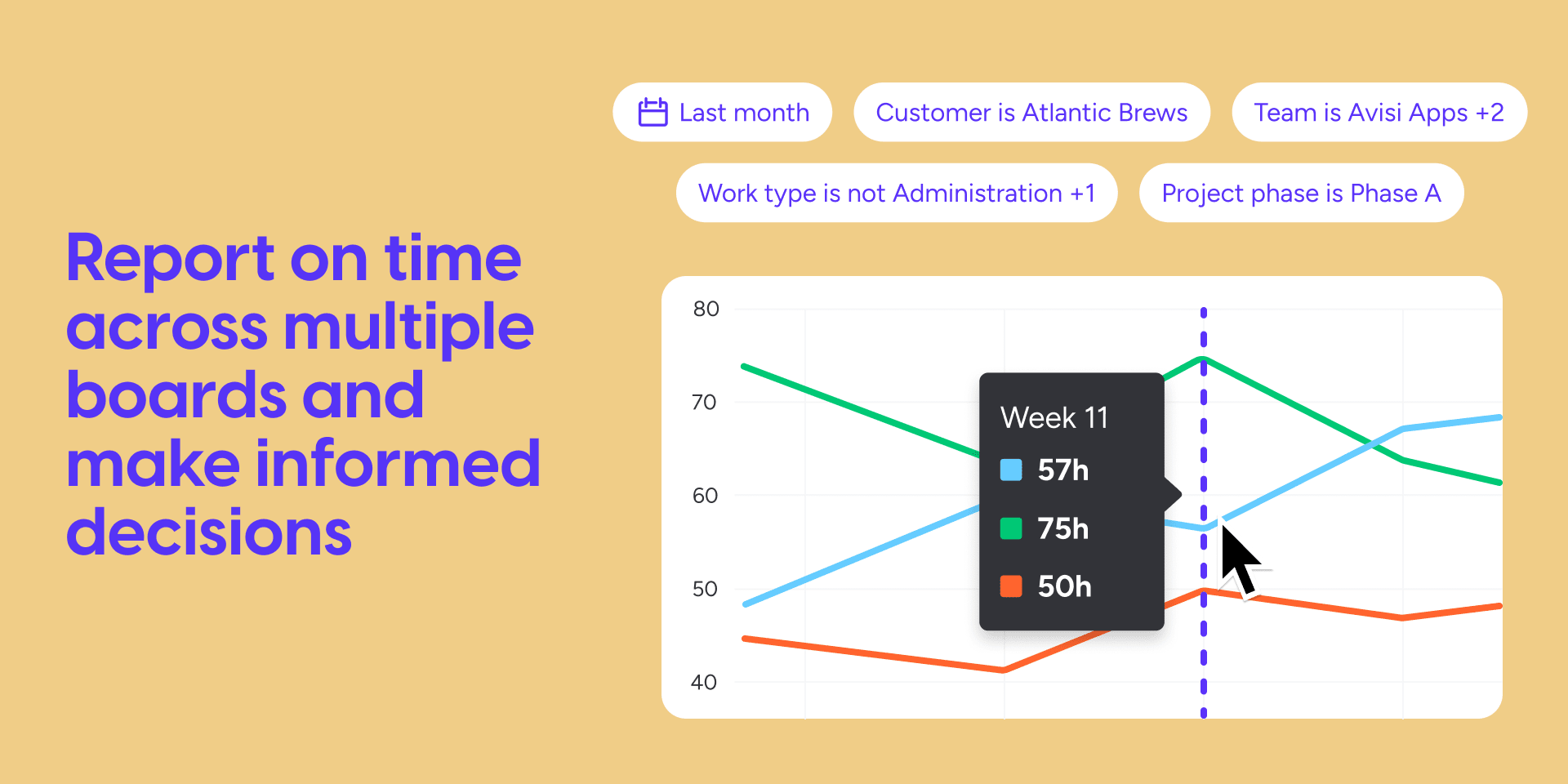
📊 Cross-Board Reporting Generate reports and widgets across all boards and workspaces. Drill down by project, client, team member, or custom field, and export in the formats you need.
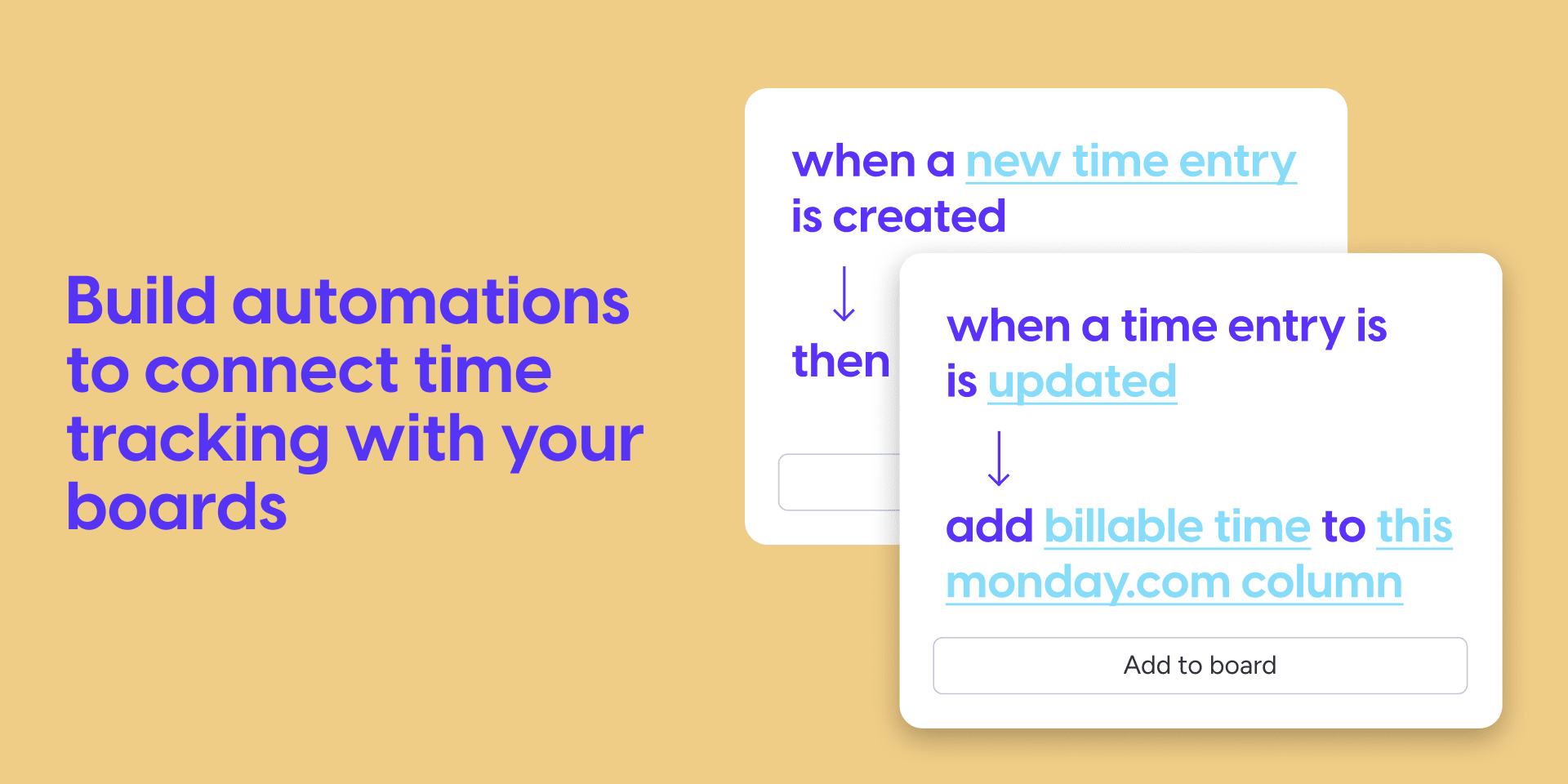
🔁 Automations & API Integrations Use built-in recipes to push logged time into monday.com columns. Compare actual vs. estimated hours. Connect to external tools via API.
Who uses Tracket?
- Teams managing multiple projects Track time distribution across clients, projects, and tasks to identify and resolve bottlenecks.
- Companies that invoice by the hour Separate billable from non-billable time automatically. Generate accurate invoices. Stop leaving money on the table.
- Organizations with compliance requirements Time logs persist even after users are deactivated. When auditors come knocking, your historical data is intact.
Enterprise Grade Privacy Standards
🔒 SOC 2 declaration
🔑 ISO 27701:2019 & ISO 27001:2022
📋 GDPR & CCPA standards
🛡️ HIPAA & NIS2 compliant
Read more on how to get started with Tracket in our documentation.
Security & Compliance
Security
Does the developer periodically perform penetration testing?
Does the developer have a dedicated security and privacy point of contact for such issues or questions?
Does the app restrict redirects and forwards only to approved destinations, or show a warning when redirecting to potentially untrusted content?
Does the app protect against mass parameter assignment attacks?
Does the app perform encoding and sanitization on all user supplied parameters to protect against Cross-Site Scripting?
Does the developer protect all state-changing actions against Cross-Site Request Forgery (CSRF)?
Does the developer have mechanisms to notify monday.com in case of a security breach?
Does this developer have a process for installing application-level updates and security patches for the service (such as software packages and databases)?
Compliance
Is the app certified with the information security standard ISO/IEC 27001:2022?
Is the app compliant with the Health Insurance Portability and Accountability Act (HIPAA)?
Is the app certified with System and Organization Controls (SOC 2 or SOC 3)?
Is the app compliant with the General Data Protection Regulation (GDPR)?
Data
Does the app send any data outside of monday.com? If yes, indicate whether the data is customer-submitted (e.g., board names, item names, doc content) or non-customer-submitted (e.g., account ID, board ID, user ID).
Where does the app store logs data?
Where does the app store the app data?
Does the developer ensure application logs do not contain secrets or personally-identifiable information (PII)?
Is customer data segregated from the data of other customers (for example logically or physically)?
Privacy
Does the developer enforce multi-factor authentication on employees access to systems which may process customer data?
Does the developer protect access to customer data based on the principle of least privilege?
Reviews
SM: Thanks for the quick turnaround team :) OLD Keystrokes are often missed when typing descriptions for time entries, specifically in Tracket. So user must either type slower than normal or go back and fix keystrokes that weren't registered.
Developer response:
Hi there, thanks for the feedback 🙌 We were able to reproduce the keystroke issue and have deployed a fix. It should now work smoothly again! We hope this brings your experience closer to a five-star one, we’re always here to improve 💪
SC: On line items you can't see at a glance that time is being logged (the built in timer in Monday is very useful for this). So, as you are looking at all of the assigned tasks you can't quickly see who is actively working on a task.
Developer response:
Thanks for the great feedback 👀 We'd love to show active timers like monday’s native one, but it's currently not possible unfortunately. We're exploring alternatives, please reach out, we'd love to continue the conversation!
MR: Tracket provides us with very intuitive time tracking capability which allows us to track (billable) time per project and per customer. Thanks to Tracket we have much better visibility into the profitability of our professional services.
Developer response:
Thanks so much for the kind words and 5⭐️! We're thrilled Tracket is helping you track time intuitively and gain insight into project profitability, that's exactly what we built it for 🙌
JH: This is the TOP choice for time tracking in monday.com! Not only does it allow me to review individuals, teams, and projects for their time but I can even get granular to the type of time spent for each task. They include widgets and clear excel exports.
Developer response:
Wow! thanks for the amazing review! 🙌 We're so glad Tracket is your top choice for time tracking on monday.com and that the insights, widgets, and exports are delivering real value 💪
JL: Great app that keeps on innovating!
Developer response:
Thanks so much! 🚀 We're committed to continuously improving Tracket, great to hear the innovation is coming through. More to come!
AP: The flexibility to be adaptable with the structure for easy use and accurate reporting - Tracket has everything the team and I needed and more.
Developer response:
Thanks for the fantastic review! 🙌 We're so glad Tracket gives you the flexibility and structure you need. That’s exactly what we aim for!
JS: Really easy and efficient solution to handle all your time tracking and reporting needs.. Really love the fluent UI, and how easy it is to adapt to this solution!
Developer response:
Thanks a lot for the great feedback! 🙌 We're happy to hear Tracket’s UI and flexibility are making time tracking and reporting easy and efficient for you 💪
KC: Tracket is a great 'native' time tracking tool that provides both good reporting & ease of use. The team is always open to feedback & works quickly to make things happen. Whenever asked about a time tracking solution, I will always recommend Tracket.
Developer response:
Huge thanks for this awesome review! 🙌 We're glad Tracket's ease of use, reporting, and our team's responsiveness stand out. And thanks for recommending us, it means the world!
RM: The most comprehensive and easy to use time tracking app for monday.com!
Developer response:
Thank you! 🙌 We're so glad Tracket hits the mark for both power and ease of use, exactly what we aim for!
JL: Amazing app to log your time, approve time and see time reports. Works great with monday automations and dashboards as well!!
Developer response:
Thanks so much! 🙌 We're thrilled to hear Tracket’s time logging, approvals, and reporting, plus the monday automations, are working great for you!
AH: I like the fact that you can enter time for sub items and it has a couple of displays that work great. Ultimately I decided I needed to integrate with Quickbooks so I ended up not using it.
Developer response:
Thanks for the kind words! 🙌 We're glad you found value in Tracket’s subitem support and views. If Quickbooks integration is a must, there are options on the monday.com marketplace, happy to explore what might work for you!
LP: Greatest time tracking solution available, especially because its completely integrated with monday.com and works seamlessly well with it.
Developer response:
Thank you for the amazing review! 🙌 We're so glad Tracket’s seamless monday.com integration is making time tracking a great experience for you!
DW: Great app integration - would love to see a couple of tweaks to be able to use as a time-tracking for client projects.
Developer response:
Thanks for the review! 🙌 We'd love to hear more about your client project needs, we’ve helped many teams tailor Tracket for that use case. Let’s chat and see what’s possible!
MS: Amazing! Fixes so many things that Monday.com falls short on
Developer response:
Love hearing that, thank you! 🙌 We're glad Tracket is helping fill the gaps and making your monday.com experience even better!
GS: Performance of the app is great and reporting is incredible!
Developer response:
Thanks so much! 🙌 We're thrilled to hear Tracket’s performance and reporting are hitting the mark for you!
Historical data
Installation history
We have data for December 28, 2024 onwards only. Collected sometime after 00:00 UTC daily.
Total number of installs
Change in total number of installs in last 1 day(s)
Compares the number of installs on each date with 1 days previously:
Change in total number of installs in last 7 day(s)
Compares the number of installs on each date with 7 days previously:
Change in total number of installs in last 30 day(s)
Compares the number of installs on each date with 30 days previously:
Change in total number of installs in last 90 day(s)
Compares the number of installs on each date with 90 days previously:
Change in total number of installs in last 180 day(s)
Compares the number of installs on each date with 180 days previously:
Ratings history
Categories history
Each of the following is a yes/no answer, so the graphs show 1 for yes, and 0 for no.
In "Featured" category?
In "Editor's choice" category?
In "Trending this week" category?
App metadata
ID: 10000017 • App ID: 40490 • Listing updated: January 20, 2026{
"id": 10000017,
"marketplace_developer_id": 45,
"app_id": 40490,
"app_type": null,
"security_info": {},
"gallery_assets": [
{
"url": "https://dapulse-res.cloudinary.com/image/upload/v1711049301/monday-apps-marketplace/Tracket/Mar.%2024/Gallery_1.png"
},
{
"url": "https://dapulse-res.cloudinary.com/image/upload/v1711049301/monday-apps-marketplace/Tracket/Mar.%2024/Gallery_2.png"
},
{
"url": "https://dapulse-res.cloudinary.com/image/upload/v1711049302/monday-apps-marketplace/Tracket/Mar.%2024/Gallery_3.png"
},
{
"url": "https://dapulse-res.cloudinary.com/image/upload/v1711049311/monday-apps-marketplace/Tracket/Mar.%2024/Gallery_4.png"
},
{
"url": "https://dapulse-res.cloudinary.com/image/upload/v1711049311/monday-apps-marketplace/Tracket/Mar.%2024/Gallery_5.png"
},
{
"url": "https://dapulse-res.cloudinary.com/image/upload/v1711049312/monday-apps-marketplace/Tracket/Mar.%2024/Gallery_6.png",
"type": "image"
},
{
"url": "https://dapulse-res.cloudinary.com/video/upload/v1643236972/monday-apps-marketplace/Tracket/Tracket_Compleet_5.mp4",
"type": "video"
}
],
"description": "<p>Stop guessing where and how much time was spent on projects. Tracket lets you log time on items and subitems, run timers, and turn worked hours into actionable insights right where work happens, inside monday.com, for smarter tracking, planning and invoicing.</p><p><br></p><p>🤖<strong> NEW AI SKILLS: Ask Sidekick About Your Time</strong></p><p>Tracket now works with monday Sidekick. Just ask sidekick, and get instant answers and reports about your time data.</p><p><br></p><p>What you can do:</p><ul><li class=\"ql-indent-1\">\"How many hours did our team log this week?\"</li><li class=\"ql-indent-1\">\"What's my billable utilization this month?\"</li><li class=\"ql-indent-1\">\"Who has a timer running right now?\"</li><li class=\"ql-indent-1\">\"Start a timer on [item name]\"</li></ul><p><br></p><p><strong>Features Powering Tracket</strong></p><p><br></p><p>⏱️<strong> Time Tracking & Timer</strong> Log time directly on items and sub-items, or start a timer from your timesheet and tasks to log hours automatically.</p><p><br></p><p>✅<strong> Timesheet Approvals</strong> Get notified when timesheets are submitted. Approve, reject, or request changes. See each person's full weekly capacity, adjusted for holidays and time off.</p><p><br></p><p>🎛️<strong> Permissions and Customization</strong> Assign roles and permissions for more control, and create custom fields to reflect your workflow.</p><p><br></p><p>📊 <strong>Cross-Board Reporting</strong> Generate reports and widgets across all boards and workspaces. Drill down by project, client, team member, or custom field, and export in the formats you need.</p><p><br></p><p>🔁<strong> Automations & API Integrations</strong> Use built-in recipes to push logged time into monday.com columns. Compare actual vs. estimated hours. Connect to external tools via API.</p><p><br></p><p><strong>Who uses Tracket?</strong></p><ul><li><strong>Teams managing multiple projects</strong> Track time distribution across clients, projects, and tasks to identify and resolve bottlenecks.</li><li><strong>Companies that invoice by the hour</strong> Separate billable from non-billable time automatically. Generate accurate invoices. Stop leaving money on the table.</li><li><strong>Organizations with compliance requirements</strong> Time logs persist even after users are deactivated. When auditors come knocking, your historical data is intact.</li></ul><p><br></p><p><strong>Enterprise Grade Privacy Standards</strong></p><p>🔒 SOC 2 declaration</p><p>🔑 ISO 27701:2019 & ISO 27001:2022</p><p>📋 GDPR & CCPA standards</p><p>🛡️ HIPAA & NIS2 compliant</p><p><br></p><p>Read more on how to get started with Tracket in <a href=\"https://docs.apps.avisi.com/en/tracket/latest/\" rel=\"noopener noreferrer\" target=\"_blank\">our documentation</a><em>.</em></p>",
"short_description": "Time Tracking that Actually Gets Used",
"thumbnail_url": "https://dapulse-res.cloudinary.com/image/upload/v1636039199/monday-apps-marketplace/Tracket/Tracket_CardImage.png",
"logo_url": "https://dapulse-res.cloudinary.com/image/upload/v1636039198/monday-apps-marketplace/Tracket/Tracket_Appicoon_Donkerblauw.png",
"feedback_url": "https://avisi-support.atlassian.net/servicedesk/customer/portal/57",
"privacy_policy_url": "https://docs.apps.avisi.com/en/legal-monday/latest/privacy-policy",
"featured": false,
"name": "Time Tracking - Tracket",
"how_to_use_url": "https://docs.apps.avisi.com/en/tracket/latest/",
"external_pricing_url": "https://docs.apps.avisi.com/en/tracket/latest/pricing",
"keywords": "time,time management,timer,timesheet,logging time,time tracker,time track,timeline,time tracking,time reporting",
"compliance_answers": [
{
"questionId": 20,
"shortAnswer": true,
"detailedAnswer": "",
"fileName": "gesbbv7k.pdf"
},
{
"questionId": 18,
"logHostingProvider": "other",
"detailedAnswer": "Google Cloud Logging"
},
{
"questionId": 17,
"dataHostingProvider": "DB",
"detailedAnswer": "Google Cloud Firestore"
},
{
"questionId": 15,
"shortAnswer": true,
"detailedAnswer": "Yes, A penetration test is performed each year by an external party for any of their apps.",
"fileName": "wkndm6dh.pdf"
},
{
"questionId": 14,
"shortAnswer": true,
"detailedAnswer": "Yes, a dedicated service portal is available through any of their app's listing on the monday.com marketplace."
},
{
"questionId": 13,
"shortAnswer": true,
"detailedAnswer": "https://apps.avisi.com/trust",
"fileName": "rejgplq.pdf"
},
{
"questionId": 12,
"shortAnswer": true,
"detailedAnswer": "https://apps.avisi.com/trust",
"fileName": "3v66x9h.pdf"
},
{
"questionId": 11,
"shortAnswer": true,
"detailedAnswer": "https://apps.avisi.com/trust"
},
{
"questionId": 10,
"shortAnswer": true,
"detailedAnswer": ""
},
{
"questionId": 9,
"shortAnswer": true,
"detailedAnswer": ""
},
{
"questionId": 8,
"shortAnswer": true,
"detailedAnswer": ""
},
{
"questionId": 7,
"shortAnswer": true,
"detailedAnswer": ""
},
{
"questionId": 6,
"shortAnswer": true,
"detailedAnswer": "Yes, access to production data is restricted to the on-call team. Nobody is permitted to look at customer data without asking for explicit permission from the customer of which we keep record via the support request filed by the customer. Access to resources is logged to an audit log containing a record of information including the identity of the accessor and the date and time."
},
{
"questionId": 5,
"shortAnswer": true,
"detailedAnswer": ""
},
{
"questionId": 4,
"shortAnswer": true,
"detailedAnswer": ""
},
{
"questionId": 3,
"shortAnswer": true,
"detailedAnswer": "Whenever we find a security incident we follow these steps:\n1. Notify internal security team\n2. Investigate the threat, impact, scale, and root cause\n3. Determine and notify any parties involved (like monday.com)\n4. Fix the issue\n5. Notify customers, and parties involved on the fix and steps towards the future to prevent the same from happening again."
},
{
"questionId": 2,
"shortAnswer": true,
"detailedAnswer": "Application level updates and security patches are following the same process:\n1. All changes are managed through version control.\n2. The code gets reviewed via our peer review process.\n3. Via an automated CI / CD pipeline it gets deployed to our test environment.\n4. The changes get tested end to end by the QA team.\n5. After approval, another automated CI / CD pipeline deploys to production."
},
{
"questionId": 1,
"shortAnswer": true,
"detailedAnswer": "Yes, customer data is logically segregated."
}
],
"created_at": "2021-11-04T15:47:41.345Z",
"updated_at": "2026-01-20T16:19:33.907Z",
"automation_app_id": null,
"marketplace_category_ids": [
10000021,
10000001,
9,
6,
1,
10000004
],
"pinned_for_categories_ids": [],
"featured_for_categories_ids": [
10000001,
6
],
"pricing_data": "14 days trial",
"label": "Best seller",
"app_values": [
"Easier resource management"
],
"security": true,
"display_in_template_store": false,
"acquisition_source": "Existing legacy",
"is_connector": false,
"terms_of_service_url": "https://docs.apps.avisi.com/en/legal-monday/latest/end-user-license-agreement",
"available_for_tiers": [],
"available_for_products": [],
"google_analytics_tag_id": "G-6Q0VPE1WX3",
"is_solution": false,
"app_scope_str": "me:read,boards:read,users:read,account:read,teams:read,boards:write,notifications:write,updates:read,updates:write,workspaces:read",
"app_client_id": "17b0e669f78ae2c393fc654e1bd0f1ad",
"app_color": {
"hsl": {
"h": 195.65217391304347,
"s": 0.92,
"l": 0.7549019607843137,
"a": 1
},
"hex": "#87dcfa",
"rgb": {
"r": 135,
"g": 220,
"b": 250,
"a": 1
},
"hsv": {
"h": 195.65217391304347,
"s": 0.45999999999999996,
"v": 0.9803921568627451,
"a": 1
},
"oldHue": 217.29729729729726,
"source": "hex"
},
"plans": [
{
"id": "40490-1-unlimited",
"appPlanId": "unlimited",
"name": "Unlimited seats",
"versionId": 1,
"isTrial": true,
"prices": {
"type": "seat_based",
"monthly": 10000,
"yearly": 10000,
"maxSeats": 1000000
},
"versionState": "live",
"appId": 40490,
"description": "Track, manage, and report on how time is spent",
"extraData": {
"bullets": [
"Track time manually or automatically directly on items and subitems",
"Track time with multiple people on the same task or project",
"Report on how time is spent across boards and workspaces",
"Plan better with your team’s capacity at your disposal",
"Check and approve time logged for accurate invoicing",
"Enhanced permissions for better control over who has access",
"Advanced exports and API",
"Ready to handle large amounts of data"
],
"monthlyFee": 10000,
"yearlyFee": 10000,
"maxSeats": 1000000
},
"isFree": false,
"isRecommended": false,
"currency": "USD"
},
{
"id": "40490-1-seats3",
"appPlanId": "seats3",
"name": "Up to 3 seats",
"versionId": 1,
"isTrial": false,
"prices": {
"type": "seat_based",
"monthly": 18,
"yearly": 15,
"maxSeats": 3
},
"versionState": "live",
"appId": 40490,
"description": "Track, manage, and report on how time is spent",
"extraData": {
"bullets": [
"Track time manually or automatically directly on items and subitems",
"Track time with multiple people on the same task or project",
"Report on how time is spent across boards and workspaces",
"Plan better with your team’s capacity at your disposal",
"Check and approve time logged for accurate invoicing",
"Enhanced permissions for better control over who has access",
"Advanced exports and API",
"Ready to handle large amounts of data"
],
"monthlyFee": 18,
"yearlyFee": 15,
"maxSeats": 3
},
"isFree": false,
"isRecommended": false,
"currency": "USD"
},
{
"id": "40490-1-seats10",
"appPlanId": "seats10",
"name": "Up to 10 seats",
"versionId": 1,
"isTrial": false,
"prices": {
"type": "seat_based",
"monthly": 60,
"yearly": 50,
"maxSeats": 10
},
"versionState": "live",
"appId": 40490,
"description": "Track, manage, and report on how time is spent",
"extraData": {
"bullets": [
"Track time manually or automatically directly on items and subitems",
"Track time with multiple people on the same task or project",
"Report on how time is spent across boards and workspaces",
"Plan better with your team’s capacity at your disposal",
"Check and approve time logged for accurate invoicing",
"Enhanced permissions for better control over who has access",
"Advanced exports and API",
"Ready to handle large amounts of data"
],
"monthlyFee": 60,
"yearlyFee": 50,
"maxSeats": 10
},
"isFree": false,
"isRecommended": false,
"currency": "USD"
},
{
"id": "40490-1-seats15",
"appPlanId": "seats15",
"name": "Up to 15 seats",
"versionId": 1,
"isTrial": false,
"prices": {
"type": "seat_based",
"monthly": 75,
"yearly": 60,
"maxSeats": 15
},
"versionState": "live",
"appId": 40490,
"description": "Track, manage, and report on how time is spent",
"extraData": {
"bullets": [
"Track time manually or automatically directly on items and subitems",
"Track time with multiple people on the same task or project",
"Report on how time is spent across boards and workspaces",
"Plan better with your team’s capacity at your disposal",
"Check and approve time logged for accurate invoicing",
"Enhanced permissions for better control over who has access",
"Advanced exports and API",
"Ready to handle large amounts of data"
],
"monthlyFee": 75,
"yearlyFee": 60,
"maxSeats": 15
},
"isFree": false,
"isRecommended": false,
"currency": "USD"
},
{
"id": "40490-1-seats20",
"appPlanId": "seats20",
"name": "Up to 20 seats",
"versionId": 1,
"isTrial": false,
"prices": {
"type": "seat_based",
"monthly": 100,
"yearly": 80,
"maxSeats": 20
},
"versionState": "live",
"appId": 40490,
"description": "Track, manage, and report on how time is spent",
"extraData": {
"bullets": [
"Track time manually or automatically directly on items and subitems",
"Track time with multiple people on the same task or project",
"Report on how time is spent across boards and workspaces",
"Plan better with your team’s capacity at your disposal",
"Check and approve time logged for accurate invoicing",
"Enhanced permissions for better control over who has access",
"Advanced exports and API",
"Ready to handle large amounts of data"
],
"monthlyFee": 100,
"yearlyFee": 80,
"maxSeats": 20
},
"isFree": false,
"isRecommended": false,
"currency": "USD"
},
{
"id": "40490-1-seats25",
"appPlanId": "seats25",
"name": "Up to 25 seats",
"versionId": 1,
"isTrial": false,
"prices": {
"type": "seat_based",
"monthly": 125,
"yearly": 100,
"maxSeats": 25
},
"versionState": "live",
"appId": 40490,
"description": "Track, manage, and report on how time is spent",
"extraData": {
"bullets": [
"Track time manually or automatically directly on items and subitems",
"Track time with multiple people on the same task or project",
"Report on how time is spent across boards and workspaces",
"Plan better with your team’s capacity at your disposal",
"Check and approve time logged for accurate invoicing",
"Enhanced permissions for better control over who has access",
"Advanced exports and API",
"Ready to handle large amounts of data"
],
"monthlyFee": 125,
"yearlyFee": 100,
"maxSeats": 25
},
"isFree": false,
"isRecommended": false,
"currency": "USD"
},
{
"id": "40490-1-seats30",
"appPlanId": "seats30",
"name": "Up to 30 seats",
"versionId": 1,
"isTrial": false,
"prices": {
"type": "seat_based",
"monthly": 150,
"yearly": 120,
"maxSeats": 30
},
"versionState": "live",
"appId": 40490,
"description": "Track, manage, and report on how time is spent",
"extraData": {
"bullets": [
"Track time manually or automatically directly on items and subitems",
"Track time with multiple people on the same task or project",
"Report on how time is spent across boards and workspaces",
"Plan better with your team’s capacity at your disposal",
"Check and approve time logged for accurate invoicing",
"Enhanced permissions for better control over who has access",
"Advanced exports and API",
"Ready to handle large amounts of data"
],
"monthlyFee": 150,
"yearlyFee": 120,
"maxSeats": 30
},
"isFree": false,
"isRecommended": false,
"currency": "USD"
},
{
"id": "40490-1-seats40",
"appPlanId": "seats40",
"name": "Up to 40 seats",
"versionId": 1,
"isTrial": false,
"prices": {
"type": "seat_based",
"monthly": 200,
"yearly": 160,
"maxSeats": 40
},
"versionState": "live",
"appId": 40490,
"description": "Track, manage, and report on how time is spent",
"extraData": {
"bullets": [
"Track time manually or automatically directly on items and subitems",
"Track time with multiple people on the same task or project",
"Report on how time is spent across boards and workspaces",
"Plan better with your team’s capacity at your disposal",
"Check and approve time logged for accurate invoicing",
"Enhanced permissions for better control over who has access",
"Advanced exports and API",
"Ready to handle large amounts of data"
],
"monthlyFee": 200,
"yearlyFee": 160,
"maxSeats": 40
},
"isFree": false,
"isRecommended": false,
"currency": "USD"
},
{
"id": "40490-1-seats50",
"appPlanId": "seats50",
"name": "Up to 50 seats",
"versionId": 1,
"isTrial": false,
"prices": {
"type": "seat_based",
"monthly": 250,
"yearly": 200,
"maxSeats": 50
},
"versionState": "live",
"appId": 40490,
"description": "Track, manage, and report on how time is spent",
"extraData": {
"bullets": [
"Track time manually or automatically directly on items and subitems",
"Track time with multiple people on the same task or project",
"Report on how time is spent across boards and workspaces",
"Plan better with your team’s capacity at your disposal",
"Check and approve time logged for accurate invoicing",
"Enhanced permissions for better control over who has access",
"Advanced exports and API",
"Ready to handle large amounts of data"
],
"monthlyFee": 250,
"yearlyFee": 200,
"maxSeats": 50
},
"isFree": false,
"isRecommended": false,
"currency": "USD"
},
{
"id": "40490-1-seats75",
"appPlanId": "seats75",
"name": "Up to 75 seats",
"versionId": 1,
"isTrial": false,
"prices": {
"type": "seat_based",
"monthly": 375,
"yearly": 300,
"maxSeats": 75
},
"versionState": "live",
"appId": 40490,
"description": "Track, manage, and report on how time is spent",
"extraData": {
"bullets": [
"Track time manually or automatically directly on items and subitems",
"Track time with multiple people on the same task or project",
"Report on how time is spent across boards and workspaces",
"Plan better with your team’s capacity at your disposal",
"Check and approve time logged for accurate invoicing",
"Enhanced permissions for better control over who has access",
"Advanced exports and API",
"Ready to handle large amounts of data"
],
"monthlyFee": 375,
"yearlyFee": 300,
"maxSeats": 75
},
"isFree": false,
"isRecommended": false,
"currency": "USD"
},
{
"id": "40490-1-seats100",
"appPlanId": "seats100",
"name": "Up to 100 seats",
"versionId": 1,
"isTrial": false,
"prices": {
"type": "seat_based",
"monthly": 500,
"yearly": 400,
"maxSeats": 100
},
"versionState": "live",
"appId": 40490,
"description": "Track, manage, and report on how time is spent",
"extraData": {
"bullets": [
"Track time manually or automatically directly on items and subitems",
"Track time with multiple people on the same task or project",
"Report on how time is spent across boards and workspaces",
"Plan better with your team’s capacity at your disposal",
"Check and approve time logged for accurate invoicing",
"Enhanced permissions for better control over who has access",
"Advanced exports and API",
"Ready to handle large amounts of data"
],
"monthlyFee": 500,
"yearlyFee": 400,
"maxSeats": 100
},
"isFree": false,
"isRecommended": false,
"currency": "USD"
},
{
"id": "40490-1-seats500",
"appPlanId": "seats500",
"name": "Up to 500 seats",
"versionId": 1,
"isTrial": false,
"prices": {
"type": "seat_based",
"monthly": 2000,
"yearly": 1625,
"maxSeats": 500
},
"versionState": "live",
"appId": 40490,
"description": "Track, manage, and report on how time is spent",
"extraData": {
"bullets": [
"Track time manually or automatically directly on items and subitems",
"Track time with multiple people on the same task or project",
"Report on how time is spent across boards and workspaces",
"Plan better with your team’s capacity at your disposal",
"Check and approve time logged for accurate invoicing",
"Enhanced permissions for better control over who has access",
"Advanced exports and API",
"Ready to handle large amounts of data"
],
"monthlyFee": 2000,
"yearlyFee": 1625,
"maxSeats": 500
},
"isFree": false,
"isRecommended": false,
"currency": "USD"
},
{
"id": "40490-1-seats150",
"appPlanId": "seats150",
"name": "Up to 150 seats",
"versionId": 1,
"isTrial": false,
"prices": {
"type": "seat_based",
"monthly": 750,
"yearly": 600,
"maxSeats": 150
},
"versionState": "live",
"appId": 40490,
"description": "Track, manage, and report on how time is spent",
"extraData": {
"bullets": [
"Track time manually or automatically directly on items and subitems",
"Track time with multiple people on the same task or project",
"Report on how time is spent across boards and workspaces",
"Plan better with your team’s capacity at your disposal",
"Check and approve time logged for accurate invoicing",
"Enhanced permissions for better control over who has access",
"Advanced exports and API",
"Ready to handle large amounts of data"
],
"monthlyFee": 750,
"yearlyFee": 600,
"maxSeats": 150
},
"isFree": false,
"isRecommended": false,
"currency": "USD"
},
{
"id": "40490-1-seats250",
"appPlanId": "seats250",
"name": "Up to 250 seats",
"versionId": 1,
"isTrial": false,
"prices": {
"type": "seat_based",
"monthly": 1250,
"yearly": 1000,
"maxSeats": 250
},
"versionState": "live",
"appId": 40490,
"description": "Track, manage, and report on how time is spent",
"extraData": {
"bullets": [
"Track time manually or automatically directly on items and subitems",
"Track time with multiple people on the same task or project",
"Report on how time is spent across boards and workspaces",
"Plan better with your team’s capacity at your disposal",
"Check and approve time logged for accurate invoicing",
"Enhanced permissions for better control over who has access",
"Advanced exports and API",
"Ready to handle large amounts of data"
],
"monthlyFee": 1250,
"yearlyFee": 1000,
"maxSeats": 250
},
"isFree": false,
"isRecommended": false,
"currency": "USD"
},
{
"id": "40490-2-unlimited",
"appPlanId": "unlimited",
"name": "Unlimited seats",
"versionId": 2,
"isTrial": true,
"prices": {
"type": "seat_based",
"monthly": 5000,
"yearly": 3500,
"maxSeats": 1000000
},
"versionState": "live",
"appId": 40490,
"description": "Track, manage, and report on how time is spent",
"extraData": {
"bullets": [
"Track and record time for items and subitems simultaneously",
"Report and visualize time spent across projects, boards and workspaces",
"Manage and approve your team's timesheets for accurate billing and invoicing",
"Harness time data in monday.com boards for more accurate team planning",
"Flexible settings and permissions that align with your workflow"
],
"monthlyFee": 5000,
"yearlyFee": 3500,
"maxSeats": 1000000
},
"isFree": false,
"isRecommended": false,
"currency": "USD"
},
{
"id": "40490-2-seats3",
"appPlanId": "seats3",
"name": "Up to 3 seats",
"versionId": 2,
"isTrial": false,
"prices": {
"type": "seat_based",
"monthly": 18,
"yearly": 15,
"maxSeats": 3
},
"versionState": "live",
"appId": 40490,
"description": "Track, manage, and report on how time is spent",
"extraData": {
"bullets": [
"Track and record time for items and subitems simultaneously",
"Report and visualize time spent across projects, boards and workspaces",
"Manage and approve your team's timesheets for accurate billing and invoicing",
"Harness time data in monday.com boards for more accurate team planning",
"Flexible settings and permissions that align with your workflow"
],
"monthlyFee": 18,
"yearlyFee": 15,
"maxSeats": 3
},
"isFree": false,
"isRecommended": false,
"currency": "USD"
},
{
"id": "40490-2-seats10",
"appPlanId": "seats10",
"name": "Up to 10 seats",
"versionId": 2,
"isTrial": false,
"prices": {
"type": "seat_based",
"monthly": 60,
"yearly": 40,
"maxSeats": 10
},
"versionState": "live",
"appId": 40490,
"description": "Track, manage, and report on how time is spent",
"extraData": {
"bullets": [
"Track and record time for items and subitems simultaneously",
"Report and visualize time spent across projects, boards and workspaces",
"Manage and approve your team's timesheets for accurate billing and invoicing",
"Harness time data in monday.com boards for more accurate team planning",
"Flexible settings and permissions that align with your workflow"
],
"monthlyFee": 60,
"yearlyFee": 40,
"maxSeats": 10
},
"isFree": false,
"isRecommended": false,
"currency": "USD"
},
{
"id": "40490-2-seats15",
"appPlanId": "seats15",
"name": "Up to 15 seats",
"versionId": 2,
"isTrial": false,
"prices": {
"type": "seat_based",
"monthly": 75,
"yearly": 60,
"maxSeats": 15
},
"versionState": "live",
"appId": 40490,
"description": "Track, manage, and report on how time is spent",
"extraData": {
"bullets": [
"Track and record time for items and subitems simultaneously",
"Report and visualize time spent across projects, boards and workspaces",
"Manage and approve your team's timesheets for accurate billing and invoicing",
"Harness time data in monday.com boards for more accurate team planning",
"Flexible settings and permissions that align with your workflow"
],
"monthlyFee": 75,
"yearlyFee": 60,
"maxSeats": 15
},
"isFree": false,
"isRecommended": false,
"currency": "USD"
},
{
"id": "40490-2-seats20",
"appPlanId": "seats20",
"name": "Up to 20 seats",
"versionId": 2,
"isTrial": false,
"prices": {
"type": "seat_based",
"monthly": 100,
"yearly": 80,
"maxSeats": 20
},
"versionState": "live",
"appId": 40490,
"description": "Track, manage, and report on how time is spent",
"extraData": {
"bullets": [
"Track and record time for items and subitems simultaneously",
"Report and visualize time spent across projects, boards and workspaces",
"Manage and approve your team's timesheets for accurate billing and invoicing",
"Harness time data in monday.com boards for more accurate team planning",
"Flexible settings and permissions that align with your workflow"
],
"monthlyFee": 100,
"yearlyFee": 80,
"maxSeats": 20
},
"isFree": false,
"isRecommended": false,
"currency": "USD"
},
{
"id": "40490-2-seats25",
"appPlanId": "seats25",
"name": "Up to 25 seats",
"versionId": 2,
"isTrial": false,
"prices": {
"type": "seat_based",
"monthly": 125,
"yearly": 100,
"maxSeats": 25
},
"versionState": "live",
"appId": 40490,
"description": "Track, manage, and report on how time is spent",
"extraData": {
"bullets": [
"Track and record time for items and subitems simultaneously",
"Report and visualize time spent across projects, boards and workspaces",
"Manage and approve your team's timesheets for accurate billing and invoicing",
"Harness time data in monday.com boards for more accurate team planning",
"Flexible settings and permissions that align with your workflow"
],
"monthlyFee": 125,
"yearlyFee": 100,
"maxSeats": 25
},
"isFree": false,
"isRecommended": false,
"currency": "USD"
},
{
"id": "40490-2-seats30",
"appPlanId": "seats30",
"name": "Up to 30 seats",
"versionId": 2,
"isTrial": false,
"prices": {
"type": "seat_based",
"monthly": 150,
"yearly": 120,
"maxSeats": 30
},
"versionState": "live",
"appId": 40490,
"description": "Track, manage, and report on how time is spent",
"extraData": {
"bullets": [
"Track and record time for items and subitems simultaneously",
"Report and visualize time spent across projects, boards and workspaces",
"Manage and approve your team's timesheets for accurate billing and invoicing",
"Harness time data in monday.com boards for more accurate team planning",
"Flexible settings and permissions that align with your workflow"
],
"monthlyFee": 150,
"yearlyFee": 120,
"maxSeats": 30
},
"isFree": false,
"isRecommended": false,
"currency": "USD"
},
{
"id": "40490-2-seats40",
"appPlanId": "seats40",
"name": "Up to 40 seats",
"versionId": 2,
"isTrial": false,
"prices": {
"type": "seat_based",
"monthly": 200,
"yearly": 160,
"maxSeats": 40
},
"versionState": "live",
"appId": 40490,
"description": "Track, manage, and report on how time is spent",
"extraData": {
"bullets": [
"Track and record time for items and subitems simultaneously",
"Report and visualize time spent across projects, boards and workspaces",
"Manage and approve your team's timesheets for accurate billing and invoicing",
"Harness time data in monday.com boards for more accurate team planning",
"Flexible settings and permissions that align with your workflow"
],
"monthlyFee": 200,
"yearlyFee": 160,
"maxSeats": 40
},
"isFree": false,
"isRecommended": false,
"currency": "USD"
},
{
"id": "40490-2-seats50",
"appPlanId": "seats50",
"name": "Up to 50 seats",
"versionId": 2,
"isTrial": false,
"prices": {
"type": "seat_based",
"monthly": 250,
"yearly": 200,
"maxSeats": 50
},
"versionState": "live",
"appId": 40490,
"description": "Track, manage, and report on how time is spent",
"extraData": {
"bullets": [
"Track and record time for items and subitems simultaneously",
"Report and visualize time spent across projects, boards and workspaces",
"Manage and approve your team's timesheets for accurate billing and invoicing",
"Harness time data in monday.com boards for more accurate team planning",
"Flexible settings and permissions that align with your workflow"
],
"monthlyFee": 250,
"yearlyFee": 200,
"maxSeats": 50
},
"isFree": false,
"isRecommended": false,
"currency": "USD"
},
{
"id": "40490-2-seats75",
"appPlanId": "seats75",
"name": "Up to 75 seats",
"versionId": 2,
"isTrial": false,
"prices": {
"type": "seat_based",
"monthly": 375,
"yearly": 300,
"maxSeats": 75
},
"versionState": "live",
"appId": 40490,
"description": "Track, manage, and report on how time is spent",
"extraData": {
"bullets": [
"Track and record time for items and subitems simultaneously",
"Report and visualize time spent across projects, boards and workspaces",
"Manage and approve your team's timesheets for accurate billing and invoicing",
"Harness time data in monday.com boards for more accurate team planning",
"Flexible settings and permissions that align with your workflow"
],
"monthlyFee": 375,
"yearlyFee": 300,
"maxSeats": 75
},
"isFree": false,
"isRecommended": false,
"currency": "USD"
},
{
"id": "40490-2-seats100",
"appPlanId": "seats100",
"name": "Up to 100 seats",
"versionId": 2,
"isTrial": false,
"prices": {
"type": "seat_based",
"monthly": 500,
"yearly": 400,
"maxSeats": 100
},
"versionState": "live",
"appId": 40490,
"description": "Track, manage, and report on how time is spent",
"extraData": {
"bullets": [
"Track and record time for items and subitems simultaneously",
"Report and visualize time spent across projects, boards and workspaces",
"Manage and approve your team's timesheets for accurate billing and invoicing",
"Harness time data in monday.com boards for more accurate team planning",
"Flexible settings and permissions that align with your workflow"
],
"monthlyFee": 500,
"yearlyFee": 400,
"maxSeats": 100
},
"isFree": false,
"isRecommended": false,
"currency": "USD"
},
{
"id": "40490-2-seats500",
"appPlanId": "seats500",
"name": "Up to 500 seats",
"versionId": 2,
"isTrial": false,
"prices": {
"type": "seat_based",
"monthly": 2000,
"yearly": 1600,
"maxSeats": 500
},
"versionState": "live",
"appId": 40490,
"description": "Track, manage, and report on how time is spent",
"extraData": {
"bullets": [
"Track and record time for items and subitems simultaneously",
"Report and visualize time spent across projects, boards and workspaces",
"Manage and approve your team's timesheets for accurate billing and invoicing",
"Harness time data in monday.com boards for more accurate team planning",
"Flexible settings and permissions that align with your workflow"
],
"monthlyFee": 2000,
"yearlyFee": 1600,
"maxSeats": 500
},
"isFree": false,
"isRecommended": false,
"currency": "USD"
},
{
"id": "40490-2-seats150",
"appPlanId": "seats150",
"name": "Up to 150 seats",
"versionId": 2,
"isTrial": false,
"prices": {
"type": "seat_based",
"monthly": 750,
"yearly": 600,
"maxSeats": 150
},
"versionState": "live",
"appId": 40490,
"description": "Track, manage, and report on how time is spent",
"extraData": {
"bullets": [
"Track and record time for items and subitems simultaneously",
"Report and visualize time spent across projects, boards and workspaces",
"Manage and approve your team's timesheets for accurate billing and invoicing",
"Harness time data in monday.com boards for more accurate team planning",
"Flexible settings and permissions that align with your workflow"
],
"monthlyFee": 750,
"yearlyFee": 600,
"maxSeats": 150
},
"isFree": false,
"isRecommended": false,
"currency": "USD"
},
{
"id": "40490-2-seats250",
"appPlanId": "seats250",
"name": "Up to 250 seats",
"versionId": 2,
"isTrial": false,
"prices": {
"type": "seat_based",
"monthly": 1250,
"yearly": 1000,
"maxSeats": 250
},
"versionState": "live",
"appId": 40490,
"description": "Track, manage, and report on how time is spent",
"extraData": {
"bullets": [
"Track and record time for items and subitems simultaneously",
"Report and visualize time spent across projects, boards and workspaces",
"Manage and approve your team's timesheets for accurate billing and invoicing",
"Harness time data in monday.com boards for more accurate team planning",
"Flexible settings and permissions that align with your workflow"
],
"monthlyFee": 1250,
"yearlyFee": 1000,
"maxSeats": 250
},
"isFree": false,
"isRecommended": false,
"currency": "USD"
},
{
"id": "40490-2-seats200",
"appPlanId": "seats200",
"name": "Up to 200 seats",
"versionId": 2,
"isTrial": false,
"prices": {
"type": "seat_based",
"monthly": 1000,
"yearly": 800,
"maxSeats": 200
},
"versionState": "live",
"appId": 40490,
"description": "Track, manage, and report on how time is spent",
"extraData": {
"bullets": [
"Track and record time for items and subitems simultaneously",
"Report and visualize time spent across projects, boards and workspaces",
"Manage and approve your team's timesheets for accurate billing and invoicing",
"Harness time data in monday.com boards for more accurate team planning",
"Flexible settings and permissions that align with your workflow"
],
"monthlyFee": 1000,
"yearlyFee": 800,
"maxSeats": 200
},
"isFree": false,
"isRecommended": false,
"currency": "USD"
},
{
"id": "40490-2-seats300",
"appPlanId": "seats300",
"name": "Up to 300 seats",
"versionId": 2,
"isTrial": false,
"prices": {
"type": "seat_based",
"monthly": 1500,
"yearly": 1200,
"maxSeats": 300
},
"versionState": "live",
"appId": 40490,
"description": "Track, manage, and report on how time is spent",
"extraData": {
"bullets": [
"Track and record time for items and subitems simultaneously",
"Report and visualize time spent across projects, boards and workspaces",
"Manage and approve your team's timesheets for accurate billing and invoicing",
"Harness time data in monday.com boards for more accurate team planning",
"Flexible settings and permissions that align with your workflow"
],
"monthlyFee": 1500,
"yearlyFee": 1200,
"maxSeats": 300
},
"isFree": false,
"isRecommended": false,
"currency": "USD"
},
{
"id": "40490-2-seats400",
"appPlanId": "seats400",
"name": "Up to 400 seats",
"versionId": 2,
"isTrial": false,
"prices": {
"type": "seat_based",
"monthly": 1750,
"yearly": 1400,
"maxSeats": 400
},
"versionState": "live",
"appId": 40490,
"description": "Track, manage, and report on how time is spent",
"extraData": {
"bullets": [
"Track and record time for items and subitems simultaneously",
"Report and visualize time spent across projects, boards and workspaces",
"Manage and approve your team's timesheets for accurate billing and invoicing",
"Harness time data in monday.com boards for more accurate team planning",
"Flexible settings and permissions that align with your workflow"
],
"monthlyFee": 1750,
"yearlyFee": 1400,
"maxSeats": 400
},
"isFree": false,
"isRecommended": false,
"currency": "USD"
},
{
"id": "40490-2-seats750",
"appPlanId": "seats750",
"name": "Up to 750 seats",
"versionId": 2,
"isTrial": false,
"prices": {
"type": "seat_based",
"monthly": 2250,
"yearly": 1800,
"maxSeats": 750
},
"versionState": "live",
"appId": 40490,
"description": "Track, manage, and report on how time is spent",
"extraData": {
"bullets": [
"Track and record time for items and subitems simultaneously",
"Report and visualize time spent across projects, boards and workspaces",
"Manage and approve your team's timesheets for accurate billing and invoicing",
"Harness time data in monday.com boards for more accurate team planning",
"Flexible settings and permissions that align with your workflow"
],
"monthlyFee": 2250,
"yearlyFee": 1800,
"maxSeats": 750
},
"isFree": false,
"isRecommended": false,
"currency": "USD"
},
{
"id": "40490-2-seats1000",
"appPlanId": "seats1000",
"name": "Up to 1000 seats",
"versionId": 2,
"isTrial": false,
"prices": {
"type": "seat_based",
"monthly": 2500,
"yearly": 2000,
"maxSeats": 1000
},
"versionState": "live",
"appId": 40490,
"description": "Track, manage, and report on how time is spent",
"extraData": {
"bullets": [
"Track and record time for items and subitems simultaneously",
"Report and visualize time spent across projects, boards and workspaces",
"Manage and approve your team's timesheets for accurate billing and invoicing",
"Harness time data in monday.com boards for more accurate team planning",
"Flexible settings and permissions that align with your workflow"
],
"monthlyFee": 2500,
"yearlyFee": 2000,
"maxSeats": 1000
},
"isFree": false,
"isRecommended": false,
"currency": "USD"
},
{
"id": "40490-2-seats1500",
"appPlanId": "seats1500",
"name": "Up to 1500 seats",
"versionId": 2,
"isTrial": false,
"prices": {
"type": "seat_based",
"monthly": 2750,
"yearly": 2100,
"maxSeats": 1500
},
"versionState": "live",
"appId": 40490,
"description": "Track, manage, and report on how time is spent",
"extraData": {
"bullets": [
"Track and record time for items and subitems simultaneously",
"Report and visualize time spent across projects, boards and workspaces",
"Manage and approve your team's timesheets for accurate billing and invoicing",
"Harness time data in monday.com boards for more accurate team planning",
"Flexible settings and permissions that align with your workflow"
],
"monthlyFee": 2750,
"yearlyFee": 2100,
"maxSeats": 1500
},
"isFree": false,
"isRecommended": false,
"currency": "USD"
},
{
"id": "40490-2-seats2000",
"appPlanId": "seats2000",
"name": "Up to 2000 seats",
"versionId": 2,
"isTrial": false,
"prices": {
"type": "seat_based",
"monthly": 3000,
"yearly": 2200,
"maxSeats": 2000
},
"versionState": "live",
"appId": 40490,
"description": "Track, manage, and report on how time is spent",
"extraData": {
"bullets": [
"Track and record time for items and subitems simultaneously",
"Report and visualize time spent across projects, boards and workspaces",
"Manage and approve your team's timesheets for accurate billing and invoicing",
"Harness time data in monday.com boards for more accurate team planning",
"Flexible settings and permissions that align with your workflow"
],
"monthlyFee": 3000,
"yearlyFee": 2200,
"maxSeats": 2000
},
"isFree": false,
"isRecommended": false,
"currency": "USD"
},
{
"id": "40490-2-seats2500",
"appPlanId": "seats2500",
"name": "Up to 2500 seats",
"versionId": 2,
"isTrial": false,
"prices": {
"type": "seat_based",
"monthly": 3250,
"yearly": 2300,
"maxSeats": 2500
},
"versionState": "live",
"appId": 40490,
"description": "Track, manage, and report on how time is spent",
"extraData": {
"bullets": [
"Track and record time for items and subitems simultaneously",
"Report and visualize time spent across projects, boards and workspaces",
"Manage and approve your team's timesheets for accurate billing and invoicing",
"Harness time data in monday.com boards for more accurate team planning",
"Flexible settings and permissions that align with your workflow"
],
"monthlyFee": 3250,
"yearlyFee": 2300,
"maxSeats": 2500
},
"isFree": false,
"isRecommended": false,
"currency": "USD"
},
{
"id": "40490-2-seats3000",
"appPlanId": "seats3000",
"name": "Up to 3000 seats",
"versionId": 2,
"isTrial": false,
"prices": {
"type": "seat_based",
"monthly": 3500,
"yearly": 2400,
"maxSeats": 3000
},
"versionState": "live",
"appId": 40490,
"description": "Track, manage, and report on how time is spent",
"extraData": {
"bullets": [
"Track and record time for items and subitems simultaneously",
"Report and visualize time spent across projects, boards and workspaces",
"Manage and approve your team's timesheets for accurate billing and invoicing",
"Harness time data in monday.com boards for more accurate team planning",
"Flexible settings and permissions that align with your workflow"
],
"monthlyFee": 3500,
"yearlyFee": 2400,
"maxSeats": 3000
},
"isFree": false,
"isRecommended": false,
"currency": "USD"
},
{
"id": "40490-2-seats4000",
"appPlanId": "seats4000",
"name": "Up to 4000 seats",
"versionId": 2,
"isTrial": false,
"prices": {
"type": "seat_based",
"monthly": 4000,
"yearly": 2500,
"maxSeats": 4000
},
"versionState": "live",
"appId": 40490,
"description": "Track, manage, and report on how time is spent",
"extraData": {
"bullets": [
"Track and record time for items and subitems simultaneously",
"Report and visualize time spent across projects, boards and workspaces",
"Manage and approve your team's timesheets for accurate billing and invoicing",
"Harness time data in monday.com boards for more accurate team planning",
"Flexible settings and permissions that align with your workflow"
],
"monthlyFee": 4000,
"yearlyFee": 2500,
"maxSeats": 4000
},
"isFree": false,
"isRecommended": false,
"currency": "USD"
},
{
"id": "40490-2-seats5000",
"appPlanId": "seats5000",
"name": "Up to 5000 seats",
"versionId": 2,
"isTrial": false,
"prices": {
"type": "seat_based",
"monthly": 4500,
"yearly": 2600,
"maxSeats": 5000
},
"versionState": "live",
"appId": 40490,
"description": "Track, manage, and report on how time is spent",
"extraData": {
"bullets": [
"Track and record time for items and subitems simultaneously",
"Report and visualize time spent across projects, boards and workspaces",
"Manage and approve your team's timesheets for accurate billing and invoicing",
"Harness time data in monday.com boards for more accurate team planning",
"Flexible settings and permissions that align with your workflow"
],
"monthlyFee": 4500,
"yearlyFee": 2600,
"maxSeats": 5000
},
"isFree": false,
"isRecommended": false,
"currency": "USD"
},
{
"id": "40490-3-DEFAULT",
"appPlanId": "DEFAULT",
"name": "default",
"versionId": 3,
"isTrial": true,
"prices": {
"type": "bucket_based",
"buckets": {
"3": {
"monthly": 18,
"yearly": 15
},
"5": {
"monthly": 30,
"yearly": 25
},
"10": {
"monthly": 60,
"yearly": 49
},
"15": {
"monthly": 89,
"yearly": 73
},
"20": {
"monthly": 117,
"yearly": 96
},
"25": {
"monthly": 143,
"yearly": 118
},
"30": {
"monthly": 170,
"yearly": 139
},
"35": {
"monthly": 196,
"yearly": 161
},
"40": {
"monthly": 223,
"yearly": 183
},
"45": {
"monthly": 249,
"yearly": 204
},
"50": {
"monthly": 275,
"yearly": 226
},
"55": {
"monthly": 300,
"yearly": 246
},
"60": {
"monthly": 325,
"yearly": 266
},
"65": {
"monthly": 349,
"yearly": 286
},
"70": {
"monthly": 374,
"yearly": 307
},
"75": {
"monthly": 398,
"yearly": 327
},
"80": {
"monthly": 423,
"yearly": 347
},
"85": {
"monthly": 448,
"yearly": 367
},
"90": {
"monthly": 472,
"yearly": 387
},
"95": {
"monthly": 497,
"yearly": 407
},
"100": {
"monthly": 521,
"yearly": 428
},
"110": {
"monthly": 562,
"yearly": 461
},
"120": {
"monthly": 602,
"yearly": 493
},
"130": {
"monthly": 642,
"yearly": 526
},
"140": {
"monthly": 682,
"yearly": 559
},
"150": {
"monthly": 722,
"yearly": 592
},
"160": {
"monthly": 763,
"yearly": 625
},
"170": {
"monthly": 803,
"yearly": 658
},
"180": {
"monthly": 843,
"yearly": 691
},
"190": {
"monthly": 883,
"yearly": 724
},
"200": {
"monthly": 923,
"yearly": 757
},
"225": {
"monthly": 1024,
"yearly": 840
},
"250": {
"monthly": 1124,
"yearly": 922
},
"275": {
"monthly": 1199,
"yearly": 983
},
"300": {
"monthly": 1274,
"yearly": 1045
},
"350": {
"monthly": 1424,
"yearly": 1168
},
"400": {
"monthly": 1574,
"yearly": 1291
},
"450": {
"monthly": 1724,
"yearly": 1414
},
"500": {
"monthly": 1874,
"yearly": 1537
},
"550": {
"monthly": 1949,
"yearly": 1598
},
"600": {
"monthly": 2024,
"yearly": 1660
},
"650": {
"monthly": 2099,
"yearly": 1721
},
"700": {
"monthly": 2174,
"yearly": 1783
},
"750": {
"monthly": 2249,
"yearly": 1844
},
"800": {
"monthly": 2324,
"yearly": 1906
},
"850": {
"monthly": 2399,
"yearly": 1967
},
"900": {
"monthly": 2474,
"yearly": 2029
},
"950": {
"monthly": 2549,
"yearly": 2090
},
"1000": {
"monthly": 2624,
"yearly": 2152
},
"1100": {
"monthly": 2726,
"yearly": 2236
},
"1200": {
"monthly": 2828,
"yearly": 2319
},
"1300": {
"monthly": 2930,
"yearly": 2403
},
"1400": {
"monthly": 3032,
"yearly": 2487
},
"1500": {
"monthly": 3134,
"yearly": 2570
},
"1600": {
"monthly": 3236,
"yearly": 2654
},
"1700": {
"monthly": 3338,
"yearly": 2737
},
"1800": {
"monthly": 3440,
"yearly": 2821
},
"1900": {
"monthly": 3542,
"yearly": 2905
},
"2000": {
"monthly": 3644,
"yearly": 2988
},
"2250": {
"monthly": 3899,
"yearly": 3197
},
"2500": {
"monthly": 4154,
"yearly": 3407
},
"2750": {
"monthly": 4409,
"yearly": 3616
},
"3000": {
"monthly": 4664,
"yearly": 3825
},
"3250": {
"monthly": 4919,
"yearly": 4034
},
"3500": {
"monthly": 5174,
"yearly": 4243
},
"3750": {
"monthly": 5429,
"yearly": 4452
},
"4000": {
"monthly": 5684,
"yearly": 4661
},
"4250": {
"monthly": 5939,
"yearly": 4870
},
"4500": {
"monthly": 6194,
"yearly": 5079
},
"4750": {
"monthly": 6449,
"yearly": 5288
},
"5000": {
"monthly": 6704,
"yearly": 5498
},
"6000": {
"monthly": 7004,
"yearly": 5744
},
"7000": {
"monthly": 7304,
"yearly": 5990
},
"8000": {
"monthly": 7604,
"yearly": 6236
},
"9000": {
"monthly": 7904,
"yearly": 6482
},
"10000": {
"monthly": 8204,
"yearly": 6728
},
"12500": {
"monthly": 8204,
"yearly": 6728
},
"15000": {
"monthly": 8204,
"yearly": 6728
},
"17500": {
"monthly": 8204,
"yearly": 6728
},
"20000": {
"monthly": 8204,
"yearly": 6728
},
"25000": {
"monthly": 8204,
"yearly": 6728
},
"30000": {
"monthly": 8204,
"yearly": 6728
},
"35000": {
"monthly": 8204,
"yearly": 6728
},
"40000": {
"monthly": 8204,
"yearly": 6728
},
"45000": {
"monthly": 8204,
"yearly": 6728
},
"50000": {
"monthly": 8204,
"yearly": 6728
},
"60000": {
"monthly": 8204,
"yearly": 6728
},
"70000": {
"monthly": 8204,
"yearly": 6728
},
"80000": {
"monthly": 8204,
"yearly": 6728
},
"90000": {
"monthly": 8204,
"yearly": 6728
},
"100000": {
"monthly": 8204,
"yearly": 6728
},
"1000000": {
"monthly": 8204,
"yearly": 6728
}
}
},
"versionState": "live",
"appId": 40490,
"description": "Track, manage, and report on how time is spent",
"extraData": {
"bullets": [
"Track and record time for items and subitems simultaneously",
"Report and visualize time spent across projects, boards and workspaces",
"Manage and approve your team's timesheets for accurate billing and invoicing",
"Harness time data in monday.com boards for more accurate team planning",
"Flexible settings and permissions that align with your workflow"
],
"monthlyFee": null,
"yearlyFee": null
},
"isFree": false,
"isRecommended": false,
"currency": "USD"
},
{
"id": "40490-4-DEFAULT",
"appPlanId": "DEFAULT",
"name": "default",
"versionId": 4,
"isTrial": true,
"prices": {
"type": "bucket_based",
"buckets": {
"3": {
"monthly": 18,
"yearly": 15
},
"5": {
"monthly": 30,
"yearly": 25
},
"10": {
"monthly": 60,
"yearly": 49
},
"15": {
"monthly": 89,
"yearly": 73
},
"20": {
"monthly": 117,
"yearly": 96
},
"25": {
"monthly": 143,
"yearly": 118
},
"30": {
"monthly": 170,
"yearly": 139
},
"35": {
"monthly": 196,
"yearly": 161
},
"40": {
"monthly": 223,
"yearly": 183
},
"45": {
"monthly": 249,
"yearly": 204
},
"50": {
"monthly": 275,
"yearly": 226
},
"55": {
"monthly": 300,
"yearly": 246
},
"60": {
"monthly": 325,
"yearly": 266
},
"65": {
"monthly": 349,
"yearly": 286
},
"70": {
"monthly": 374,
"yearly": 307
},
"75": {
"monthly": 398,
"yearly": 327
},
"80": {
"monthly": 423,
"yearly": 347
},
"85": {
"monthly": 448,
"yearly": 367
},
"90": {
"monthly": 472,
"yearly": 387
},
"95": {
"monthly": 497,
"yearly": 407
},
"100": {
"monthly": 521,
"yearly": 428
},
"110": {
"monthly": 562,
"yearly": 461
},
"120": {
"monthly": 602,
"yearly": 493
},
"130": {
"monthly": 642,
"yearly": 526
},
"140": {
"monthly": 682,
"yearly": 559
},
"150": {
"monthly": 722,
"yearly": 592
},
"160": {
"monthly": 763,
"yearly": 625
},
"170": {
"monthly": 803,
"yearly": 658
},
"180": {
"monthly": 843,
"yearly": 691
},
"190": {
"monthly": 883,
"yearly": 724
},
"200": {
"monthly": 923,
"yearly": 757
},
"225": {
"monthly": 1024,
"yearly": 840
},
"250": {
"monthly": 1124,
"yearly": 922
},
"275": {
"monthly": 1199,
"yearly": 983
},
"300": {
"monthly": 1274,
"yearly": 1045
},
"350": {
"monthly": 1424,
"yearly": 1168
},
"400": {
"monthly": 1574,
"yearly": 1291
},
"450": {
"monthly": 1724,
"yearly": 1414
},
"500": {
"monthly": 1874,
"yearly": 1537
},
"550": {
"monthly": 1949,
"yearly": 1598
},
"600": {
"monthly": 2024,
"yearly": 1660
},
"650": {
"monthly": 2099,
"yearly": 1721
},
"700": {
"monthly": 2174,
"yearly": 1783
},
"750": {
"monthly": 2249,
"yearly": 1844
},
"800": {
"monthly": 2324,
"yearly": 1906
},
"850": {
"monthly": 2399,
"yearly": 1967
},
"900": {
"monthly": 2474,
"yearly": 2029
},
"950": {
"monthly": 2549,
"yearly": 2090
},
"1000": {
"monthly": 2624,
"yearly": 2152
},
"1100": {
"monthly": 2726,
"yearly": 2236
},
"1200": {
"monthly": 2828,
"yearly": 2319
},
"1300": {
"monthly": 2930,
"yearly": 2403
},
"1400": {
"monthly": 3032,
"yearly": 2487
},
"1500": {
"monthly": 3134,
"yearly": 2570
},
"1600": {
"monthly": 3236,
"yearly": 2654
},
"1700": {
"monthly": 3338,
"yearly": 2737
},
"1800": {
"monthly": 3440,
"yearly": 2821
},
"1900": {
"monthly": 3542,
"yearly": 2905
},
"2000": {
"monthly": 3644,
"yearly": 2988
},
"2250": {
"monthly": 3899,
"yearly": 3197
},
"2500": {
"monthly": 4154,
"yearly": 3407
},
"2750": {
"monthly": 4409,
"yearly": 3616
},
"3000": {
"monthly": 4664,
"yearly": 3825
},
"3250": {
"monthly": 4919,
"yearly": 4034
},
"3500": {
"monthly": 5174,
"yearly": 4243
},
"3750": {
"monthly": 5429,
"yearly": 4452
},
"4000": {
"monthly": 5684,
"yearly": 4661
},
"4250": {
"monthly": 5939,
"yearly": 4870
},
"4500": {
"monthly": 6194,
"yearly": 5079
},
"4750": {
"monthly": 6449,
"yearly": 5288
},
"5000": {
"monthly": 6704,
"yearly": 5498
},
"6000": {
"monthly": 7004,
"yearly": 5744
},
"7000": {
"monthly": 7304,
"yearly": 5990
},
"8000": {
"monthly": 7604,
"yearly": 6236
},
"9000": {
"monthly": 7904,
"yearly": 6482
},
"10000": {
"monthly": 8204,
"yearly": 6728
},
"12500": {
"monthly": 8204,
"yearly": 6728
},
"15000": {
"monthly": 8204,
"yearly": 6728
},
"17500": {
"monthly": 8204,
"yearly": 6728
},
"20000": {
"monthly": 8204,
"yearly": 6728
},
"25000": {
"monthly": 8204,
"yearly": 6728
},
"30000": {
"monthly": 8204,
"yearly": 6728
},
"35000": {
"monthly": 8204,
"yearly": 6728
},
"40000": {
"monthly": 8204,
"yearly": 6728
},
"45000": {
"monthly": 8204,
"yearly": 6728
},
"50000": {
"monthly": 8204,
"yearly": 6728
},
"60000": {
"monthly": 8204,
"yearly": 6728
},
"70000": {
"monthly": 8204,
"yearly": 6728
},
"80000": {
"monthly": 8204,
"yearly": 6728
},
"90000": {
"monthly": 8204,
"yearly": 6728
},
"100000": {
"monthly": 8204,
"yearly": 6728
},
"1000000": {
"monthly": 8204,
"yearly": 6728
}
}
},
"versionState": "live",
"appId": 40490,
"description": "Track, manage, and report on how time is spent",
"extraData": {
"bullets": [
"Track and record time for items and subitems simultaneously",
"Report and visualize time spent across projects, boards and workspaces",
"Manage and approve your team's timesheets for accurate billing and invoicing",
"Harness time data in monday.com boards for more accurate team planning",
"Flexible settings and permissions that align with your workflow"
],
"monthlyFee": null,
"yearlyFee": null
},
"isFree": false,
"isRecommended": false,
"currency": "USD"
},
{
"id": "40490-5-DEFAULT",
"appPlanId": "DEFAULT",
"name": "default",
"versionId": 5,
"isTrial": true,
"prices": {
"type": "bucket_based",
"buckets": {
"3": {
"monthly": 18,
"yearly": 15
},
"5": {
"monthly": 30,
"yearly": 25
},
"10": {
"monthly": 60,
"yearly": 49
},
"15": {
"monthly": 89,
"yearly": 73
},
"20": {
"monthly": 117,
"yearly": 96
},
"25": {
"monthly": 143,
"yearly": 118
},
"30": {
"monthly": 170,
"yearly": 139
},
"35": {
"monthly": 196,
"yearly": 161
},
"40": {
"monthly": 223,
"yearly": 183
},
"45": {
"monthly": 249,
"yearly": 204
},
"50": {
"monthly": 275,
"yearly": 226
},
"55": {
"monthly": 300,
"yearly": 246
},
"60": {
"monthly": 325,
"yearly": 266
},
"65": {
"monthly": 349,
"yearly": 286
},
"70": {
"monthly": 374,
"yearly": 307
},
"75": {
"monthly": 398,
"yearly": 327
},
"80": {
"monthly": 423,
"yearly": 347
},
"85": {
"monthly": 448,
"yearly": 367
},
"90": {
"monthly": 472,
"yearly": 387
},
"95": {
"monthly": 497,
"yearly": 407
},
"100": {
"monthly": 521,
"yearly": 428
},
"110": {
"monthly": 562,
"yearly": 461
},
"120": {
"monthly": 602,
"yearly": 493
},
"130": {
"monthly": 642,
"yearly": 526
},
"140": {
"monthly": 682,
"yearly": 559
},
"150": {
"monthly": 722,
"yearly": 592
},
"160": {
"monthly": 763,
"yearly": 625
},
"170": {
"monthly": 803,
"yearly": 658
},
"180": {
"monthly": 843,
"yearly": 691
},
"190": {
"monthly": 883,
"yearly": 724
},
"200": {
"monthly": 923,
"yearly": 757
},
"225": {
"monthly": 1024,
"yearly": 840
},
"250": {
"monthly": 1124,
"yearly": 922
},
"275": {
"monthly": 1192,
"yearly": 977
},
"300": {
"monthly": 1259,
"yearly": 1033
},
"350": {
"monthly": 1394,
"yearly": 1143
},
"400": {
"monthly": 1529,
"yearly": 1254
},
"450": {
"monthly": 1664,
"yearly": 1365
},
"500": {
"monthly": 1799,
"yearly": 1475
},
"550": {
"monthly": 1874,
"yearly": 1537
},
"600": {
"monthly": 1949,
"yearly": 1598
},
"650": {
"monthly": 2024,
"yearly": 1660
},
"700": {
"monthly": 2099,
"yearly": 1721
},
"750": {
"monthly": 2174,
"yearly": 1783
},
"800": {
"monthly": 2249,
"yearly": 1844
},
"850": {
"monthly": 2324,
"yearly": 1906
},
"900": {
"monthly": 2399,
"yearly": 1967
},
"950": {
"monthly": 2474,
"yearly": 2029
},
"1000": {
"monthly": 2549,
"yearly": 2090
},
"1100": {
"monthly": 2651,
"yearly": 2174
},
"1200": {
"monthly": 2753,
"yearly": 2258
},
"1300": {
"monthly": 2855,
"yearly": 2341
},
"1400": {
"monthly": 2957,
"yearly": 2425
},
"1500": {
"monthly": 3059,
"yearly": 2509
},
"1600": {
"monthly": 3161,
"yearly": 2592
},
"1700": {
"monthly": 3263,
"yearly": 2676
},
"1800": {
"monthly": 3365,
"yearly": 2760
},
"1900": {
"monthly": 3467,
"yearly": 2843
},
"2000": {
"monthly": 3569,
"yearly": 2927
},
"2250": {
"monthly": 3824,
"yearly": 3136
},
"2500": {
"monthly": 4079,
"yearly": 3345
},
"2750": {
"monthly": 4334,
"yearly": 3554
},
"3000": {
"monthly": 4589,
"yearly": 3763
},
"3250": {
"monthly": 4844,
"yearly": 3972
},
"3500": {
"monthly": 5099,
"yearly": 4181
},
"3750": {
"monthly": 5354,
"yearly": 4391
},
"4000": {
"monthly": 5609,
"yearly": 4600
},
"4250": {
"monthly": 5864,
"yearly": 4809
},
"4500": {
"monthly": 6119,
"yearly": 5018
},
"4750": {
"monthly": 6374,
"yearly": 5227
},
"5000": {
"monthly": 6629,
"yearly": 5436
},
"6000": {
"monthly": 6929,
"yearly": 5682
},
"7000": {
"monthly": 7229,
"yearly": 5928
},
"8000": {
"monthly": 7529,
"yearly": 6174
},
"9000": {
"monthly": 7829,
"yearly": 6420
},
"10000": {
"monthly": 8129,
"yearly": 6666
},
"12500": {
"monthly": 8129,
"yearly": 6666
},
"15000": {
"monthly": 8129,
"yearly": 6666
},
"17500": {
"monthly": 8129,
"yearly": 6666
},
"20000": {
"monthly": 8129,
"yearly": 6666
},
"25000": {
"monthly": 8129,
"yearly": 6666
},
"30000": {
"monthly": 8129,
"yearly": 6666
},
"35000": {
"monthly": 8129,
"yearly": 6666
},
"40000": {
"monthly": 8129,
"yearly": 6666
},
"45000": {
"monthly": 8129,
"yearly": 6666
},
"50000": {
"monthly": 8129,
"yearly": 6666
},
"60000": {
"monthly": 8129,
"yearly": 6666
},
"70000": {
"monthly": 8129,
"yearly": 6666
},
"80000": {
"monthly": 8129,
"yearly": 6666
},
"90000": {
"monthly": 8129,
"yearly": 6666
},
"100000": {
"monthly": 8129,
"yearly": 6666
},
"1000000": {
"monthly": 8129,
"yearly": 6666
}
}
},
"versionState": "live",
"appId": 40490,
"description": "Track, manage, and report on how time is spent",
"extraData": {
"bullets": [
"Track and record time for items and subitems simultaneously",
"Report and visualize time spent across projects, boards and workspaces",
"Manage and approve your team's timesheets for accurate billing and invoicing",
"Harness time data in monday.com boards for more accurate team planning",
"Flexible settings and permissions that align with your workflow"
],
"monthlyFee": null,
"yearlyFee": null
},
"isFree": false,
"isRecommended": false,
"currency": "USD"
},
{
"id": "40490-6-DEFAULT",
"appPlanId": "DEFAULT",
"name": "default",
"versionId": 6,
"isTrial": true,
"prices": {
"type": "bucket_based",
"buckets": {
"3": {
"monthly": 18,
"yearly": 15
},
"5": {
"monthly": 30,
"yearly": 25
},
"10": {
"monthly": 60,
"yearly": 49
},
"15": {
"monthly": 89,
"yearly": 73
},
"20": {
"monthly": 117,
"yearly": 96
},
"25": {
"monthly": 143,
"yearly": 118
},
"30": {
"monthly": 170,
"yearly": 139
},
"35": {
"monthly": 196,
"yearly": 161
},
"40": {
"monthly": 223,
"yearly": 183
},
"45": {
"monthly": 249,
"yearly": 204
},
"50": {
"monthly": 275,
"yearly": 226
},
"55": {
"monthly": 300,
"yearly": 246
},
"60": {
"monthly": 325,
"yearly": 266
},
"65": {
"monthly": 349,
"yearly": 286
},
"70": {
"monthly": 374,
"yearly": 307
},
"75": {
"monthly": 398,
"yearly": 327
},
"80": {
"monthly": 423,
"yearly": 347
},
"85": {
"monthly": 448,
"yearly": 367
},
"90": {
"monthly": 472,
"yearly": 387
},
"95": {
"monthly": 497,
"yearly": 407
},
"100": {
"monthly": 521,
"yearly": 428
},
"110": {
"monthly": 562,
"yearly": 461
},
"120": {
"monthly": 602,
"yearly": 493
},
"130": {
"monthly": 642,
"yearly": 526
},
"140": {
"monthly": 682,
"yearly": 559
},
"150": {
"monthly": 722,
"yearly": 592
},
"160": {
"monthly": 763,
"yearly": 625
},
"170": {
"monthly": 803,
"yearly": 658
},
"180": {
"monthly": 843,
"yearly": 691
},
"190": {
"monthly": 883,
"yearly": 724
},
"200": {
"monthly": 923,
"yearly": 757
},
"225": {
"monthly": 1024,
"yearly": 840
},
"250": {
"monthly": 1124,
"yearly": 922
},
"275": {
"monthly": 1192,
"yearly": 977
},
"300": {
"monthly": 1259,
"yearly": 1033
},
"350": {
"monthly": 1394,
"yearly": 1143
},
"400": {
"monthly": 1529,
"yearly": 1254
},
"450": {
"monthly": 1664,
"yearly": 1365
},
"500": {
"monthly": 1799,
"yearly": 1475
},
"550": {
"monthly": 1874,
"yearly": 1537
},
"600": {
"monthly": 1949,
"yearly": 1598
},
"650": {
"monthly": 2024,
"yearly": 1660
},
"700": {
"monthly": 2099,
"yearly": 1721
},
"750": {
"monthly": 2174,
"yearly": 1783
},
"800": {
"monthly": 2249,
"yearly": 1844
},
"850": {
"monthly": 2324,
"yearly": 1906
},
"900": {
"monthly": 2399,
"yearly": 1967
},
"950": {
"monthly": 2474,
"yearly": 2029
},
"1000": {
"monthly": 2549,
"yearly": 2090
},
"1100": {
"monthly": 2651,
"yearly": 2174
},
"1200": {
"monthly": 2753,
"yearly": 2258
},
"1300": {
"monthly": 2855,
"yearly": 2341
},
"1400": {
"monthly": 2957,
"yearly": 2425
},
"1500": {
"monthly": 3059,
"yearly": 2509
},
"1600": {
"monthly": 3161,
"yearly": 2592
},
"1700": {
"monthly": 3263,
"yearly": 2676
},
"1800": {
"monthly": 3365,
"yearly": 2760
},
"1900": {
"monthly": 3467,
"yearly": 2843
},
"2000": {
"monthly": 3569,
"yearly": 2927
},
"2250": {
"monthly": 3824,
"yearly": 3136
},
"2500": {
"monthly": 4079,
"yearly": 3345
},
"2750": {
"monthly": 4334,
"yearly": 3554
},
"3000": {
"monthly": 4589,
"yearly": 3763
},
"3250": {
"monthly": 4844,
"yearly": 3972
},
"3500": {
"monthly": 5099,
"yearly": 4181
},
"3750": {
"monthly": 5354,
"yearly": 4391
},
"4000": {
"monthly": 5609,
"yearly": 4600
},
"4250": {
"monthly": 5864,
"yearly": 4809
},
"4500": {
"monthly": 6119,
"yearly": 5018
},
"4750": {
"monthly": 6374,
"yearly": 5227
},
"5000": {
"monthly": 6629,
"yearly": 5436
},
"6000": {
"monthly": 6929,
"yearly": 5682
},
"7000": {
"monthly": 7229,
"yearly": 5928
},
"8000": {
"monthly": 7529,
"yearly": 6174
},
"9000": {
"monthly": 7829,
"yearly": 6420
},
"10000": {
"monthly": 8129,
"yearly": 6666
},
"12500": {
"monthly": 8129,
"yearly": 6666
},
"15000": {
"monthly": 8129,
"yearly": 6666
},
"17500": {
"monthly": 8129,
"yearly": 6666
},
"20000": {
"monthly": 8129,
"yearly": 6666
},
"25000": {
"monthly": 8129,
"yearly": 6666
},
"30000": {
"monthly": 8129,
"yearly": 6666
},
"35000": {
"monthly": 8129,
"yearly": 6666
},
"40000": {
"monthly": 8129,
"yearly": 6666
},
"45000": {
"monthly": 8129,
"yearly": 6666
},
"50000": {
"monthly": 8129,
"yearly": 6666
},
"60000": {
"monthly": 8129,
"yearly": 6666
},
"70000": {
"monthly": 8129,
"yearly": 6666
},
"80000": {
"monthly": 8129,
"yearly": 6666
},
"90000": {
"monthly": 8129,
"yearly": 6666
},
"100000": {
"monthly": 8129,
"yearly": 6666
},
"1000000": {
"monthly": 8129,
"yearly": 6666
}
}
},
"versionState": "live",
"appId": 40490,
"description": "Track, manage, and report on how time is spent",
"extraData": {
"bullets": [
"Track and record time for items and subitems simultaneously",
"Report and visualize time spent across projects, boards and workspaces",
"Manage and approve your team's timesheets for accurate billing and invoicing",
"Harness time data in monday.com boards for more accurate team planning",
"Flexible settings and permissions that align with your workflow"
],
"monthlyFee": null,
"yearlyFee": null
},
"isFree": false,
"isRecommended": false,
"currency": "USD"
}
],
"app_live_version": {
"updated_at": "2026-01-27T12:26:48.833Z",
"id": 11167196
},
"pricing_model": null,
"badges_data": {
"pricing_data": "14 days trial",
"label": "Best seller",
"app_values": [
"Easier resource management"
],
"security": true,
"acquisition_source": "Existing legacy",
"display_in_template_store": false
},
"data": {
"is_connector": false,
"google_analytics_tag_id": "G-6Q0VPE1WX3",
"is_solution": false,
"terms_of_service_url": "https://docs.apps.avisi.com/en/legal-monday/latest/end-user-license-agreement",
"available_for_tiers": [],
"available_for_products": []
},
"display": null,
"installsDelta": {
"totalInstalls": 8296,
"sevenDays": 44,
"thirtyDays": 185,
"ninetyDays": 601
}
}